




Phaser 7400DXF
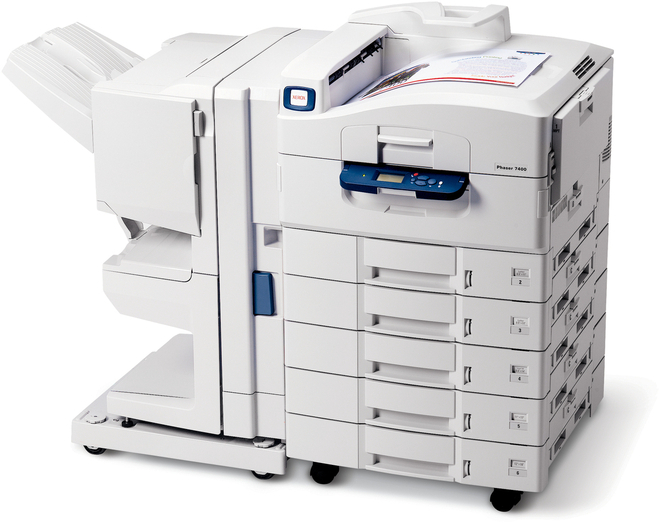
For dependable everyday office printing, the Xerox Phaser 7400DXF pairs its color laser engine with high-capacity paper trays that cut down on refills during long print runs. Its toner takes the same practical approach: when a color runs low, the high-yield replacements are 106R01077 for cyan, 106R01078 for magenta, 106R01079 for yellow and 106R01080 for black.
Long print runs change the failure mode of a printer. Paper gets refilled less on this model, attention drifts, and the thing that finally stops a big job is usually a toner slot nobody checked. The 7400DXF's four separate high-yield cartridges are the countermeasure: generous capacity in every slot, and a supply gauge for each. The offices that get the most from this machine treat toner like tray paper — checked before the long run starts, not after it stalls.
Toner Cartridges for Phaser 7400DXF
| Cartridge | Color | Page Yield |
|---|---|---|
| 106R01080 | Black | High yield |
| 106R01077 | Cyan | High yield |
| 106R01078 | Magenta | High yield |
| 106R01079 | Yellow | High yield |
The identical cartridges under this model's listings, the shared 7400 listings and multipacks: 7400DXF black cartridge, 7400DXF cyan cartridge, 7400DXF magenta cartridge, 7400DXF yellow cartridge, 7400DXF 4 color set, 7400DXF high-yield 4 color set, 7400 black cartridge, 7400 cyan cartridge, 7400 magenta cartridge, 7400 yellow cartridge, 7400 black 2 pack, 7400 black 3 pack, 7400 black 5 pack, 7400 3 color set, 7400 4 color set, 7400 5 color set, 7400 6 color set, 7400 8 color set, high-yield 4 color set, 106R03690, 106R03691 and 106R03692 in a 6 color set listed for the Xerox 6510.
Which cartridge should you buy?
Think in terms of the next long run. If one cartridge is low and a big job is coming, replace that single cartridge now — the high-yield line gives you the largest version of it, and the other slots keep their remaining toner. Black multipacks suit the 7400DXF's document-heavy days, when text volume dwarfs color use. A 4 color set is the choice for a scheduled refresh of an older machine whose four slots are all nearing the end together. The one purchase that rarely makes sense is a full set to cure a single empty color; it ties up money in cartridges that will sit while their installed twins still have pages to give.
Chip, toner and everyday use
These compatible cartridges are chipped for the Phaser 7400DXF, so the printer registers a fresh supply as soon as one is seated. Give a new cartridge a slow rock end to end before installation — toner compacts in the box, and loosening it prevents a pale streak down the first pages. During a long run, avoid opening the machine mid-job to "check" a cartridge; interruptions invite misfeeds, and the gauges tell you the same thing from the panel. Keep the cabinet stocked one cartridge ahead per color, stored flat and sealed, and this printer's supplies become as hands-off as its paper trays.
Frequently Asked Questions
What are the toner numbers for the Phaser 7400DXF?
106R01077 cyan, 106R01078 magenta, 106R01079 yellow and 106R01080 black — all high yield, all replaced individually.
A long print run is coming up and one cartridge shows low. Replace it or wait?
Replace it beforehand if the run matters. A low cartridge may finish, but swapping a fresh 106R01080 in first is cheaper than restarting a stalled job — and the part-used cartridge can go back in afterward to be finished later.
Do the 7400DXF listings differ from the standard 7400 ones?
Only in name. Both listing styles on this page sell the same four cartridges for the same slots.
What if a cartridge arrives damaged or fails early?
Every compatible cartridge here carries a 1-year warranty and 1-year returns, so a bad unit is replaced or sent back rather than absorbed as a loss.
More printers that use the same cartridges
These cartridges also power the other five 7400 variants and the base model: Phaser 7400, Phaser 7400DFX, Phaser 7400DN, Phaser 7400DT, Phaser 7400DX, Phaser 7400N.