




MC561 MFP
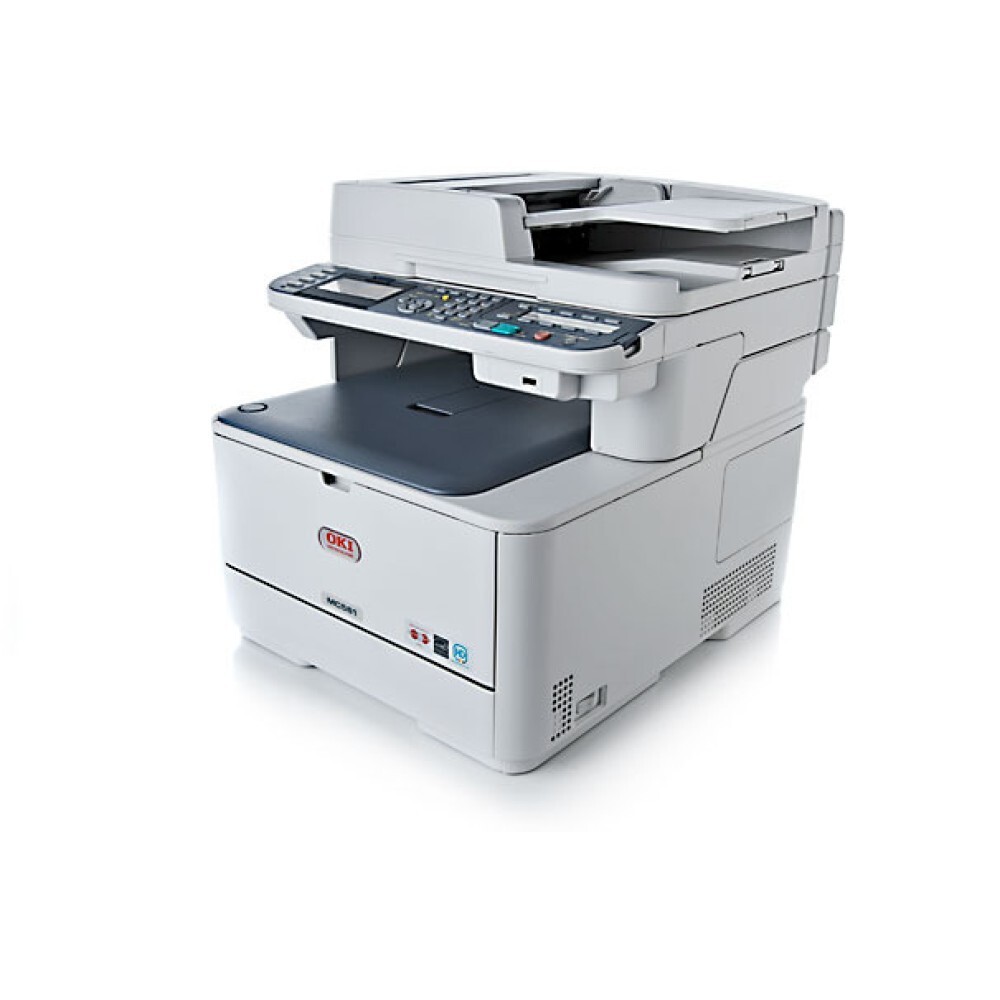
An all-in-one earns its keep three ways at once, and the Okidata MC561 MFP spends toner on all of them — printing, copying and faxing from a single color machine. It belongs to the OKI Type C17 family, with two depths of supply for the same four slots: the standard 44469801 black, 44469703 cyan, 44469702 magenta and 44469701 yellow, and a high-yield branch for busier desks — 44469802 black, 44469721 cyan, 44469720 magenta and 44469719 yellow. Both branches fit this machine; they differ only in how much toner each cartridge carries.
That dual offering exists because all-in-ones hide their page counts. A printer's volume shows up in the job log, but copies made at the glass and faxes printed overnight add pages nobody counted, and they all come out of the same four cartridges. Desks that only print can run happily on the standard set; desks where the MC561 MFP is the office's copy point as well will feel the high-yield branch's longer intervals between swaps.
Toner Cartridges for MC561 MFP
| Cartridge | Color | Page Yield |
|---|---|---|
| 44469801 | Black | See product page |
| 44469703 | Cyan | See product page |
| 44469702 | Magenta | See product page |
| 44469701 | Yellow | See product page |
| 44469802 — High Yield | Black | See product page |
| 44469721 — High Yield | Cyan | See product page |
| 44469720 — High Yield | Magenta | See product page |
| 44469719 — High Yield | Yellow | See product page |
| Type C17 — 4 Color Set | Black, Cyan, Magenta, Yellow | See product page |
| Type C17 High Yield — 4 Color Set | Black, Cyan, Magenta, Yellow | See product page |
| MC561 MFP — 4 Color Set | Black, Cyan, Magenta, Yellow | See product page |
| MC561 MFP Premium Quality — 4 Color Set | Black, Cyan, Magenta, Yellow | See product page |
Which cartridge should you buy?
Start from how the machine is actually used. If the MC561 MFP mostly prints, the standard cartridges — 44469801 black and its three colors — keep the buy price per cartridge low, and you replace a color only when its level says so. If the machine also takes the office's copying and incoming faxes, step up to the high-yield branch: the 44469802 black and the 44469719, 44469720 and 44469721 colors carry more toner per cartridge, so the machine goes longer between openings and the cost of each printed page falls. The two branches mix freely — nothing stops you running a high-yield black for document work alongside standard colors that mostly sit idle.
Chip, toner and everyday use
The Type C17 cartridges on this page are chipped for the MC561 MFP, so each new cartridge is recognized and its level tracked from the first page. Every compatible cartridge here is covered by a 1-year warranty and 1-year returns, so a cartridge that misbehaves is replaced rather than argued about. Practical habits for an all-in-one: check levels on a Friday if the machine takes weekend fax traffic, keep the document feeder's glass clean so copies do not get blamed on toner, and store spare cartridges sealed and flat — toner keeps for a long time in the bag and very little time once it is opened and left in the light.
Frequently Asked Questions
What toner cartridges does the MC561 MFP use?
Eight Type C17 part numbers across two capacities. Standard: black 44469801, cyan 44469703, magenta 44469702, yellow 44469701. High yield: black 44469802, cyan 44469721, magenta 44469720, yellow 44469719. Any combination of the two branches can be installed at once.
Is there a high-yield option for the MC561 MFP?
Yes — the full second branch listed above. The high-yield black is the 44469802, and each color has its own high-yield counterpart. They fit the same slots as the standard cartridges; the difference is the amount of toner inside, which suits machines that copy and fax on top of printing.
Do compatible cartridges work reliably in the MC561 MFP?
Yes. The cartridges on this page are built for this Type C17 family and carry the chip the machine reads, so levels report normally and output matches the machine's color calibration. They are covered by a 1-year warranty and 1-year returns — if a cartridge ever underperforms, it is exchanged, which is the practical answer to the reliability question.
One color ran out during a copy job. Do I stop everything?
Only that color needs changing. The MC561 MFP tracks the four slots independently; swap the empty cartridge — the panel names it — and the job queue carries on with the other three untouched. Keeping one spare of your fastest-moving color prevents the pause entirely.
More printers that use the same cartridges
The MC561 MFP shares its Type C17 cartridges with this family of OKI machines: MC351, MC351DN, MC361 MFP, MC361DN, MC362, MC362w MFP, MC362W, MC561 Color MFP, MC561DN, MC562, MC562dn, MC562dnw, MC562W MFP, MC562W, MC890, MC950 MFP, MC950, C17, C310, C310DN, C330, C330DN, C331 C530dn, C331, C331DN, C510, C510DN, C511DN, C530, C530DN, C531, C531d, C531DN.