




C510DN
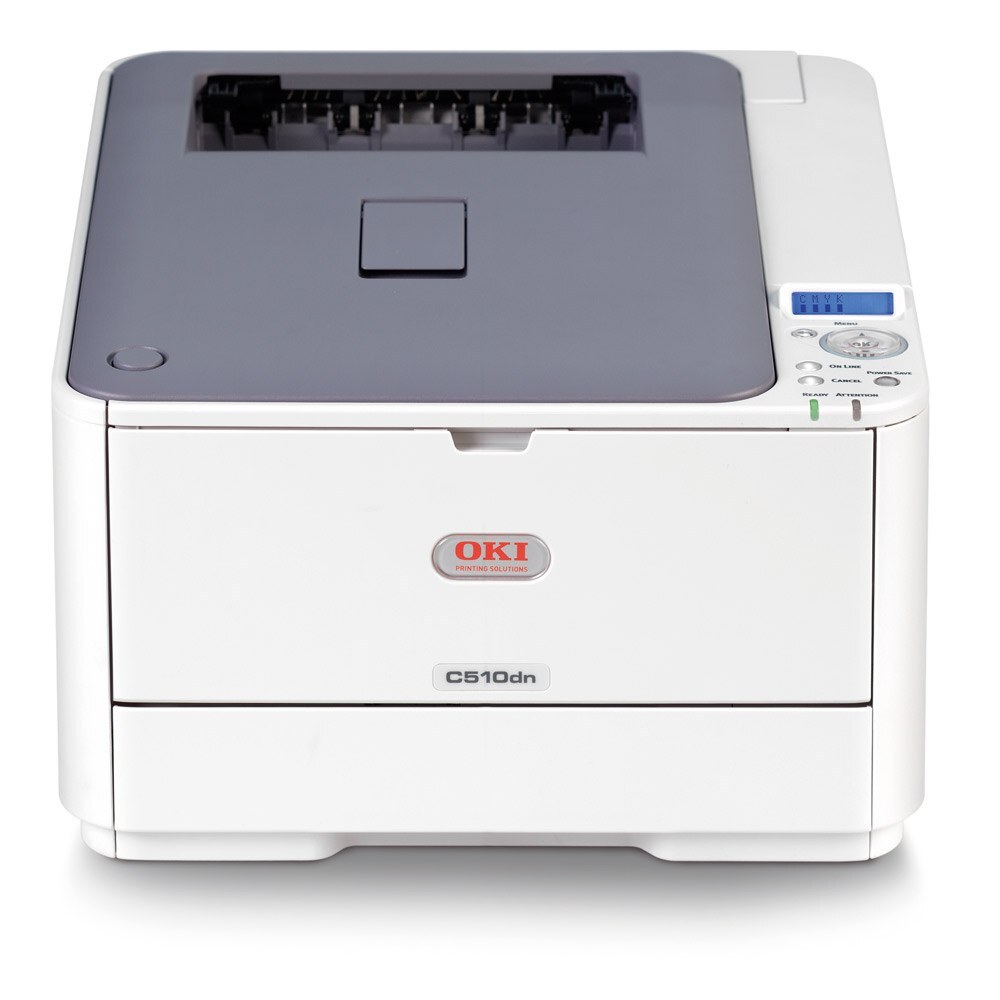
Built for busier desks than the entry-level models, the OKI C510DN is a color laser printer with automatic duplexing and a network interface, a natural fit for a workgroup. Its toner set is the OKI Type C17 family: 44469801 black plus 44469703 cyan, 44469702 magenta and 44469701 yellow. Keeping a compatible spare of each color on hand is what stands between this printer and downtime when one cartridge runs out mid-job.
Busier desks change the failure mode. On a lightly used printer an empty cartridge is a nuisance discovered at leisure; on a C510DN feeding a workgroup it is a stopped job and a small crowd. The machine's duplexing and networking invite exactly that heavier use, so its toner deserves a stocking habit rather than a buying event: watch the levels, keep the fast-moving colors ahead of demand, and let the printer's shared role set the reorder rhythm instead of the calendar.
Toner Cartridges for C510DN
| Cartridge | Color | Page Yield |
|---|---|---|
| 44469801 | Black | See product page |
| 44469703 | Cyan | See product page |
| 44469702 | Magenta | See product page |
| 44469701 | Yellow | See product page |
Restock the full set at once with the C510DN 4 Color Set, or with the family sets: the Type C17 4 Color Set and the Type C17 Premium Quality 4 Color Set.
Which cartridge should you buy?
Stock by color, not by set, unless several cartridges are genuinely low together. The C510DN replaces each color independently, so the economical routine is a spare of whichever color your workgroup burns fastest — for most, black first, then the color that dominates your charts and branding. A 4-color set earns its place when you are commissioning the printer or recovering from a run of heavy months, because it resets every level in one visit. Keep the set's numbers straight when you order: black is 44469801, while cyan, magenta and yellow are 44469703, 44469702 and 44469701. A spare on the shelf is cheap; a workgroup standing idle is not.
Chip, toner and everyday use
Two habits keep a shared C510DN out of trouble. First, set the purchasing trigger at the low warning, not at empty: compatible spares take time to arrive, and the warning is designed to give you that time. Second, mind the driver's defaults — grayscale and duplex for everyday work reserve the color cartridges and the paper budget for jobs that deserve them, and a monthly color calibration keeps output honest as cartridges age at different rates. When a cartridge does go in, seat it until it clicks; a chip that is not read properly will report a full cartridge as missing.
Frequently Asked Questions
What toner set does the OKI C510DN use?
The Type C17 set: black 44469801, cyan 44469703, magenta 44469702 and yellow 44469701 — the same family as the C510, the C331DN and the MC562 series. The DN suffix adds duplexing and networking only.
My C510DN prints color presentations with washed-out reds. What is wrong?
Washed-out reds usually mean the magenta cartridge is low, so check the 44469702 level first. Replace the depleted color and run the printer's color calibration to bring the balance back.
How do I set up the C510DN for cheapest everyday printing?
Default the driver to grayscale and duplex, and switch to color only for presentations and final copies. Routine work then barely touches the color cartridges while paper use halves on long documents.
Should I keep spare cartridges for a workgroup C510DN?
Yes — at least the colors your team uses most. A shared printer that stops for toner stops everyone, and a shelf spare turns a two-day wait into a two-minute swap.
More printers that use the same cartridges
Type C17 toner is shared across OKI's C- and MC-series lines, including: MC351, MC351DN, MC361 MFP, MC361DN, MC362, MC362w MFP, MC362W, MC561 Color MFP, MC561 MFP, MC561DN, MC562, MC562dn, MC562dnw, MC562W MFP, MC562W, MC890, MC950 MFP, MC950, C17, C310, C310DN, C330, C330DN, C331 C530dn, C331, C331DN, C510, C511DN, C530, C530DN, C531, C531d, C531DN.