




C310
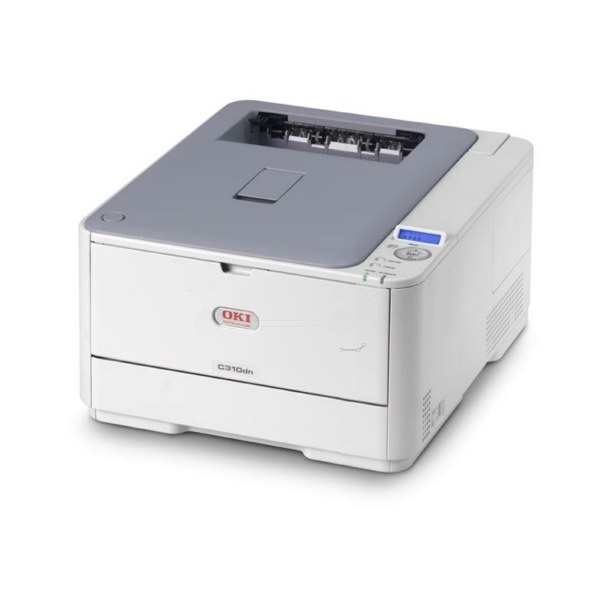
Compact color without the bulk: the Okidata C310 is a small color laser printer shaped for home offices and small workgroups that need clean, dependable color from a machine that does not dominate the desk. It runs on the OKI Type C17 cartridge family — 44469801 in black, 44469703 in cyan, 44469702 in magenta and 44469701 in yellow — four separate cartridges that are each replaced only when their own color runs dry.
A printer at this size is chosen by people who print color in short, frequent bursts: a proposal with charts, a run of handouts, a presentation deck the night before a meeting. The workgroup around it is small enough that everyone knows whose job is on the tray, and the machine's job is simply to be ready. Four independent cartridges suit that rhythm well, because the color that empties midweek never drags the other three out with it.
Toner Cartridges for C310
| Cartridge | Color | Page Yield |
|---|---|---|
| 44469801 | Black | See product page |
| 44469703 | Cyan | See product page |
| 44469702 | Magenta | See product page |
| 44469701 | Yellow | See product page |
Full sets sold on this page: the C310 4 Color Set, the C310 Premium Quality 4 Color Set and the Type C17 4 Color Set.
Which cartridge should you buy?
Buy the color that is actually empty. On a four-cartridge machine the most common waste is replacing a full set when a single color has run out, and the C310 tracks each supply separately precisely so you do not have to. Black does most of the work in a document-heavy office, so it usually empties first and is worth keeping as a standing spare. A complete set earns its place at a different moment: when the machine is new to you, when several colors are aging together, or when you would rather restock the whole shelf in one order and forget about toner for a long stretch. Check the supply levels on the printer's status display before ordering and let the machine, not habit, write the shopping list.
Chip, toner and everyday use
Each cartridge is chipped so the printer can follow its level, and a replacement that is pushed fully home registers at once. Toner yields across the industry are quoted against a five percent coverage test page, which resembles a typical letter; a month of full-color flyers covers far more of every sheet and shortens cartridge life accordingly. If one color starts printing faintly, removing its cartridge and tipping it gently end to end levels the toner inside and often restores solid output for the pages that remain. Spares keep best sealed, stored flat in a cool spot out of the sun.
Frequently Asked Questions
What toner cartridges does the C310 use?
Four individual Type C17 cartridges: black, cyan, magenta and yellow, each in its own slot and each replaced on its own schedule. There is no combined color unit in this machine, so a single empty color never forces you to discard toner that is still usable in the other three.
How can I keep color printing costs down on the C310?
Reach for draft or toner-save mode on internal documents and keep full-strength color for the copies that leave the building. Because every color is its own cartridge, stretching one stretches your money in a direct line. Printing proofs in black only, before committing a long document to color, saves the most expensive mistakes as well.
Do all four cartridges have to be replaced at the same time?
No. The printer monitors black, cyan, magenta and yellow independently, and each cartridge can be swapped the moment it empties without touching the rest. Sets exist for convenience and restocking, not because the machine demands them.
More printers that use the same cartridges
One cartridge family serves a long list of OKI color machines, which is why a spare bought for this printer so often fits the one in the next office. The complete family is listed here:
MC351, MC351DN, MC361 MFP, MC361DN, MC362, MC362w MFP, MC362W, MC561 Color MFP, MC561 MFP, MC561DN, MC562, MC562dn, MC562dnw, MC562W MFP, MC562W, MC890, MC950 MFP, MC950, C17, C310DN, C330, C330DN, C331 C530dn, C331, C331DN, C510, C510DN, C511DN, C530, C530DN, C531, C531d, C531DN