




MC561 Color MFP
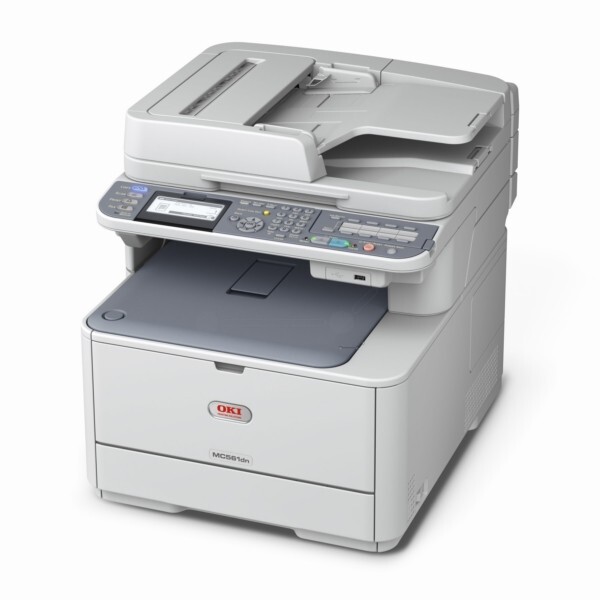
A larger color multifunction built for departments, the OKI MC561 Color MFP handles print, scan, copy and fax while sharing its consumables with the C510/C530 engine line. Its standard toner is the Type C17 set — black 44469801, cyan 44469703, magenta 44469702 and yellow 44469701 — with each color loading separately. A higher-capacity Type C17 run is stocked for the heaviest color work: black 44469802, cyan 44469721, magenta 44469720 and yellow 44469719, listed on this page under the family's C530DN listings.
Two facts shape supply buying for this machine. First, it is a digital LED printer rather than a traditional laser design, laying down all four colors in a single pass, so color work moves at the same pace as black-and-white. Second, departments rarely run one OKI device in isolation: because the MC561 shares its cartridges with the C510/C530 line and the other models below, supplies can be standardized across a mixed fleet instead of tracked machine by machine.
Toner Cartridges for MC561 Color MFP
| Cartridge | Color | Page Yield |
|---|---|---|
| 44469801 | Black | See product page |
| 44469703 | Cyan | See product page |
| 44469702 | Magenta | See product page |
| 44469701 | Yellow | See product page |
| 44469802 | Black — High Yield | See product page |
| 44469721 | Cyan — High Yield | See product page |
| 44469720 | Magenta — High Yield | See product page |
| 44469719 | Yellow — High Yield | See product page |
The standard set stocked on this page:
Which cartridge should you buy?
Let the department's volume decide the capacity. Standard cartridges suit a machine whose color work comes in occasional bursts, and each color is replaced only when it empties. Sustained departmental color volume argues for the high-capacity line in whichever positions drain fastest — the cost per page falls and the swap interval stretches, which matters when the person changing the cartridge is whoever happens to be nearby. A standard four color set covers a full refresh; after that, singles keep the machine topped up position by position.
Chip, toner and everyday use
All four cartridges must be installed for the MC561 to operate, even for black-and-white work, so an empty color is never something to simply leave in place. The chipped cartridges report their own levels, which lets a department reorder against actual consumption instead of discovering an empty slot during a deadline run. Keep spares sealed, flat and away from bright light, and when a cartridge nears its end, a gentle side-to-side rock redistributes its toner for the last stretch of pages.
Frequently Asked Questions
Which cartridges fit the MC561 Color MFP?
The standard Type C17 set: yellow 44469701, magenta 44469702, cyan 44469703 and black 44469801, plus the higher-capacity run — black 44469802, cyan 44469721, magenta 44469720 and yellow 44469719. Since each color loads separately, you only ever replace the one that is empty.
What print technology does the MC561 Color MFP use?
It is a digital LED printer, not a traditional laser. OKI's single-pass LED printheads lay down all four colors in one pass, which is why color pages come out as fast as black ones on this model.
Can the MC561 Color MFP print black-and-white using only the black cartridge?
Yes — select black-and-white in the driver and the machine prints using just the black cartridge, sparing your color toner. Keep in mind that all four cartridges still need to be installed for the printer to operate at all.
One color is empty. Can the department keep printing?
Black-and-white printing can continue in mono mode, but color printing and copying need all four cartridges in place with toner remaining. On a shared machine, that makes the lowest color level the number worth watching.
More printers that use the same cartridges
Standardizing is easy — these Okidata models run on the same Type C17 family: