






 See Compatible Printers
 Read more about our ink!
Hewlett Packard
CS Compatible Replacement for HP CF283X Toner Cartridge High Yield Black/ HP 83X
- Page Yield:
- 2,500 Pages
- Availability:
- In Stock
- Shipping:
- Calculated at Checkout

Amazon Price:

- Page Yield:
- 2,500 Pages
- Availability:
- In Stock
- Shipping:
- Calculated at Checkout
- Compatible Printers
- LaserJet M201dw
- LaserJet MFP M225dn
- LaserJet Pro M201dw
- LaserJet Pro MFP M225dn
- LaserJet Pro MFP M225dw
- LaserJet Pro MFP M225nw i>
- HP CF283A
- LaserJet M125
- LaserJet M125NW
- LaserJet M125a MFP
- LaserJet M125nw MFP
- LaserJet M125rnw MFP
- LaserJet M127
- LaserJet M127 fn
- LaserJet M127FN
- LaserJet M127FN MFP
- LaserJet M127FW
- LaserJet M127FW MFP
- LaserJet M127N
- LaserJet M127N MFP
- LaserJet M127W
- LaserJet M201
- LaserJet M201dw
- LaserJet M201n MFP
- LaserJet M225
- LaserJet M225 MFP
- LaserJet MFP M125
- LaserJet MFP M127fw
- LaserJet MFP M225dw
- LaserJet MFP M225nw
- LaserJet Pro M125
- LaserJet Pro M125NW
- LaserJet Pro M127
- LaserJet Pro M127FN
- LaserJet Pro M127FW
- LaserJet Pro M201
- LaserJet Pro M201N
- LaserJet Pro M225
- LaserJet Pro MFP M125
- LaserJet Pro MFP M125NW
- LaserJet Pro MFP M127
- LaserJet Pro MFP M127FN
- LaserJet Pro MFP M127FW
- LaserJet Pro MFP M201
- LaserJet Pro MFP M225
- Specifications
- SKU:
- HEWCF283X-COM
- Printer Brand:
- Hewlett Packard
- OEM Number:
- CF283X
- Ink Color:
- High Yield Black
- Page Yield:
- 2,500 Pages
- Printer Type:
- Laser Cartridge
- Condition:
- New Compatible
- Description
- Yields up to 2500 pages
- This cartridge is NOT compatible with the following printers: HP LaserJet Pro M125 MFP HP LaserJet Pro M127fn MFP LaserJet Pro M127fw MFP
- HP CF283X Toner Compatible Cartridge High Yield Black HP 83X helps you avoid reprints wasted supplies and costly delays that can occur with remanufactured cartridges
- HP CF283X Toner Compatible Cartridge High Yield Black HP 83X is very easy to install it only takes seconds
- Compatible with: HP LaserJet LaserJet Pro M125 and LaserJet Pro MFP M127 M201 and M225 printer series.
- Reviews
-
Its pretty good quality
Its pretty good quality w good price too I like it

/> 

Compatible HP CF283X Toner Cartridge High Yield Black HP 83X offers the finest quality and consistency for all your documents projects and presentations
The HP CF283X Toner Compatible Cartridge High Yield Black HP 83X helps you keep your business moving forward. You can trust Compatible HP Toner cartridges for consistent uninterrupted printing that keeps you on task and on budget. It is very easy to replace Compatible HP toner cartridges in seconds and get back to printing.
Features:
Frequently Asked Questions
The cartridge from my printer is labeled CF283X. Is this the same thing?
Yes. CF283X is the part number for HP's high-yield 83X black cartridge, and this listing is a compatible replacement built to that specification — one black cartridge rated at 2,500 pages, for the compact LaserJet Pro M201 and M225 family and the M125 multifunction printers. Match the code on your old cartridge and you have matched the listing.
What does a 2,500-page rating mean for a small printer?
These are desktop machines, so 2,500 pages is a long service interval — for a home office or small team printing a few hundred pages a month, one cartridge can cover the better part of a year. The rating assumes five-percent coverage; everyday letters and reports track it closely, while heavy graphics shorten it.
Print quality has gone pale but the cartridge is not that old. Any checks before replacing?
Two quick ones. First, take the cartridge out and rock it gently side to side — toner settles, and redistributing it often restores density for a while. Second, print the printer's supplies status page: on a machine like the LaserJet M201dw it shows the estimated remaining life, which settles whether you are near the end.
What does $26.47 buy?
One sealed compatible CF283X black cartridge, complete on its own. This printer family integrates the imaging drum into the cartridge, so there is no second part to order, and the purchase involves no subscription or scheduled resupply.
How is it installed?
Lift the top door, grip the handle and draw the spent cartridge straight up and out. Peel the protective tape from its replacement, guide the new unit down into the bay until it settles, and shut the door. About a minute, no tools, nothing to configure — the printer detects the fresh supply by itself.
What protection does this cartridge carry?
It is covered by a 1-year warranty and 1-year free returns, with the terms set out on our shipping and returns page. Orders ship from warehouses in Illinois, Pennsylvania, Georgia and California, and our support team answers Monday through Friday, 9 AM to 5 PM CST.
How does the high-yield rating change the rhythm of replacements?
A 2,500-page CF283X stretches the interval between swaps well beyond what a standard cartridge gives a desktop machine. For a small team that prints a few hundred pages a month, replacements become a once-or-twice-a-year event rather than a recurring chore, and the supplies status page is worth checking only every few weeks.
What does the page cost look like on this cartridge?
At $26.47 across a 2,500-page rating, the toner cost lands at just over one cent per standard page. Letters and reports at ordinary coverage track that figure closely, which makes the CF283X an easy cartridge to budget for a home office watching its running costs.
Is it worth holding a spare of a cartridge that lasts this long?
One, yes — precisely because the interval is long, the end tends to be forgotten until output fades mid-job. A single sealed CF283X on the shelf removes the gap entirely. Toner does not dry out while it waits, so the spare bought today is still ready when the installed unit finally gives out.
What should I do with the old cartridge once the new one is in?
Put the spent CF283X back into the new cartridge's bag and carton, confirm the fresh unit prints cleanly over the first day or two, and then let the empty go with your normal disposal. Keeping it briefly covers the unlikely case of a question about the old unit; after that it is only taking up shelf room.
About This HP 83X Cartridge
This is the standard single-cartridge listing in our HP 83X range: the one-for-one replacement for the compact LaserJet on a desk or small-office shelf. It is ordered when the status page says the current cartridge is nearly done and work cannot pause — a small box, a one-minute swap, and the printer is set for another long stretch.
37 Reviews
Related Items

Hewlett Packard
CS Compatible Replacement for HP CF283X Toner Cartridge High Yield Black 4 Pack/ HP 83X
/>


Hewlett Packard
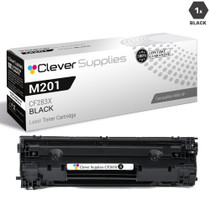
CS Compatible Replacement for HP M201 Toner Cartridges Black (CF283X)
/>


Hewlett Packard
CS Compatible Replacement for HP M125NW Toner Cartridges Black (CF283X)
/>


Hewlett Packard
CS Compatible Replacement for HP M201N Toner Cartridges Black (CF283X)
/>