




LaserJet M125rnw MFP
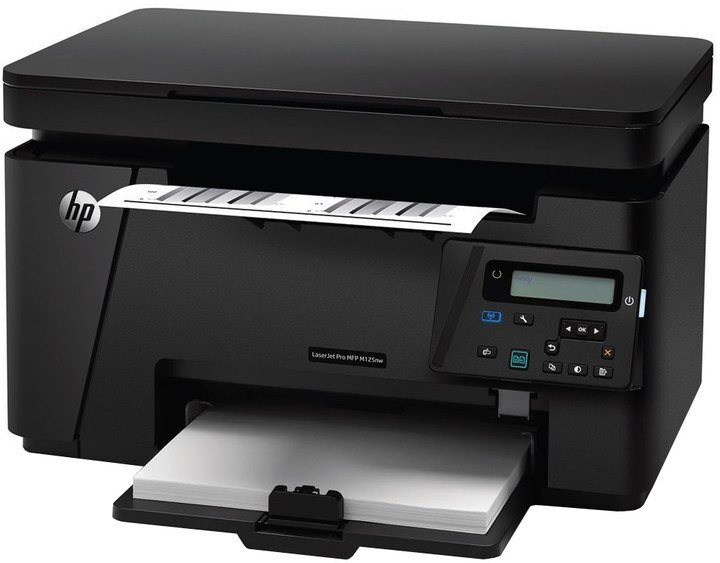
With a fax line added, the LaserJet M125rnw MFP is the fullest M125 configuration: print, scan, copy and fax, plus wireless and network connections in one compact unit. It still runs on a single black cartridge, the CF283A, stocked here as the HP 83A (CF283A) Toner Cartridge Black. A high-yield CF283X is named in the model's documentation, but it is not one of this page's listings — the standard A cartridge in the table is the stocked choice.
Of the M125 variants, this is the one most likely to anchor a small home office that still deals with faxed signatures and forms. That mix — scanning to send, printing what arrives, copying what passes through — all draws on the same cartridge, so its consumption is the sum of four jobs rather than one. The sensible stocking pattern follows from that: the standard cartridge in the machine, a spare beside it, and replacements ordered when the spare goes in, not when the panel starts warning.
Toner Cartridges for LaserJet M125rnw MFP
| Cartridge | Color | Page Yield |
|---|---|---|
| HP 83A (CF283A) Toner Cartridge Black | Black | See product page |
| HP 83A (CF283A) Toner Cartridge Black (alternate listing) | Black | See product page |
One cartridge, two listings: the second row is an alternate listing of the same single, maintained so the cartridge stays orderable. Both rows fit this printer identically.
Which cartridge should you buy?
The stocked answer on this page is the CF283A single. Documentation pairs this model with a high-yield CF283X as well, but that cartridge is not carried here, and for a compact home-office multifunction the standard cartridge's run is well matched to the machine's scale. Because fax and copy traffic adds pages invisibly — received documents print whether or not you are watching — the better investment is a spare standard cartridge kept on site, which both listings above provide, backed by a one-year warranty and one-year returns on these compatible cartridges. Match the code on the outgoing cartridge before you order, and either listing completes the job.
Chip, toner and everyday use
Every function on this machine reports back through one cartridge chip, so install cleanly: remove the spent unit, rock its replacement gently side to side to distribute the toner, pull the seal away in full, and seat the cartridge until it clicks. If vertical lines appear on every page, the cause is often a damaged or nearly empty cartridge — try a fresh one, and if lines persist, run a cleaning cycle. Keep the spare sealed, stored flat and out of sunlight. As with any cartridge, quoted yields are estimates at five percent coverage; a fax-heavy week of dense forms will move the gauge faster than the estimate implies.
Frequently Asked Questions
What toner cartridge does the LaserJet M125rnw MFP use?
It takes the CF283A black cartridge, stocked on this page as a single under two identical listings. Always match the cartridge code to your exact model number before ordering.
Can it copy and scan, or is it print-only?
It is a full multifunction: it copies and scans as well as printing and faxing. All printed output — copies and received faxes included — uses the same single black cartridge.
Why does my printer leave vertical lines on every page?
Vertical lines often come from a damaged or nearly empty cartridge. Fit a fresh CF283A, and if the lines persist, the printer may need a cleaning cycle or service.
Is the high-yield version stocked on this page?
No. The documentation names a high-yield CF283X for this model, but this page's listings are the standard CF283A single, which is the cartridge to order here.
More printers that use the same cartridges
With the family's second half presented first, the full set of models sharing this cartridge is: LaserJet MFP M125, LaserJet MFP M127fw, LaserJet MFP M225dn, LaserJet MFP M225dw, LaserJet MFP M225nw, LaserJet Pro M125, LaserJet Pro M125NW, LaserJet Pro M127, LaserJet Pro M127FN, LaserJet Pro M127FW, LaserJet Pro M201, LaserJet Pro M201N, LaserJet Pro M225, LaserJet Pro MFP M125, LaserJet Pro MFP M125NW, LaserJet Pro MFP M127, LaserJet Pro MFP M127FN, LaserJet Pro MFP M127FW, LaserJet Pro MFP M201, LaserJet Pro MFP M225, HP CF283A, LaserJet M125, LaserJet M125NW, LaserJet M125a MFP, LaserJet M125nw MFP, LaserJet M127, LaserJet M127 fn, LaserJet M127FN, LaserJet M127FN MFP, LaserJet M127FW, LaserJet M127FW MFP, LaserJet M127N, LaserJet M127N MFP, LaserJet M127W, LaserJet M201, LaserJet M201DW, LaserJet M201dw, LaserJet M201n MFP, LaserJet M225, LaserJet M225 MFP.