




LaserJet Pro MFP M125NW
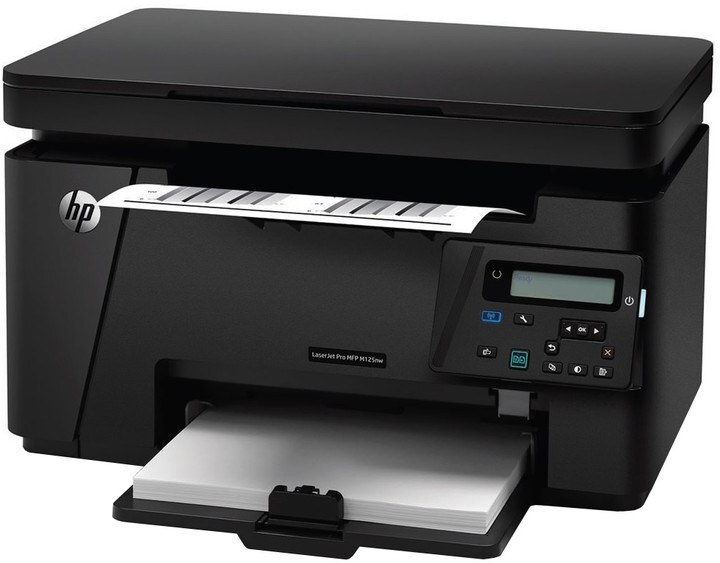
The HP LaserJet Pro MFP M125NW was the connected Pro M125 — wireless and Ethernet on a compact mono multifunction for cable-free homes.
The cartridge is the HP 83A family: black CF283A, with a high-yield CF283X option.
Toner Cartridges for LaserJet Pro MFP M125NW
This printer works with the following toner cartridges:
- HP CF283A
- HP CF283X
More HP Printers
- LaserJet M125
- LaserJet M125a MFP
- LaserJet M125NW
- LaserJet M125nw MFP
- LaserJet M125rnw MFP
- LaserJet M127
- LaserJet M127 fn
- LaserJet M127FN
- LaserJet M127FN MFP
- LaserJet M127FW
- LaserJet M127FW MFP
- LaserJet M127N
- LaserJet M127N MFP
- LaserJet M127W
- LaserJet M201
- LaserJet M201DW
- LaserJet M201n MFP
- LaserJet M225
- LaserJet M225 MFP
- LaserJet MFP M125
- LaserJet MFP M127fw
- LaserJet MFP M225dn
- LaserJet MFP M225dw
- LaserJet MFP M225nw
- LaserJet Pro M125
- LaserJet Pro M125NW
- LaserJet Pro M127
- LaserJet Pro M127FN
- LaserJet Pro M127FW
- LaserJet Pro M201
- LaserJet Pro M201N
- LaserJet Pro M225
- LaserJet Pro MFP M125
- LaserJet Pro MFP M127
- LaserJet Pro MFP M127FN
- LaserJet Pro MFP M127FW
- LaserJet Pro MFP M201
- LaserJet Pro MFP M225
Frequently Asked Questions
How do I connect the LaserJet Pro MFP M125NW to Wi-Fi?
Run the wireless setup wizard on the LaserJet Pro MFP M125NW's control panel to join your network, then install the HP printer software on your computer. If the connection drops, print a network configuration page from the LaserJet Pro MFP M125NW and rejoin.
How can I tell if the CF283A in my LaserJet Pro MFP M125NW is running low?
The LaserJet Pro MFP M125NW shows a toner-low alert on its display before the CF283A is empty, and you can also check supply levels in the HP software. Order a replacement CF283A or CF283X when the alert first appears on the LaserJet Pro MFP M125NW, then swap it once prints fade.
How do I clear a paper jam in the LaserJet Pro MFP M125NW?
Switch the LaserJet Pro MFP M125NW off, open the paper-path covers, and pull the jammed sheet out slowly in the direction of the paper path so it does not tear. Reload with fresh, fanned paper before resuming.