




LaserJet Pro MFP M125
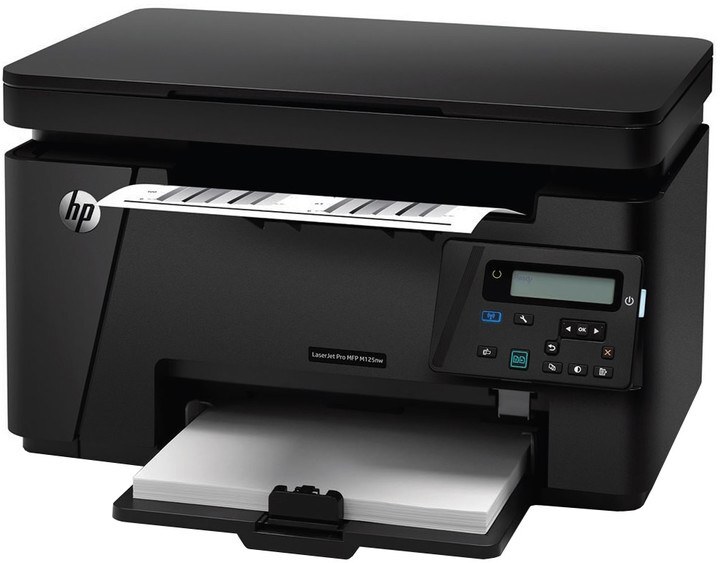
HP's LaserJet Pro MFP M125 packed the M125's print-scan-copy combination into the Pro lineup — a compact mono multifunction for home offices.
It takes the HP 83A cartridge — CF283A — also sold as high-yield CF283X.
Toner Cartridges for LaserJet Pro MFP M125
This printer works with the following toner cartridges:
- HP CF283A
- HP CF283X
More HP Printers
- LaserJet M125
- LaserJet M125a MFP
- LaserJet M125NW
- LaserJet M125nw MFP
- LaserJet M125rnw MFP
- LaserJet M127
- LaserJet M127 fn
- LaserJet M127FN
- LaserJet M127FN MFP
- LaserJet M127FW
- LaserJet M127FW MFP
- LaserJet M127N
- LaserJet M127N MFP
- LaserJet M127W
- LaserJet M201
- LaserJet M201DW
- LaserJet M201n MFP
- LaserJet M225
- LaserJet M225 MFP
- LaserJet MFP M125
- LaserJet MFP M127fw
- LaserJet MFP M225dn
- LaserJet MFP M225dw
- LaserJet MFP M225nw
- LaserJet Pro M125
- LaserJet Pro M125NW
- LaserJet Pro M127
- LaserJet Pro M127FN
- LaserJet Pro M127FW
- LaserJet Pro M201
- LaserJet Pro M201N
- LaserJet Pro M225
- LaserJet Pro MFP M125NW
- LaserJet Pro MFP M127
- LaserJet Pro MFP M127FN
- LaserJet Pro MFP M127FW
- LaserJet Pro MFP M201
- LaserJet Pro MFP M225
Frequently Asked Questions
Is the LaserJet Pro MFP M125 a color printer?
No — the LaserJet Pro MFP M125 is a monochrome laser MFP, so it prints, copies and scans in black only using the CF283A or CF283X cartridge. Color output needs one of HP's color LaserJet models instead.
Does the LaserJet Pro MFP M125 need a computer to make copies?
No — place the original on the LaserJet Pro MFP M125's scanner glass, press copy on the control panel, and it prints without any computer connected. The CF283A cartridge handles both copies and prints on the LaserJet Pro MFP M125.
Will the LaserJet Pro MFP M125 work with a newer computer?
Usually yes — the LaserJet Pro MFP M125 speaks standard printer languages, so modern systems can drive it with a built-in or universal HP driver. Check HP's support page for the LaserJet Pro MFP M125 first; if no model-specific driver exists, the universal driver is the next try.