




LaserJet Pro M201N
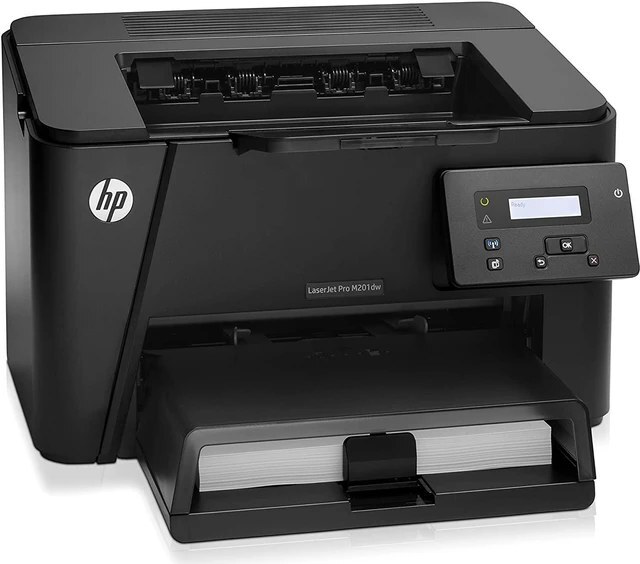
The HP LaserJet Pro M201N was the networked M201 — Ethernet-ready mono printing for small offices sharing one printer.
It runs on the HP 83A cartridge — CF283A — with the high-yield CF283X for heavier traffic.
Toner Cartridges for LaserJet Pro M201N
This printer works with the following toner cartridges:
- HP CF283A
- HP CF283X
More HP Printers
- LaserJet M125
- LaserJet M125a MFP
- LaserJet M125NW
- LaserJet M125nw MFP
- LaserJet M125rnw MFP
- LaserJet M127
- LaserJet M127 fn
- LaserJet M127FN
- LaserJet M127FN MFP
- LaserJet M127FW
- LaserJet M127FW MFP
- LaserJet M127N
- LaserJet M127N MFP
- LaserJet M127W
- LaserJet M201
- LaserJet M201DW
- LaserJet M201n MFP
- LaserJet M225
- LaserJet M225 MFP
- LaserJet MFP M125
- LaserJet MFP M127fw
- LaserJet MFP M225dn
- LaserJet MFP M225dw
- LaserJet MFP M225nw
- LaserJet Pro M125
- LaserJet Pro M125NW
- LaserJet Pro M127
- LaserJet Pro M127FN
- LaserJet Pro M127FW
- LaserJet Pro M201
- LaserJet Pro M225
- LaserJet Pro MFP M125
- LaserJet Pro MFP M125NW
- LaserJet Pro MFP M127
- LaserJet Pro MFP M127FN
- LaserJet Pro MFP M127FW
- LaserJet Pro MFP M201
- LaserJet Pro MFP M225
Frequently Asked Questions
Will a compatible CF283A work in the LaserJet Pro M201N?
Usually yes — quality compatible CF283A cartridges built for the LaserJet Pro M201N install and print like the original. If the LaserJet Pro M201N doesn't recognize one, reseat it firmly and confirm the seals were removed before trying another unit.
When is it time to replace the cartridge in the LaserJet Pro M201N?
Replace the CF283A in the LaserJet Pro M201N when pages stay faded or streaked even after redistributing the toner, or when the toner-low alert will not clear. There is no need to swap a cartridge early just because the first warning appears.
Where do I download drivers for the LaserJet Pro M201N?
Download the latest drivers for the LaserJet Pro M201N from HP's official support website by searching the exact model name. The full software package includes the utilities for checking toner levels and managing the printer.