




LaserJet MFP M225dw
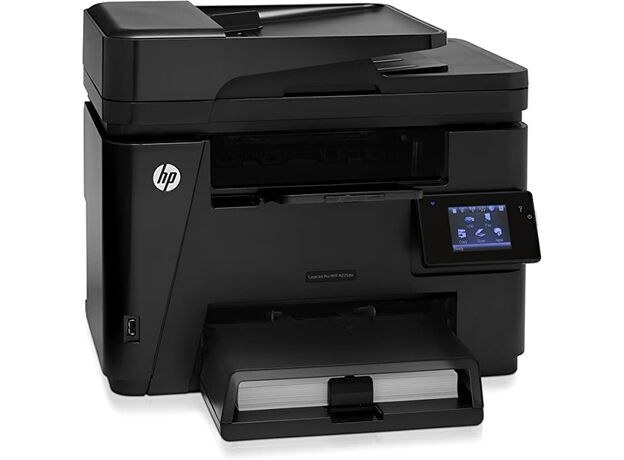
The LaserJet MFP M225dw paired wireless printing with duplexing on the M225 multifunction core: cable-free, two-sided output for small offices. It accepts the HP CF283A cartridge, the black HP markets as the 83A. This page stocks that cartridge under two compatible listings; they are the same item, so either listing restocks the printer.
Freedom of placement is the dw's story: with Wi-Fi and two-sided printing, the unit can live on a side table or a back-office shelf instead of next to a network jack, and still serve every seat in the room. Owners tend to forget supplies for a machine they rarely walk past, which is why the low-toner alert on this model deserves a same-day order rather than a note on the fridge.
Toner Cartridges for LaserJet MFP M225dw
| Cartridge | Color | Page Yield |
|---|---|---|
| Compatible HP 83A (CF283A) Toner Cartridge Black | Black | See product page |
| Compatible HP 83A (CF283A) Toner Cartridge Black (alternate listing) | Black | See product page |
Which cartridge should you buy?
Think about monthly volume first. The CF283A stocked here is the standard cartridge for this printer and the right default for a small office's everyday run of letters, forms and two-sided reports. HP documents a high-yield CF283X for the model as the step up for heavier months; that cartridge is not listed on this page, so the practical move here is a spare CF283A kept where the printer sits. Both listings above are the identical cartridge, so the choice between them changes nothing about what arrives.
Chip, toner and everyday use
If the printer does not recognize a new cartridge, lift it out and reseat it firmly, making sure every protective seal and pull tab came off during unpacking; a power cycle then lets the machine re-detect the chip. When the toner-low warning appears, you can usually keep printing for a while, but that grace period is exactly when the replacement should be ordered. A gentle rock of the cartridge from side to side can even out the last of the toner while the new one is in transit.
Frequently Asked Questions
What toner cartridge does the LaserJet MFP M225dw use?
The CF283A black cartridge, sold on this page as two compatible listings of the same item. Confirm the code against the cartridge you remove; that match matters more than the model badge on the printer's lid.
Why doesn't my LaserJet MFP M225dw recognize the new cartridge?
Recognition failures almost always come down to seating or a leftover seal. Reseat the cartridge firmly, check that all protective material was removed, and restart the printer so it reads the chip again.
What should I do when the LaserJet MFP M225dw shows a toner-low warning?
Treat it as an order-now signal rather than an emergency. Print quality typically holds for a while after the warning, which gives the replacement time to arrive before pages start to fade.
Is there a high-yield cartridge for the LaserJet MFP M225dw?
HP documents the CF283X as the high-yield member of this cartridge family for the model. It is not stocked on this page; the cartridge sold here is the standard CF283A.
More printers that use the same cartridges
The family around this cartridge is broad, covering the whole M125 to M225 compact range: HP CF283A, LaserJet M125, LaserJet M125NW, LaserJet M125a MFP, LaserJet M125nw MFP, LaserJet M125rnw MFP, LaserJet M127, LaserJet M127 fn, LaserJet M127FN, LaserJet M127FN MFP, LaserJet M127FW, LaserJet M127FW MFP, LaserJet M127N, LaserJet M127N MFP, LaserJet M127W, LaserJet M201, LaserJet M201DW, LaserJet M201dw, LaserJet M201n MFP, LaserJet M225.
LaserJet M225 MFP, LaserJet MFP M125, LaserJet MFP M127fw, LaserJet MFP M225dn, LaserJet MFP M225nw, LaserJet Pro M125, LaserJet Pro M125NW, LaserJet Pro M127, LaserJet Pro M127FN, LaserJet Pro M127FW, LaserJet Pro M201, LaserJet Pro M201N, LaserJet Pro M225, LaserJet Pro MFP M125, LaserJet Pro MFP M125NW, LaserJet Pro MFP M127, LaserJet Pro MFP M127FN, LaserJet Pro MFP M127FW, LaserJet Pro MFP M201, LaserJet Pro MFP M225.