




LaserJet Pro MFP M201
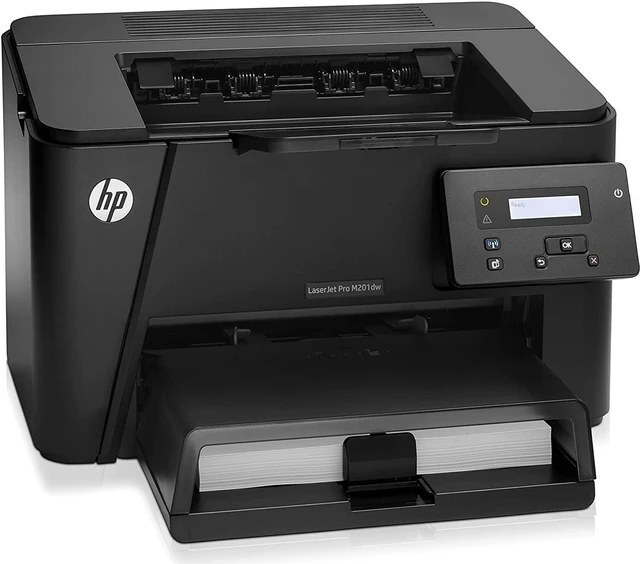
HP's LaserJet Pro MFP M201 brought the M201's quick mono printing into multifunction form — print, scan, and copy for small businesses.
The cartridge is the HP 83A family: black CF283A, also sold as high-yield CF283X.
Toner Cartridges for LaserJet Pro MFP M201
This printer works with the following toner cartridges:
- HP CF283A
- HP CF283X
More HP Printers
- LaserJet M125
- LaserJet M125a MFP
- LaserJet M125NW
- LaserJet M125nw MFP
- LaserJet M125rnw MFP
- LaserJet M127
- LaserJet M127 fn
- LaserJet M127FN
- LaserJet M127FN MFP
- LaserJet M127FW
- LaserJet M127FW MFP
- LaserJet M127N
- LaserJet M127N MFP
- LaserJet M127W
- LaserJet M201
- LaserJet M201DW
- LaserJet M201n MFP
- LaserJet M225
- LaserJet M225 MFP
- LaserJet MFP M125
- LaserJet MFP M127fw
- LaserJet MFP M225dn
- LaserJet MFP M225dw
- LaserJet MFP M225nw
- LaserJet Pro M125
- LaserJet Pro M125NW
- LaserJet Pro M127
- LaserJet Pro M127FN
- LaserJet Pro M127FW
- LaserJet Pro M201
- LaserJet Pro M201N
- LaserJet Pro M225
- LaserJet Pro MFP M125
- LaserJet Pro MFP M125NW
- LaserJet Pro MFP M127
- LaserJet Pro MFP M127FN
- LaserJet Pro MFP M127FW
- LaserJet Pro MFP M225
Frequently Asked Questions
How do I replace the toner cartridge in the LaserJet Pro MFP M201?
Open the front cover of the LaserJet Pro MFP M201, pull the spent CF283A out by its handle, and slide the new cartridge straight in until it seats. Close the cover on the LaserJet Pro MFP M201 and print a test page to confirm it is recognized.
When should I replace the CF283A in the LaserJet Pro MFP M201?
Replace the CF283A in the LaserJet Pro MFP M201 when pages stay faded after redistributing the toner, or when the toner-low alert won't clear. There's no need to swap early — the first warning on the LaserJet Pro MFP M201 arrives well before the cartridge is empty.
Does the LaserJet Pro MFP M201 need a computer to make copies?
No — place the original on the LaserJet Pro MFP M201's scanner glass, press copy on the control panel, and it prints without any computer connected. The CF283A or CF283X cartridge handles both copies and prints on the LaserJet Pro MFP M201.