




LaserJet M125
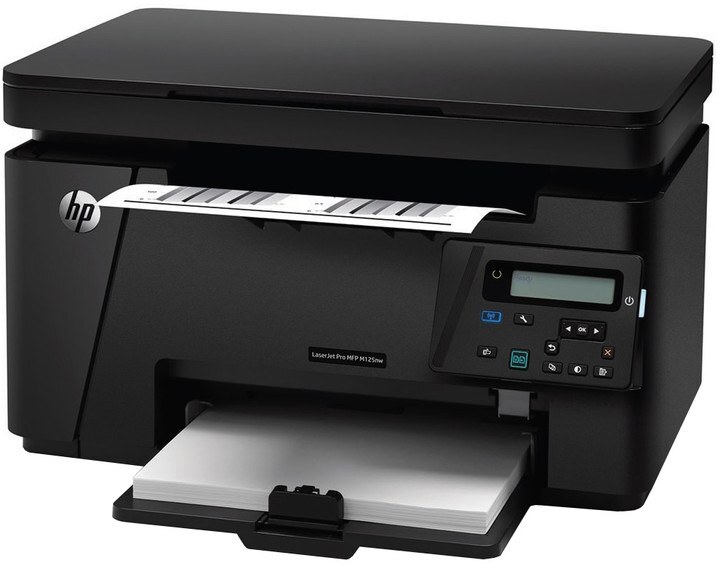
The HP LaserJet Pro M125 arrived in 2014 as a compact mono multifunction for home offices — print, scan, and copy in a small desktop machine that fit crowded desks.
It runs on the HP 83A cartridge — CF283A — with a high-yield CF283X option for heavier use.
Toner Cartridges for LaserJet M125
This printer works with the following toner cartridges:
- HP CF283A
- HP CF283X
More HP Printers
- LaserJet M125a MFP
- LaserJet M125NW
- LaserJet M125nw MFP
- LaserJet M125rnw MFP
- LaserJet M127
- LaserJet M127 fn
- LaserJet M127FN
- LaserJet M127FN MFP
- LaserJet M127FW
- LaserJet M127FW MFP
- LaserJet M127N
- LaserJet M127N MFP
- LaserJet M127W
- LaserJet M201
- LaserJet M201DW
- LaserJet M201n MFP
- LaserJet M225
- LaserJet M225 MFP
- LaserJet MFP M125
- LaserJet MFP M127fw
- LaserJet MFP M225dn
- LaserJet MFP M225dw
- LaserJet MFP M225nw
- LaserJet Pro M125
- LaserJet Pro M125NW
- LaserJet Pro M127
- LaserJet Pro M127FN
- LaserJet Pro M127FW
- LaserJet Pro M201
- LaserJet Pro M201N
- LaserJet Pro M225
- LaserJet Pro MFP M125
- LaserJet Pro MFP M125NW
- LaserJet Pro MFP M127
- LaserJet Pro MFP M127FN
- LaserJet Pro MFP M127FW
- LaserJet Pro MFP M201
- LaserJet Pro MFP M225
Frequently Asked Questions
What toner cartridge does the LaserJet M125 use?
The LaserJet M125 takes the CF283A or the high-yield CF283X toner cartridge. Always match the cartridge code to your exact model number before ordering.
What is the difference between the CF283A and the CF283X for the LaserJet M125?
Both cartridges fit the LaserJet M125; the CF283X is the high-yield version that prints more pages before running out, while the CF283A is the standard-yield cartridge. Pick the one that matches your print volume.
How do I replace the toner cartridge in the LaserJet M125?
Open the LaserJet M125's cartridge door, pull the spent cartridge out by its handle, then slide the new CF283A in until it clicks into place. Close the door and print a test page to confirm it is seated correctly.