




LaserJet Pro M225
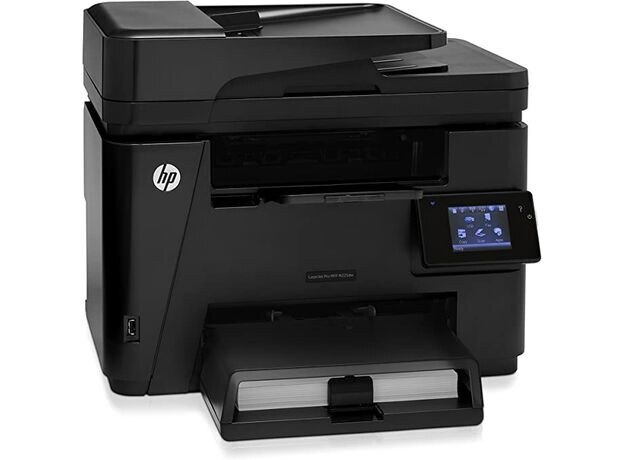
The HP LaserJet Pro M225 gave small businesses full multifunction power — mono print, scan, copy, and fax — in a compact 2014 machine.
Cartridges are the HP 83A family: black CF283A, or the high-yield CF283X.
Toner Cartridges for LaserJet Pro M225
This printer works with the following toner cartridges:
- HP CF283A
- HP CF283X
More HP Printers
- LaserJet M125
- LaserJet M125a MFP
- LaserJet M125NW
- LaserJet M125nw MFP
- LaserJet M125rnw MFP
- LaserJet M127
- LaserJet M127 fn
- LaserJet M127FN
- LaserJet M127FN MFP
- LaserJet M127FW
- LaserJet M127FW MFP
- LaserJet M127N
- LaserJet M127N MFP
- LaserJet M127W
- LaserJet M201
- LaserJet M201DW
- LaserJet M201n MFP
- LaserJet M225
- LaserJet M225 MFP
- LaserJet MFP M125
- LaserJet MFP M127fw
- LaserJet MFP M225dn
- LaserJet MFP M225dw
- LaserJet MFP M225nw
- LaserJet Pro M125
- LaserJet Pro M125NW
- LaserJet Pro M127
- LaserJet Pro M127FN
- LaserJet Pro M127FW
- LaserJet Pro M201
- LaserJet Pro M201N
- LaserJet Pro MFP M125
- LaserJet Pro MFP M125NW
- LaserJet Pro MFP M127
- LaserJet Pro MFP M127FN
- LaserJet Pro MFP M127FW
- LaserJet Pro MFP M201
- LaserJet Pro MFP M225
Frequently Asked Questions
How do I get more out of each CF283A in the LaserJet Pro M225?
Print routine documents in draft or toner-save mode on the LaserJet Pro M225 to stretch each CF283A further, and preview before printing to avoid reprints. Keep a spare CF283A or CF283X sealed nearby so the LaserJet Pro M225 never waits on toner.
Is the LaserJet Pro M225 a monochrome or color printer?
The LaserJet Pro M225 is a monochrome laser printer, so it prints in black only using the CF283A cartridge. If you need color output, look at HP's color LaserJet models instead.
What should I do if the LaserJet Pro M225 prints blank pages?
Blank pages from the LaserJet Pro M225 usually mean the CF283A cartridge is empty or not seated properly. Remove it, make sure the sealing tape was pulled, reseat it firmly, and print again.