




LaserJet M225 MFP
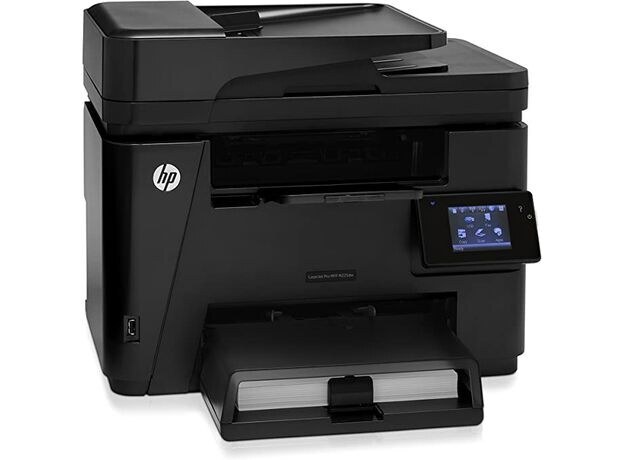
The HP LaserJet M225 MFP delivered the M225's full four-function capability — printing, scanning, copying, and fax — for small offices that centralized everything on one machine.
It runs on the HP 83A cartridge — CF283A — with the high-yield CF283X for heavier use.
Toner Cartridges for LaserJet M225 MFP
This printer works with the following toner cartridges:
- HP CF283A
- HP CF283X
More HP Printers
- LaserJet M125
- LaserJet M125a MFP
- LaserJet M125NW
- LaserJet M125nw MFP
- LaserJet M125rnw MFP
- LaserJet M127
- LaserJet M127 fn
- LaserJet M127FN
- LaserJet M127FN MFP
- LaserJet M127FW
- LaserJet M127FW MFP
- LaserJet M127N
- LaserJet M127N MFP
- LaserJet M127W
- LaserJet M201
- LaserJet M201DW
- LaserJet M201n MFP
- LaserJet M225
- LaserJet MFP M125
- LaserJet MFP M127fw
- LaserJet MFP M225dn
- LaserJet MFP M225dw
- LaserJet MFP M225nw
- LaserJet Pro M125
- LaserJet Pro M125NW
- LaserJet Pro M127
- LaserJet Pro M127FN
- LaserJet Pro M127FW
- LaserJet Pro M201
- LaserJet Pro M201N
- LaserJet Pro M225
- LaserJet Pro MFP M125
- LaserJet Pro MFP M125NW
- LaserJet Pro MFP M127
- LaserJet Pro MFP M127FN
- LaserJet Pro MFP M127FW
- LaserJet Pro MFP M201
- LaserJet Pro MFP M225
Frequently Asked Questions
Does the LaserJet M225 MFP need a computer to make copies?
No — place the original on the LaserJet M225 MFP's scanner glass, press copy on the control panel, and it prints without any computer connected. The CF283A or CF283X cartridge in the LaserJet M225 MFP handles both copies and prints.
Why doesn't my LaserJet M225 MFP recognize the new CF283A cartridge?
Reseat the CF283A cartridge firmly in the LaserJet M225 MFP and check that every protective seal and pull tab was removed. If the message stays, power the printer off and on so it re-detects the cartridge.
What should I do when the LaserJet M225 MFP shows a toner-low warning?
A toner-low alert on the LaserJet M225 MFP means the CF283A cartridge is nearly empty, though you can usually keep printing for a while. Order a replacement now so you have one ready when quality starts to fade.