




LaserJet M201dw
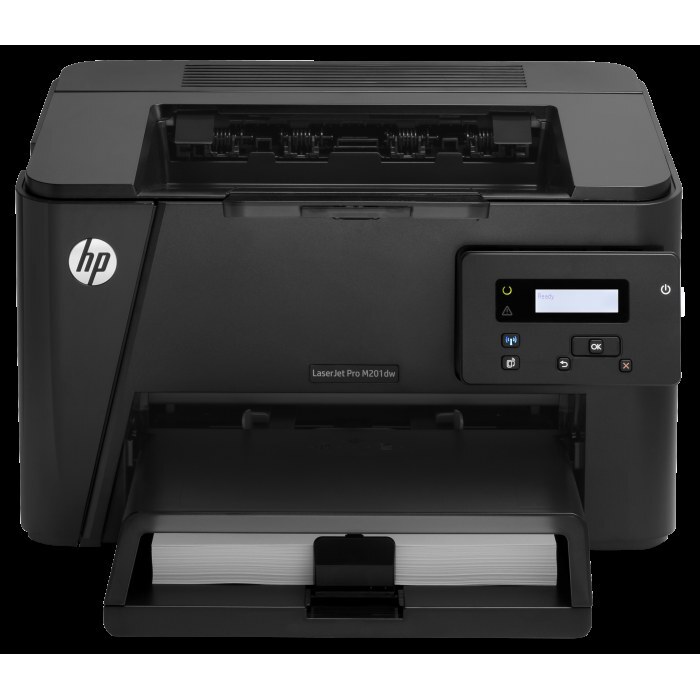
Wireless and two-sided by default, the LaserJet M201dw is the compact monochrome printer with Wi-Fi and automatic duplex built in — a small machine with a one-cartridge supply story. That cartridge is the CF283A, and on this page it is stocked as the single HP 83A (CF283A) Toner Cartridge Black, so a replacement order is a single code checked once against the cartridge coming out.
A printer like this usually lives on one desk or serves a small corner of a home office, where the person printing is also the person who notices the low-toner light. The appeal of the setup is how little administration it needs: one black cartridge, no color set to manage, and a machine that turns pages over automatically to save paper. Keeping a single spare in a drawer turns a toner warning into a two-minute swap instead of a shopping trip.
Toner Cartridges for LaserJet M201dw
| Cartridge | Color | Page Yield |
|---|---|---|
| HP 83A (CF283A) Toner Cartridge Black | Black | See product page |
| HP 83A (CF283A) Toner Cartridge Black (alternate listing) | Black | See product page |
Both rows are the same cartridge under two listings — the second is an alternate listing of the identical single, kept for stock continuity. Either one is the correct cartridge for this printer; there is no difference in fit or code between them.
Which cartridge should you buy?
There is only one code to get right here, and it is the CF283A. This family has no separate high-yield sibling stocked for this page, so the decision reduces to how many singles to keep: one in the printer and one in reserve is the pattern that suits a personal or small-office machine, since its volume is modest and a cartridge lasts a long time between changes. The compatible cartridges on this page carry a one-year warranty and one-year returns, so a spare bought ahead is not a risk. If an order page ever shows a different code for this model, treat that as a stop sign and come back to the code printed on your current cartridge.
Chip, toner and everyday use
The cartridge's chip reports its level to the printer, and a clean change keeps that reporting honest: lift the old unit out, rock the new one gently side to side to spread the toner evenly, remove the protective seal in full, and lower it in until it settles. Faded pages are most often a seal left partly on or a cartridge nearing its end — run a cleaning cycle from the menu if light streaks appear. Store the spare sealed, flat, and away from heat and sunlight, and remember that any yield figure for a cartridge assumes light five percent page coverage, so text-dense documents finish it sooner.
Frequently Asked Questions
Which toner cartridge works with the LaserJet M201dw?
The CF283A is the cartridge code for this model, and checking the label on the old cartridge is the fastest way to confirm before ordering. Both listings in the table above are that cartridge.
The printer says toner is low — must I replace it immediately?
No. The low-toner warning is an early heads-up rather than a hard stop: order a replacement, but keep printing until pages start to fade, then swap it in.
Why are my pages printing faded?
Confirm the protective seal was fully removed from the cartridge and run a cleaning cycle from the menu. If fading continues afterward, the cartridge is most likely running low or is faulty.
Why does this page list the same cartridge twice?
The store carries the identical single under two listings for stock continuity. Both are the same code and the same fit, so either listing puts the right cartridge in the printer.
More printers that use the same cartridges
The 83A cartridge is shared across a wide small-office family of M125, M127, M201 and M225 machines: HP CF283A, LaserJet M125, LaserJet M125NW, LaserJet M125a MFP, LaserJet M125nw MFP, LaserJet M125rnw MFP, LaserJet M127, LaserJet M127 fn, LaserJet M127FN, LaserJet M127FN MFP, LaserJet M127FW, LaserJet M127FW MFP, LaserJet M127N, LaserJet M127N MFP, LaserJet M127W, LaserJet M201, LaserJet M201DW, LaserJet M201n MFP, LaserJet M225, LaserJet M225 MFP, LaserJet MFP M125, LaserJet MFP M127fw, LaserJet MFP M225dn, LaserJet MFP M225dw, LaserJet MFP M225nw, LaserJet Pro M125, LaserJet Pro M125NW, LaserJet Pro M127, LaserJet Pro M127FN, LaserJet Pro M127FW, LaserJet Pro M201, LaserJet Pro M201N, LaserJet Pro M225, LaserJet Pro MFP M125, LaserJet Pro MFP M125NW, LaserJet Pro MFP M127, LaserJet Pro MFP M127FN, LaserJet Pro MFP M127FW, LaserJet Pro MFP M201, LaserJet Pro MFP M225.