




LaserJet M127W
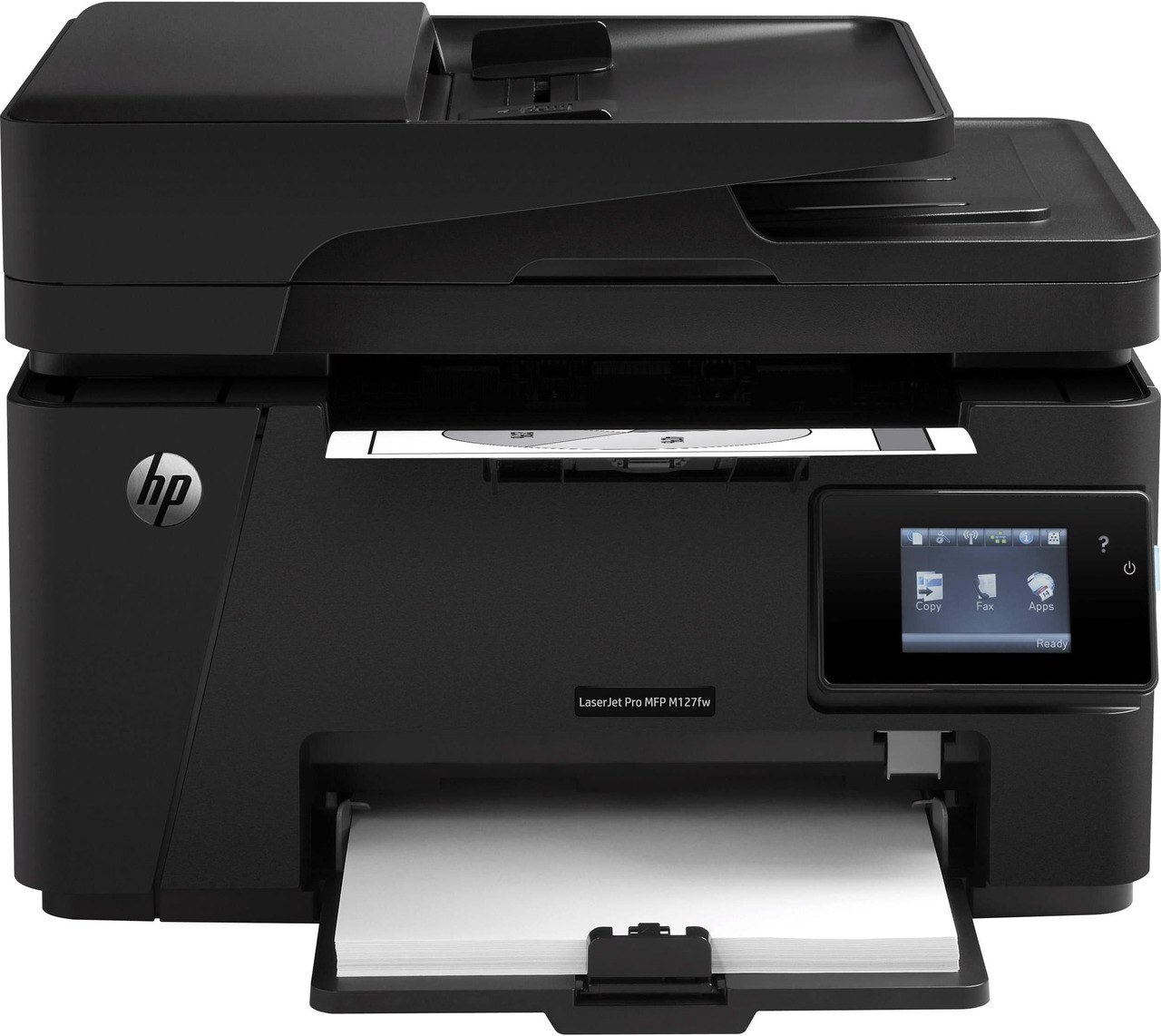
The LaserJet M127W is the member of HP's M127 line that cut the cable: a wireless monochrome multifunction printer built for homes and small offices where jobs arrive from phones and laptops as often as from a desk PC. Everything it prints runs through one black cartridge, the CF283A — the cartridge HP also sells under the short 83A name. This page stocks that cartridge as a single, in multi-packs up to ten, in a listing named for the M127W itself, and in a magnetic MICR version for check printing.
Because the M127W joins the network over Wi-Fi, it can sit on a shelf or a side table instead of crowding the desk that owns the only USB port. Everyone in the room prints to the same machine, scans and copies happen at the printer, and the toner question stays blissfully simple: one cartridge code covers every job the machine will ever be given, so reordering never turns into a research project.
Toner Cartridges for LaserJet M127W
| Cartridge | Color | Page Yield |
|---|---|---|
| CF283A | Black | See product page |
| CF283A 2 Pack | Black | See product page |
| CF283A 3 Pack | Black | See product page |
| CF283A 5 Pack | Black | See product page |
| CF283A 10 Pack | Black | See product page |
| CF283A for LaserJet M127W | Black | See product page |
| CF283A MICR | Black (MICR) | See product page |
| CF283A MICR 2 Pack | Black (MICR) | See product page |
| CF283A MICR 3 Pack | Black (MICR) | See product page |
| CF283A MICR 5 Pack | Black (MICR) | See product page |
| CF283A MICR 10 Pack | Black (MICR) | See product page |
| CF283A MICR for LaserJet M127W | Black (MICR) | See product page |
The same cartridge is also stocked under listings named for sibling models in this family — CF283A for LaserJet M127, CF283A for LaserJet M127FN, CF283A MICR for LaserJet M125, CF283A MICR for LaserJet M125NW, CF283A MICR for LaserJet M127, CF283A MICR for LaserJet M127FN, CF283A MICR for LaserJet M201, CF283A MICR for LaserJet M201DW, CF283A MICR for LaserJet M201N, CF283A MICR for LaserJet M225. They are the same CF283A cartridge; the listing names simply reflect the model each was cataloged under.
Which cartridge should you buy?
For a single home-office machine, the buying decision is about pack size, not cartridge type. A single CF283A covers a light, occasional printer; the two- and three-packs suit a machine in steady weekly use; and the five- and ten-packs are there for offices that would rather shelve spares than reorder often. HP also makes a high-yield CF283X for this printer, but it is not stocked on this page — the multi-packs above are the way to stretch the interval between orders here. Choose the MICR rows only if you print checks: MICR toner carries magnetic particles that bank readers need, and it costs more than the standard fill for everyday documents. Every cartridge on this page is a Clever Supplies compatible, covered by a 1-year warranty and 1-year returns.
Chip, toner and everyday use
A fresh cartridge should be recognized the moment the M127W closes over it. If the printer hesitates, open the cover, lift the cartridge out, and seat it again with firm, even pressure, making sure the sealing tape came out completely and no packing material stayed behind. Keep the next cartridge sealed in its bag until swap day — toner keeps best away from heat and humidity, and a wireless printer that serves several people tends to run dry at the least convenient moment, so a shelf spare earns its space. When output starts to fade near the end of a cartridge, rocking it gently from side to side redistributes the toner inside and usually restores even coverage for a while longer.
Frequently Asked Questions
Does the LaserJet M127W print in color?
No. The M127W is a monochrome machine, so every page — print, scan-to-print or copy — comes out in black from the single CF283A cartridge. If a document arrives with color in it, the printer renders it in shades of gray.
What is the MICR version of the cartridge for?
MICR cartridges use toner with magnetic particles so the account numbers along the bottom of a check can be read by bank equipment. If you print your own checks on the M127W, pick one of the MICR listings; for letters, invoices and everyday paperwork, the standard CF283A rows are the right buy.
Why is my M127W leaving vertical lines on every page?
Lines that repeat down the page usually point at the cartridge: it may be nearly empty, or its drum surface may be damaged. Swap in a fresh CF283A and print a test page; if the lines survive a new cartridge, the printer itself needs a cleaning cycle or service.
Can everyone in the house print to the M127W?
Yes — that is the point of the wireless design. Once the M127W has joined your Wi-Fi network through its setup wizard, any phone, tablet or computer on the same network can send it jobs, and the machine keeps taking the same CF283A cartridge no matter which device the pages come from.
More printers that use the same cartridges
The CF283A family covers a wide bench of compact LaserJets; the models below share this page's cartridge.
HP CF283A, LaserJet M125, LaserJet M125NW, LaserJet M125a MFP, LaserJet M125nw MFP, LaserJet M125rnw MFP, LaserJet M127, LaserJet M127 fn, LaserJet M127FN, LaserJet M127FN MFP, LaserJet M127FW, LaserJet M127FW MFP, LaserJet M127N, LaserJet M127N MFP, LaserJet M201, LaserJet M201DW, LaserJet M201dw, LaserJet M201n MFP, LaserJet M225, LaserJet M225 MFP, LaserJet MFP M125, LaserJet MFP M127fw, LaserJet MFP M225dn, LaserJet MFP M225dw, LaserJet MFP M225nw, LaserJet Pro M125, LaserJet Pro M125NW, LaserJet Pro M127, LaserJet Pro M127FN, LaserJet Pro M127FW, LaserJet Pro M201, LaserJet Pro M201N, LaserJet Pro M225, LaserJet Pro MFP M125, LaserJet Pro MFP M125NW, LaserJet Pro MFP M127, LaserJet Pro MFP M127FN, LaserJet Pro MFP M127FW, LaserJet Pro MFP M201, LaserJet Pro MFP M225