




Color Laser 1250C
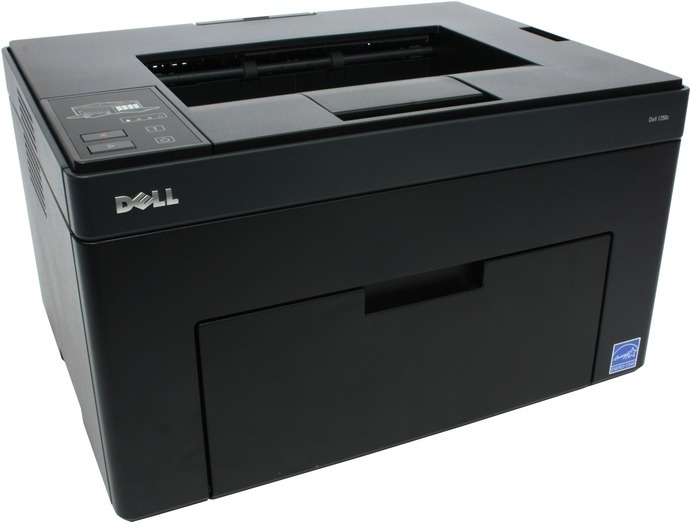
A refinement of the original 1250, the Dell 1250C keeps the compact, single-function color laser formula that suits homes and small offices: sharp color on text and graphics from a machine small enough to live on a side table or credenza. Every cartridge for this printer carries two Dell numbers, so order by whichever one is printed on the cartridge you pull out — the high-yield black is 331-0778, also filed as 810WH; cyan is 331-0777, also C5GC3; magenta is 331-0780, also XMX5D; and yellow is 331-0779, also WM2JC. All four are high-yield cartridges, and Clever Supplies stocks them as compatible cartridges with fast shipping.
What the 1250C does best is occasional-but-important color: an invoice that needs a color logo to look right, a chart for tomorrow's meeting, a school project printed at the kitchen desk. It is a single-function printer, so there is no scanner or fax hardware to pay for or maintain — the budget went into the color laser engine instead. Because the four cartridges deplete independently, running costs stay tied to what you actually print: a month of plain text barely touches the color cartridges, while a run of full-page photos leans on all four.
Toner Cartridges for Dell 1250C
Which cartridge should you buy?
Start from how your color actually gets used. The four cartridges empty at different rates, so the default move is replacing one at a time — there is no need to retire a half-full cyan because the black ran dry. Text-heavy users should look at the black multipacks: the same high-yield black comes in 2-, 3- and 5-packs under both of its Dell numbers, and keeping one spare on the shelf ends the mid-document scramble. When two or more colors are low together, a 4-color set is the tidy reset, and the sets on this page come in regular and premium compatible lines as well as a version built around the short codes. Whichever route you pick, every compatible cartridge here is covered by a 1-year warranty and 1-year returns.
Chip, toner and everyday use
The 1250C reports each color's level separately on its status panel, so a quick glance tells you exactly which cartridge to order before prints start to suffer. When a fresh cartridge is not recognized, pop it out and seat it again with firm, even pressure — a cartridge that has not fully clicked in is the usual cause. A gentle side-to-side rock of a low cartridge redistributes the remaining toner and can buy a few more clean pages while a replacement ships. Keep spares sealed in their bags, stored flat and out of direct sunlight, and they will be ready the moment a level warning appears.
Frequently Asked Questions
My old cartridge shows a code I cannot find here — what do I buy?
Dell cross-files this cartridge family under more than one numbering system. Beyond the 331-0778 series and the short codes 810WH, C5GC3, XMX5D and WM2JC, some Dell lists group the same four cartridges under codes such as YX24V. Match by color: find your cartridge's color, then order the listing for that color on this page — the cartridge itself is the same.
Which color cartridge is empty on my 1250C?
Check the status panel: the 1250C tracks black, cyan, magenta and yellow separately, so the display names the low color before you order. If one color's pages are fading while the others stay strong, that is the same signal — replace only that cartridge and leave the rest in place.
Do I have to replace all four cartridges at the same time?
No. Each of the four slots works independently, and the printer only asks for the cartridge that is actually empty. Replacing one at a time is the normal pattern for this model and the cheapest way to run it; a full set only makes sense when several colors are low together or you want a complete refresh.
Prints from my 1250C have a gray background — what is wrong?
A gray wash across the page often appears when a cartridge is nearly empty or its drum surface is worn. Replace the lowest cartridge first; if the background stays gray after a fresh cartridge is in, the issue sits with the printer rather than the toner, and it is worth checking before ordering more supplies.
More printers that use the same cartridges
The same four cartridges also power the rest of the 1250 and C1760 family — if you run one of these models too, its toner page is here: Color Laser 1250, Color Laser 1250CNW, Color Laser 1350, Color Laser 1350CNW, Color Laser 1355, Color Laser 1355CN, Color Laser 1355CNW, Color Laser 1755NF, Color Laser 1755NFW, Color Laser C1760, Color Laser C1760NW, Color Laser C1765, Color Laser C1765NF, Color Laser C1765NFW, Dell (331-0778, 331-0777, 331-0780, 331-0779), Dell (810WH, C5GC3, XMX5D, WM2JC), Dell (XKP2P, YX24V, MHT79, J95NM), Multifunction 1355CN, Multifunction 1355CNW.