




Color Laser 1350
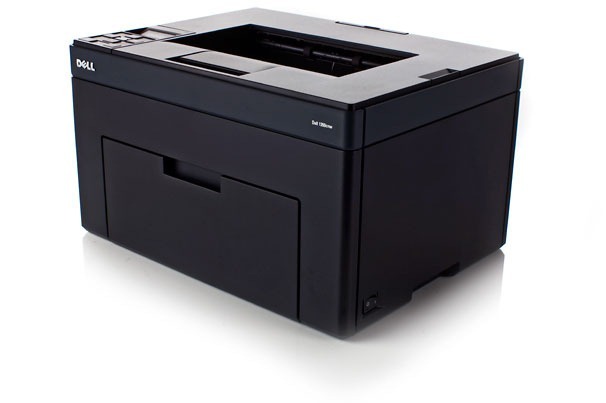
The Dell 1350 steps things up from entry-level color laser: a faster engine aimed at small offices where the printer gets used all day, not just occasionally. It keeps the single-function, no-nonsense approach of the 1250 line while handling heavier everyday volume.
Heavier use means toner strategy matters. The Dell 1350 runs the 331-0778 series high-yield cartridges (331-0778 black plus 331-0777, 331-0780, 331-0779 color), and Clever Supplies carries both compatible and OEM versions at prices that keep busy printers affordable. Stock up with fast shipping and skip the last-minute cartridge run.
Toner Cartridges for Dell 1350
This printer works with the following toner cartridges:
- Dell 331-0778
- Dell 331-0777
- Dell 331-0780
- Dell 331-0779
- Dell 810WH
- Dell C5GC3
- Dell XMX5D
- Dell WM2JC
- Dell XKP2P
- Dell YX24V
- Dell MHT79
- Dell J95NM
Frequently Asked Questions
Which replacement toner should I buy for my Dell 1350?
Dell cartridges like MHT79 and 331-0777 fit the Dell 1350. Stick with cartridges built for this exact model — a wrong cartridge may fit physically, but the printer can refuse to recognise it.
Do I have to replace all four cartridges in the Dell 1350 at once?
No — the Dell 1350 tracks black, cyan, magenta and yellow separately, so you only swap the cartridge that runs out (options include MHT79 and 331-0777). Replacing all four at once just wastes the toner left in the others.
Why is my Dell 1350 printing vertical streaks?
Vertical streaks on the Dell 1350 usually mean the toner is low or the drum is dirty. Remove the cartridge (MHT79 range), gently rock it side to side to redistribute the toner, and reseat it — if the streaks stay after the cartridge is replaced, the imaging drum is the next suspect.