




Color Laser 1755NFW
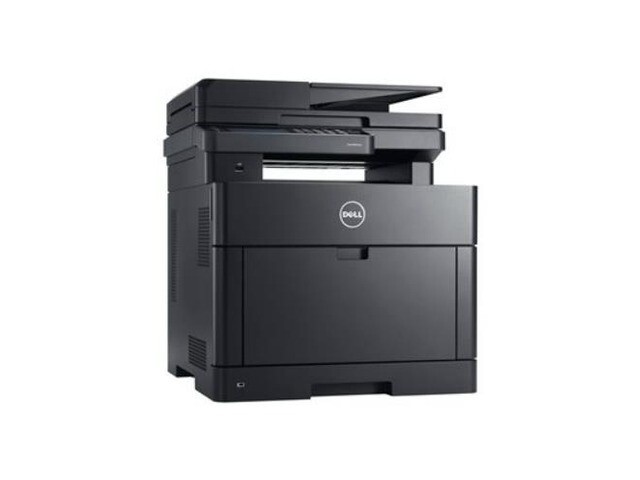
Take the 1755NF's color laser multifunction formula and cut the cord: the Dell 1755NFW puts print, copy, scan and fax on Wi-Fi, so laptops and phones anywhere in the office print through one shared machine with no cable run to it. Its cartridge family is the same high-yield four-slot set — black 810WH (also sold as 331-0778), cyan C5GC3 (or 331-0777), magenta XMX5D (or 331-0780) and yellow WM2JC (or 331-0779).
Wireless access changes how a printer gets used. When anyone in the room can send a job from the device already in their hand, the machine absorbs walk-up printing that a wired unit down the hall would never see — and heavier, less predictable use is exactly where toner planning stops being optional. The 1755NFW suits small offices whose desks move and whose paperwork doesn't: the flexible hub still has to produce the same contracts, forms and color handouts, just from more directions at once.
Toner Cartridges for 1755NFW
Which cartridge should you buy?
Because walk-up wireless printing is hard to forecast, the sensible strategy on this machine is depth on black and patience on color. Black does the heavy lifting in office documents, so the multi-packs of the high-yield black cartridge are the economical backbone — they lower the cost of the cartridge you replace most and keep a spare ready for the week everyone prints at once. Colors, by contrast, should be bought as singles when the printer asks for them: cyan, magenta and yellow drain at different rates depending on what your office actually prints, and a single replacement matches the real need. Choose a 4-color set only when several colors run low together, or when you are stocking a brand-new supply shelf from zero. Either cartridge numbering orders the same supplies.
Chip, toner and everyday use
A new cartridge announces itself through its chip, and the printer updates its level once the cartridge is pushed fully home — a half-seated cartridge is the most common reason a fresh install still shows the old warning. If output fades before the level reaches empty, remove the cartridge and tilt it gently left and right several times; the toner inside redistributes and print darkens again for the remaining pages. Store your spares in their sealed boxes in a room-temperature space — not a garage or attic — and write the purchase date on the box so the oldest cartridge goes in first.
Frequently Asked Questions
Can I print to the 1755NFW from my phone?
Yes. Once the printer has joined your Wi-Fi network, phones and tablets on the same network can print to it with their standard mobile print options — no cable and no computer in between.
How do I make sure I order the correct cartridge number?
Pull the cartridge you are replacing and read the code off its label, then match it exactly. This family answers to two numberings — the short codes (810WH, C5GC3, XMX5D, WM2JC) and the 331-07xx series — and either one identifies the right replacement for its color.
What paper can the 1755NFW handle?
Standard 20 lb office paper belongs in the main tray for everyday work. For heavier stock, check the manual for the exact supported range and feed single sheets through the manual feed rather than loading the tray with card stock.
One color just ran out mid-job. Do I have to change all four?
No — the four cartridges are independent. Swap only the empty color and printing resumes; the other three keep working until their own levels run down.
More printers that use the same cartridges
These Dell models share the 1755NFW's cartridge family and order from the same listings: Color Laser 1250, Color Laser 1250C, Color Laser 1250CNW, Color Laser 1350, Color Laser 1350CNW, Color Laser 1355, Color Laser 1355CN, Color Laser 1355CNW, Color Laser 1755NF, Color Laser C1760, Color Laser C1760NW, Color Laser C1765, Color Laser C1765NF, Color Laser C1765NFW, Dell (331-0778, 331-0777, 331-0780, 331-0779), Dell (810WH, C5GC3, XMX5D, WM2JC), Dell (XKP2P, YX24V, MHT79, J95NM), Multifunction 1355CN, Multifunction 1355CNW.