




Color Laser C1760
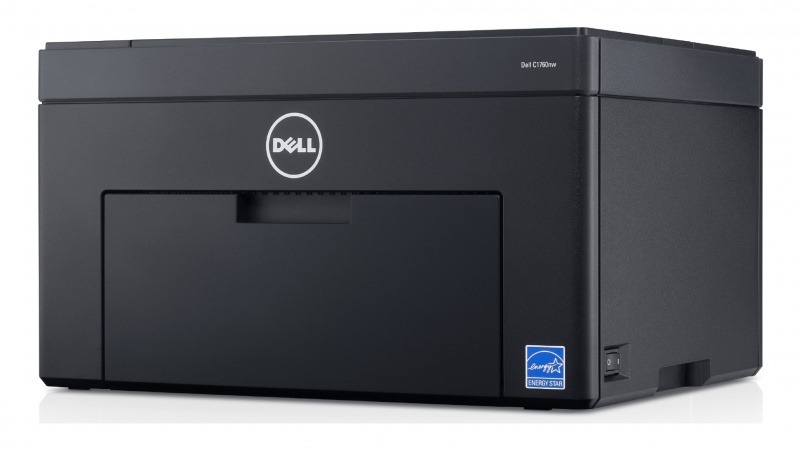
Simple, compact, and affordable: the Dell C1760 is the entry point to Dell color laser — a single-function USB printer for home offices and students who want laser-sharp color without a big machine or a big price tag.
Entry-level printers deserve entry-level running costs. Compatible Dell C1760 toner cartridges deliver vivid color and crisp black text at a much lower cost per page than OEM, and genuine OEM cartridges are available too. Clever Supplies ships both quickly, with the XKP2P/YX24V/MHT79/J95NM standard-yield set for light users and high-yield options for heavier ones. Heavier users skip straight to the high-yield line when they reorder, where yellow answers to 331-0779 (filed as WM2JC), magenta to 331-0780 (XMX5D), cyan to 331-0777 (C5GC3) and black to 331-0778 (810WH).
Toner Cartridges for Dell C1760
This printer works with the following toner cartridges:
- Dell 331-0778
- Dell 331-0777
- Dell 331-0780
- Dell 331-0779
- Dell 810WH
- Dell C5GC3
- Dell XMX5D
- Dell WM2JC
- Dell XKP2P
- Dell YX24V
- Dell MHT79
- Dell J95NM
Frequently Asked Questions
Which replacement toner is compatible with the Dell C1760?
The Dell C1760 uses the Dell cartridge family that includes 331-0778, 331-0777, 331-0780, 331-0779, 810WH, C5GC3, and more. Match the part number on your old cartridge to be sure you get the right color.
There's toner dust inside the C1760. Is that a problem?
Light toner dust inside the C1760 is normal — when you swap a cartridge, take a moment to wipe the accessible surfaces with a dry cloth. Also run the printer's built-in cleaning cycle periodically to keep the transfer path clean.
How do I install a new toner cartridge in the Dell C1760?
After inserting the new C1760 cartridge (331-0778, 331-0777, 331-0780, 331-0779, 810WH, C5GC3, and more), close the cover and let the printer run its short initialization. If the printer still shows the old cartridge, reseat it — a cartridge that isn't fully clicked in won't be recognized.