






 See Compatible Printers
 Read more about our ink!
Dell
Compatible Dell C5GC3 Laser Toner Cartridge High Yield Cyan
- Page Yield:
- 1,400 Pages
- Availability:
- In Stock
- Shipping:
- Calculated at Checkout

Amazon Price:

- Page Yield:
- 1,400 Pages
- Availability:
- In Stock
- Shipping:
- Calculated at Checkout
- Compatible Printers
- Specifications
- SKU:
- C5GC3
- Printer Brand:
- Dell
- OEM Number:
- C5GC3
- Ink Color:
- High Yield Cyan
- Page Yield:
- 1,400 Pages
- Printer Type:
- Laser Cartridge
- Condition:
- New Compatible
- Description
- Yields up to 1400 pages
- Compatible Dell High Yield Cyan color Toner Cartridge consistently produces high-resolution printouts with enhanced graphics and sharp text
- Unlike bargain brand toners Dell High Yield C5GC3 Toner Cartridge is specifically engineered to work in Dell printers for optimum quality and performance
- Packaging: Each
- Compatible with: Dell C1760NW C1765NF C1765NFW C1765NFW 1350 C1765 1755NF series color printers
- Print technology: Laser
- Ink/Toner Color: Cyan
- Ink/Toner Pack Size: 1/Pack
- Cartridge Yield Type: High Yield
- Ink/Toner Cartridge Type: Compatible
- Reviews

/> 

Compatible Dell C5GC3 Laser Toner Cartridge High Yield Cyan produces high-resolution printouts sharper images and text.
Dell high yield cyan color toner cartridge yields up to 1400 pages. Cartridge is specifically designed to work in Dell printers for optimum quality and performance.
Features:
Frequently Asked Questions
Why does cyan seem to disappear faster than the other colors in my Color Laser 1250c?
It is not just your imagination. The C5GC3 cyan feeds every blue, green and teal on the page, and most office documents — charts, logos, headers, hyperlink text — lean heavily on those tones. A compatible C5GC3 rated at up to 1,400 pages will empty sooner than the black cartridge if your output is color-rich, even though the rating itself is the standard 5% coverage figure.
What does one printed page actually cost with the C5GC3?
At $25.24 for up to 1,400 pages, the math works out to about 1.80 cents per page for the cyan component. That is honest compact color laser economics — these small Dell cartridges are built for convenience and low purchase price rather than rock-bottom cost per page, and we will not pretend otherwise. If cyan is your heaviest color, budgeting around that 1.80-cent figure keeps surprises away.
How do I confirm the C5GC3 is the cyan my printer is asking for?
Check the cartridge that came out of the cyan slot: if it carries the C5GC3 number, this is its match. The C5GC3 serves the Dell Color Laser 1250c, 1350cnw, 1355cn, 1355cnw, 1755nf, 1755nfw, C1760nw and C1765nf. The three color cartridges in this family each carry their own code, so matching the number on the empty cartridge is the surest way to order the right color.
Can I swap in just the C5GC3 and leave the other cartridges in place?
Yes. Each color in these Dell models is an independent cartridge, so a low cyan never forces you to replace magenta, yellow or black at the same time. Pull the empty cyan, seat the new C5GC3, and print a test page with a blue or green element to confirm the color is back before running a longer job.
What backs this compatible cartridge if it underperforms?
The C5GC3 carries a 1-year warranty and 1-year free returns under our shipping and returns policy. If it fades early, streaks or fails to deliver close to its rated life under normal use, contact us and we will make it right. Support is available Monday to Friday, 9 AM to 5 PM CST.
Where will my C5GC3 ship from, and how fast?
Orders ship from whichever of our four warehouses — Illinois, Pennsylvania, Georgia or California — gets the cartridge to you soonest. You can browse the rest of the range on our Dell toner page. Keeping one spare C5GC3 on the shelf is cheap insurance for a printer that eats cyan the way these models do.
What are the visible signs that the C5GC3 is running out?
Cyan leaves fingerprints on the page as it fades. Blues wash out and lose their depth, skies in photos go flat and grayish, and greens turn muddy because green is built from cyan and yellow together. Charts are often where it shows first — the blue series in a graph comes out pale against the others. Because the C5GC3 feeds every blue, green and teal you print, a page where those tones specifically have gone weak, while reds and text still look right, is telling you exactly which slot is low.
Can shaking the cartridge buy me a few more pages?
A gentle rock from side to side redistributes the toner settled inside the C5GC3 and can carry you through a short run — enough to finish the job in front of you or bridge the gap until a delivery lands. Treat it as a bridge, not a fix. The fading will return quickly, often within a handful of pages, because the cartridge really is near empty. The right use of those extra pages is to get the replacement ordered while the printer is still producing acceptable output.
Why does heavy color coverage pull the real yield below the 1,400-page rating?
The 1,400-page figure for the C5GC3 is measured at the standard 5% page coverage — a page that is only lightly touched by cyan. A full-page photograph or a chart with solid blue backgrounds can lay down several times that amount on a single sheet. Print enough of those and the arithmetic is unforgiving: the cartridge empties in a fraction of the rated pages while performing exactly as designed. Offices with photo-heavy or graphics-heavy output should budget by their own page counter history rather than the headline rating.
Should I keep the old cyan cartridge after I swap in the new one?
For a few days, yes. The removed C5GC3 gives you two things: its label carries the exact code to reorder by, and it provides a comparison if the new cartridge's first pages look questionable — you can rule out the documents and the printer before suspecting the replacement. Once the new unit has printed a few real jobs cleanly, let the old one go out with the office recycling. Keeping empties beyond that short window only fills the cupboard with cartridges that will never print again.
About This C5GC3 Cyan Cartridge
The compatible Dell C5GC3 is a high yield cyan toner cartridge rated at up to 1,400 pages, priced at $25.24 (about 1.80 cents per page), and made for the Dell Color Laser 1250c, 1350cnw, 1355cn, 1355cnw, 1755nf, 1755nfw, C1760nw and C1765nf. It is the right pick for small offices whose charts and graphics burn through cyan first: a sensibly priced single cartridge, backed by a 1-year warranty and 1-year free returns, shipped from our IL, PA, GA or CA warehouses.
Related Items
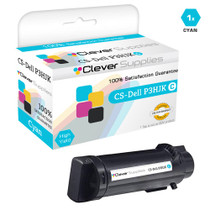
Dell
Compatible Dell P3HJK Laser Toner Cartridge High Yield Cyan
/>


Dell
Compatible Dell Laser Toner Cartridges High Yield 3 Color Set (C5GC3/ XMX5D/ WM2JC)
/>
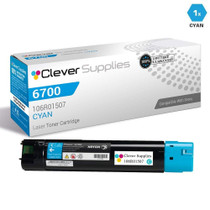
Xerox
Compatible Xerox 106R01507 Laser Toner Cartridge High Yield Cyan
/>

Xerox
Compatible Xerox 106R01392 Laser Toner Cartridge High Yield Cyan
/>