






 See Compatible Printers
 Read more about our ink!
Dell
Compatible Dell Laser Toner Cartridges High Yield 3 Color Set (C5GC3/ XMX5D/ WM2JC)

Amazon Price:

- Page Yield:
- 1,400 Each
- Availability:
- In Stock
- Shipping:
- Calculated at Checkout
- Compatible Printers
- Specifications
- SKU:
- Dell-C5GC3-3CS
- Printer Brand:
- Dell
- OEM Number:
- C5GC3, XMX5D, WM2JC
- Ink Color:
- 3 Color Set
- Page Yield:
- 1,400 Each
- Printer Type:
- Laser Cartridge Set
- Condition:
- New Compatible
- Description
- Yields up to 1400 each
- Compatible Dell High Yield Cyan Magenta Yellow color Toner Cartridges consistently produces high-resolution printouts with enhanced graphics and sharp text
- Unlike bargain brand toners Dell High Yield C5GC3 XMX5D WM2JC Toner Cartridges is specifically engineered to work in Dell printers for optimum quality and performance
- Packaging: Each
- Compatible with: Dell C1760NW C1765NF C1765NFW C1765NFW 1350 C1765 1755NF series color printers
- Print technology: Laser
- Ink/Toner Color: Cyan Magenta Yellow
- Ink/Toner Pack Size: 3/Set
- Cartridge Yield Type: High Yield
- Ink/Toner Cartridge Type: Compatible
- Reviews

/> 

Compatible Dell Laser Toner Cartridges High Yield 3 Color Set (C5GC3 XMX5D WM2JC) produces high-resolution printouts sharper images and text.
Dell high yield cyan magenta yellow color toner cartridges yields up to 1400 each. Cartridges is specifically designed to work in Dell printers for optimum quality and performance.
Features:
| 1400 Each |
Frequently Asked Questions
My color prints suddenly look wrong. Which cartridge in this set fixes which symptom?
Color problems usually trace back to one cartridge. If blues and greens have gone pale or washed out, suspect the C5GC3 cyan. If reds look orange and skin tones look off, that points at the XMX5D magenta. If prints have turned cold and blue-ish and the greens have vanished, the WM2JC yellow is the likely culprit. This set replaces all three colors at once — C5GC3, XMX5D and WM2JC, each rated at up to 1,400 pages — which is the cleanest fix when more than one color is fading or when you cannot pin the symptom on a single cartridge.
Is black included?
No, and it never is in a color set for these printers. The 1250c, 1350cnw, 1355cn, 1355cnw, 1755nf, 1755nfw, C1760nw and C1765nf all take a separate black cartridge alongside the C5GC3 cyan, XMX5D magenta and WM2JC yellow in this box. If your black is also low, order it at the same time so the printer is not down twice.
What do I actually save by bundling the three colors?
Each of these high yield colors costs $25.24 on its own, so the C5GC3, XMX5D and WM2JC bought separately total $75.72. The set is $38.74 — a saving of $36.98, and roughly $12.91 per cartridge. On a compact desktop printer with 1,400-page color cartridges, that is close to half price for the identical three cartridges, which is why the set outsells the singles.
Can I install just one color now and keep the other two for later?
Yes. The three cartridges are individually sealed, and colors almost never run out together. Install the one that has run dry, and store the other two flat, sealed, away from sunlight and heat. When the next color fades, its replacement is already on hand — no second order, no waiting on a delivery.
These are high yield cartridges. What does that mean here?
Each color in this set — C5GC3, XMX5D and WM2JC — is rated at up to 1,400 pages, the high yield figure for this printer family. How long that lasts depends on coverage: pages with light color accents sip toner, while full-color pages with photos or solid backgrounds drink it. Either way, the rating is per cartridge, so a full color round gives you up to 1,400 pages before the first color position needs attention again.
What protection do I get if a cartridge disappoints?
These are compatible cartridges, not Dell originals, and each one carries our 1-year warranty and 1-year free returns. If a C5GC3 arrives leaking or an XMX5D prints streaky, contact us Monday through Friday, 9 AM to 5 PM CST and we will make it right. Orders ship from our warehouses in Illinois, Pennsylvania, Georgia or California; the full policy is on our shipping and returns page, and the wider range is on our Dell toner page.
What should I check when this color set arrives?
Confirm the box holds three cartridges and that the codes are one of each: C5GC3 for cyan, XMX5D for magenta and WM2JC for yellow, with all seals intact. The three codes look alike at a glance, so read them rather than trusting the box art. Matching each code against the slot it is destined for at delivery time catches a packing mix-up while it is still easy to resolve, instead of at the printer with a job waiting. Note the delivery date on the box for simple stock rotation.
If two colors are running low at once, does the install order matter?
There is no required sequence — each cartridge belongs to its own slot and works independently of the others. Install one at a time, seating each firmly in its color position, and there is no benefit to changing a third color that still has life in it just because you have the printer open. The practical order is simply the order of need: the emptiest slot first, then the next. What matters is not the sequence but the check afterwards — one good test page confirms all the colors you touched.
How do I prove each color is printing properly after installing from the set?
Print a test page that carries a solid block of each color — blue, red and yellow give each cartridge its own evidence. The blue block answers for the C5GC3, the red block for the XMX5D and the yellow block for the WM2JC. Judge the page after two or three copies rather than the first sheet, which can still show the old cartridges' weakness. A block that comes out pale or streaky while the other two are solid points at that one cartridge's seating first — pull it, reseat it, and print the same page again.
What should I do with the three empties after a set change?
Keep the three removed cartridges together until the replacements have proven themselves over a few days of real printing — if a question comes up, the old set is your comparison, and its labels carry the three codes for the next order. Once the printer is clearly producing good color again, send the empties out together with your office recycling. Grouping them keeps spent stock from drifting back onto the supply shelf, where an empty C5GC3 in a clean-looking box causes a very avoidable mid-job surprise later.
About This 1250C 3 Color Set
This set gathers the three high yield colors for Dell's compact color laser family — C5GC3 cyan, XMX5D magenta and WM2JC yellow, 1,400 pages each — covering the Color Laser 1250c, 1350cnw, 1355cn, 1355cnw, 1755nf, 1755nfw, C1760nw and C1765nf. At $38.74 against $75.72 bought singly, it is the economical way to refresh the whole color side of the printer in one order; just remember the black cartridge lives outside this box and is ordered separately.
Related Items

Dell
Compatible Dell Laser Toner Cartridges High Yield 4 Color Set (810WH/ C5GC3/ XMX5D/ WM2JC)
/>

Dell
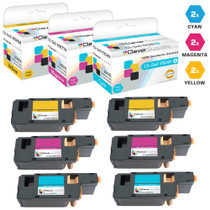
Compatible Dell Laser Toner Cartridges High Yield 2 X CMY - 6 Color Set (C5GC3/ XMX5D/ WM2JC)
/>

Dell
Compatible Dell Laser Toner Cartridges High Yield 2 X BCMY - 8 Color Set (810WH/ C5GC3/ XMX5D/ WM2JC)
/>

Dell
Compatible Dell Laser Toner Cartridges High Yield 2 Black and CMY - 5 Color Set (810WH/ C5GC3/ XMX5D/ WM2JC)
/>