




Color Laser C1760NW
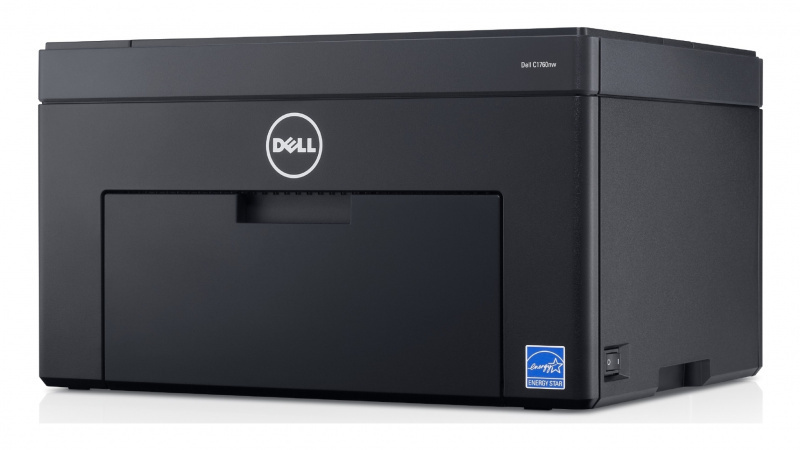
The Dell C1760NW keeps the small footprint of the C1760 and adds the two connections a shared household actually needs — Ethernet and wireless — turning a personal printer into one the whole home can reach. Under the cover nothing about the supplies changes: this model drinks from the same cartridge family as the Color Laser C1760, and the high-yield cartridges wear two sets of numbers. Look for cyan 331-0777 (also coded C5GC3), magenta 331-0780 (also XMX5D), yellow 331-0779 (also WM2JC) and black 331-0778, which Dell also files as 810WH.
Two or three devices printing through one compact machine is the sweet spot this model was built for: a micro-office, a family with laptops in different rooms, a student house. The catch is arithmetic — every added user adds pages, and shared printers run through toner at a pace that surprises people used to a private machine. Cartridge choice is what keeps that convenience cheap, which is why this shelf leans on the high-yield family and its compatible pricing.
Toner Cartridges for Dell C1760NW
Which cartridge should you buy?
Treat the C1760NW as a small shared resource and stock it like one. The high-yield line is the default recommendation: more pages per cartridge means fewer interruptions for a printer several people rely on, and a lower cost per page while it does it. Because nobody in a shared home wants to be the one who finds the black empty, the black cartridge's 2, 3 and 5 packs are the practical buy — the next swap is then a cupboard job, not a delivery wait. Colors follow the usual rule: one at a time, only the channel the printer names. When the machine first arrives or several colors fade together, a 4 Color Set restocks everything in a single order. Both the standard-yield set for very light use and genuine OEM cartridges are available alongside these compatibles, which carry a 1-year warranty and 1-year returns.
Chip, toner and everyday use
A wireless printer often lives in a different room from the people using it, so keep the spare set in the same room as the machine — a low-toner swap should never turn into a house-wide search. The printer estimates each cartridge's level from its chip and reports the colors separately, which is your cue to order the named one rather than guessing. When a new cartridge goes in, close the cover and let the initialization complete; a unit that is not clicked fully into place will not be recognized and the old warning will stare back at you. Between swaps, an occasional cleaning cycle and a dry-cloth wipe of the cartridge bay keep output clean, and unopened spares should stay sealed, upright and out of the sun.
Frequently Asked Questions
What are the correct Dell cartridge part numbers for the C1760NW?
The verified high-yield numbers are 331-0778 black, 331-0777 cyan, 331-0780 magenta and 331-0779 yellow, cross-filed as 810WH, C5GC3, XMX5D and WM2JC. When in doubt, pull the spent cartridge out and compare the part number on its label before ordering.
How do I know when the C1760NW needs new toner?
Treat the low-toner message as an early warning, not a hard stop. The printer is estimating what remains, and most users get dozens to hundreds of additional pages after it first appears — which is exactly the window to order the replacement in.
How do I connect the C1760NW to Wi-Fi?
Use the control panel's network settings: pick your network name, enter the password, and confirm the printer picks up an IP address. After that, add it as a network printer on each computer — no USB cable is needed from then on.
Does the C1760NW take the same cartridges as the C1760?
Yes, the two models share one cartridge family, standard and high yield alike. A spare bought for one machine is a valid spare for the other, which is handy in homes running both.
More printers that use the same cartridges
The family behind this printer is a large one, spanning several generations of Dell's compact color range: Color Laser 1250, Color Laser 1250C, Color Laser 1250CNW, Color Laser 1350, Color Laser 1350CNW, Color Laser 1355, Color Laser 1355CN, Color Laser 1355CNW, Color Laser 1755NF, Color Laser 1755NFW, Color Laser C1760, Color Laser C1765, Color Laser C1765NF, Color Laser C1765NFW, Dell (331-0778, 331-0777, 331-0780, 331-0779), Dell (810WH, C5GC3, XMX5D, WM2JC), Dell (XKP2P, YX24V, MHT79, J95NM), Multifunction 1355CN, Multifunction 1355CNW.