




Multifunction 1355CNW
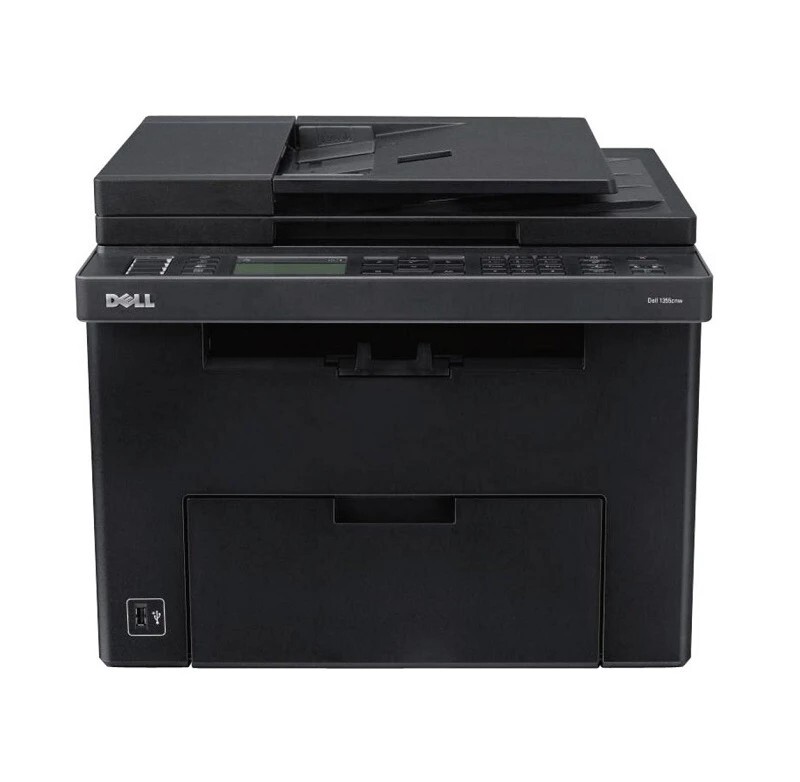
Wireless is the whole point of the Dell 1355CNW: a color laser multifunction that prints, copies and scans over Wi-Fi, so it can sit wherever the office has space rather than wherever the Ethernet cable reaches. Its toner is the family shared with the wired 1355CN - black 331-0778, cyan 331-0777, magenta 331-0780 and yellow 331-0779, also sold under the letter codes 810WH, C5GC3, XMX5D and WM2JC in high-yield form and XKP2P, YX24V, MHT79 and J95NM in standard form. Every cartridge on this page is a compatible unit with a 1-year warranty and 1-year returns.
Placement freedom quietly changes toner consumption. A multifunction that any laptop, phone or tablet in the building can reach gets used by more people, for more kinds of jobs, than one tethered to a single desk - and shared machines rarely have a single owner watching the toner gauges. The practical answer is capacity and a spare: high-yield cartridges stretch the interval between changes, and one boxed black kept nearby means the printer's growing popularity never turns into a mid-afternoon outage.
Toner Cartridges for 1355CNW
- 1250 Toner 4 Color Set (331-0778, 331-0777, 331-0780, 331-0779) - black, cyan, magenta, yellow; page yield: on the product page
- 1250 Toner 8 Color Set (331-0778, 331-0777, 331-0780, 331-0779) - two each of black, cyan, magenta, yellow; page yield: on the product page
- 1250 Toner 5 Color Set (331-0778, 331-0777, 331-0780, 331-0779) - two black, plus cyan, magenta, yellow; page yield: on the product page
- 1250 Toner 3 Color Set (331-0777, 331-0780, 331-0779) - cyan, magenta, yellow; page yield: on the product page
- 1250 Toner 6 Color Set (331-0777, 331-0780, 331-0779) - two each of cyan, magenta, yellow; page yield: on the product page
- 1250 Toner Black 5 Pack (331-0778) - black; page yield: on the product page
- 1250 Toner Black 3 Pack (331-0778) - black; page yield: on the product page
- 1250 Toner Black 2 Pack (331-0778) - black; page yield: on the product page
- 1250 Toner Black (331-0778) - black; page yield: on the product page
- 1250 Toner Cyan (331-0777) - cyan; page yield: on the product page
- 1250 Toner Magenta (331-0780) - magenta; page yield: on the product page
- 1250 Toner Yellow (331-0779) - yellow; page yield: on the product page
Which cartridge should you buy?
Treat this as a shared printer even if it started as a personal one, because wireless access invites the whole office in. High-yield builds of the four codes are the sensible default: they absorb the extra volume from phones and guest laptops without constant attention. Buy colors singly as each gauge falls - the machine reports them independently - and hold black in reserve with a two-pack, since document printing across many users drains black first. A full set makes sense at setup time or when the machine is new to you, so all four cartridges start their life together.
Chip, toner and everyday use
Each cartridge's chip identifies its color and family to the printer, so a replacement dropped into the correct bay is recognized as soon as the cover closes. Keep the wireless side healthy and the toner side follows: most 'printer not found' complaints on this model are network hiccups, not cartridge faults. For the cartridges themselves, store spares sealed and flat, away from heat; when print fades in one color, lift that unit out and rock it gently end to end to level the toner before deciding it is finished. Draft or grayscale defaults for internal documents will noticeably slow how fast the color cartridges empty.
Frequently Asked Questions
What does the W add over the 1355CN?
Wi-Fi. The 1355CNW adds wireless networking to the same color print, scan and copy package, and it uses exactly the same cartridges - nothing about toner changes between the two models.
Which cartridges fit the 1355CNW?
The twelve-code family shared with its siblings: numeric 331-0778, 331-0777, 331-0780 and 331-0779, or their letter-code equivalents in standard and high-yield sizes. Match the code and color on the cartridge you removed; black and color units cannot swap slots.
Can I print black-only to save the color cartridges?
Yes. Choose grayscale or black-only in the driver for everyday documents and the color cartridges sit untouched until a job genuinely needs them. It is the simplest habit for stretching color toner on a shared machine.
Everyone in the office prints to it. How do I avoid running dry?
Turn on the machine's low-toner alert if it is not already, keep one spare black cartridge in the room, and reorder a color when its gauge first reports low rather than empty - on a shared printer the gap between low and empty can be a single busy day.
More printers that use the same cartridges
The same family covers Dell's compact color laser printers and multifunctions, among them:
Color Laser 1250, Color Laser 1250C, Color Laser 1250CNW, Color Laser 1350, Color Laser 1350CNW, Color Laser 1355, Color Laser 1355CN, Color Laser 1355CNW, Color Laser 1755NF, Color Laser 1755NFW, Color Laser C1760, Color Laser C1760NW, Color Laser C1765, Color Laser C1765NF, Color Laser C1765NFW, Dell (331-0778, 331-0777, 331-0780, 331-0779), Dell (810WH, C5GC3, XMX5D, WM2JC), Dell (XKP2P, YX24V, MHT79, J95NM), Multifunction 1355CN.