




Multifunction 1355CN
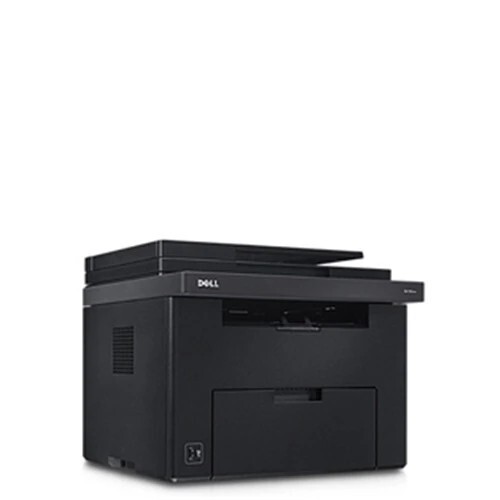
The Dell 1355CN is the networked all-in-one of the 1355 line: a color laser multifunction that prints, copies and scans for a small office from one footprint. It feeds on four individually replaceable cartridges - black 331-0778, cyan 331-0777, magenta 331-0780 and yellow 331-0779. The same slots also carry Dell's letter codes - 810WH, C5GC3, XMX5D and WM2JC for the high-yield builds, XKP2P, YX24V, MHT79 and J95NM for the standard builds - so a code read off an old cartridge in either system leads back to this shelf. Listings here are compatible cartridges, each covered by a 1-year warranty and 1-year returns.
An all-in-one earns its desk space by being used constantly, and constant use is what shapes the toner buying for this model. The 1355CN sits in the middle of the office's document traffic - originals arriving for copying, scans leaving by email, printed sets coming out all day. That mix leans on all four cartridges rather than black alone, so levels tend to fall together and the machine rewards owners who watch the color gauges, not just the black one. Offices that standardize on the high-yield builds find the supply routine shrinks to a few planned swaps a year.
Toner Cartridges for 1355CN
| Cartridge | Color | Page Yield |
|---|---|---|
| 1250 Toner Black (331-0778) | Black | See product page |
| 1250 Toner Cyan (331-0777) | Cyan | See product page |
| 1250 Toner Magenta (331-0780) | Magenta | See product page |
| 1250 Toner Yellow (331-0779) | Yellow | See product page |
| 1250 Toner Black 2 Pack (331-0778) | Black | See product page |
| 1250 Toner Black 3 Pack (331-0778) | Black | See product page |
| 1250 Toner Black 5 Pack (331-0778) | Black | See product page |
| 1250 Toner 4 Color Set (331-0778, 331-0777, 331-0780, 331-0779) | Black, cyan, magenta, yellow | See product page |
| 1250 Toner 5 Color Set (331-0778, 331-0777, 331-0780, 331-0779) | Two black, plus cyan, magenta, yellow | See product page |
| 1250 Toner 8 Color Set (331-0778, 331-0777, 331-0780, 331-0779) | Two each of black, cyan, magenta, yellow | See product page |
| 1250 Toner 3 Color Set (331-0777, 331-0780, 331-0779) | Cyan, magenta, yellow | See product page |
| 1250 Toner 6 Color Set (331-0777, 331-0780, 331-0779) | Two each of cyan, magenta, yellow | See product page |
Which cartridge should you buy?
Match capacity to how central this machine is. As the only color device in a small office, the high-yield versions of the four codes belong in it: fewer interruptions, better cost per page, and one spare black in the cupboard for the day the panel asks. As a secondary printer used mainly for overflow and copies, standard capacity is a reasonable economy, since cartridges will last long enough to stay fresh. When two or more colors flag low in the same week - common on this model - a combined set refreshes the row in a single order; otherwise singles keep spending tied to the color that actually ran out.
Chip, toner and everyday use
The 1355CN reports each cartridge through its chip and shows the four levels on its display and in the status monitor, which makes it easy to order ahead instead of reacting to an empty slot. Swap one color at a time: open the side cover, pull the spent unit out by its handle, remove the new cartridge's seal and packaging, and slide it into the bay marked with the same color until it stops. If colors drift after a change, run the machine's color calibration routine before suspecting the cartridge - drift is common on multifunctions and the calibration usually brings registration back.
Frequently Asked Questions
Which cartridges does the Dell 1355CN use?
Four: 331-0778 for black, 331-0777 for cyan, 331-0780 for magenta and 331-0779 for yellow, with the letter-code equivalents listed above. Read the code on the cartridge you remove and match color for color - the units are not interchangeable between slots.
How do I know which color is empty?
The display and the status monitor report each cartridge's level individually. Replace only the depleted color; the remaining cartridges keep working and the machine tracks them separately.
The colors on my 1355CN prints look off. Where do I start?
Run the color calibration in the machine's menu first - multifunctions drift over time and calibration corrects most of it without new parts. If a single color is still wrong afterward, that color's cartridge is the next suspect and can be replaced on its own.
Does scanning or copying wear the cartridges differently?
Scanning to email or file uses no toner at all. Copying uses the same cartridges as printing, page for page, so a copy-heavy office should budget toner the same way it budgets for print volume.
More printers that use the same cartridges
This cartridge family is shared across Dell's compact color laser range, including the other 1355 variants:
Color Laser 1250, Color Laser 1250C, Color Laser 1250CNW, Color Laser 1350, Color Laser 1350CNW, Color Laser 1355, Color Laser 1355CN, Color Laser 1355CNW, Color Laser 1755NF, Color Laser 1755NFW, Color Laser C1760, Color Laser C1760NW, Color Laser C1765, Color Laser C1765NF, Color Laser C1765NFW, Dell (331-0778, 331-0777, 331-0780, 331-0779), Dell (810WH, C5GC3, XMX5D, WM2JC), Dell (XKP2P, YX24V, MHT79, J95NM), Multifunction 1355CNW.