




Color Laser 1350
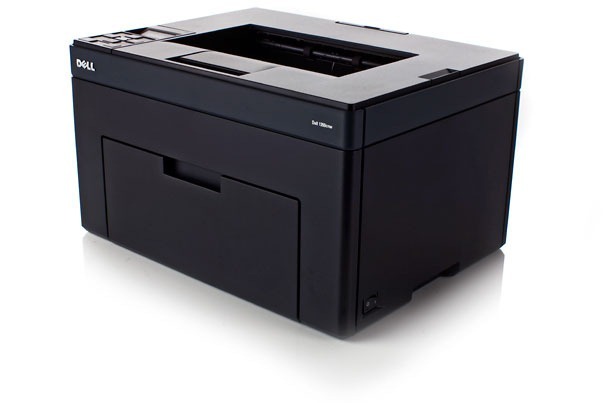
The Dell 1350 steps up from entry-level color laser with a faster engine aimed at small offices where the printer works all day rather than occasionally. It keeps the single-function, no-nonsense layout of the 1250 line, and it drinks from the same high-yield cartridge family: black 331-0778, cyan 331-0777, magenta 331-0780 and yellow 331-0779. Dell also files those exact cartridges under a shorter set of codes — 810WH for black, C5GC3 for cyan, XMX5D for magenta and WM2JC for yellow — so a label reading either way points at the listings on this page.
On a printer that sees proposals, reports and color handouts every day, toner strategy stops being an afterthought. Black does most of the work in office documents, so it empties first by a wide margin; the colors drain in bursts around presentations and marketing pieces. Clever Supplies carries this family as compatible cartridges and as genuine OEM, so you can hold the per-page cost down on routine work and still source Dell-branded cartridges when a job calls for them.
Toner Cartridges for Dell 1350
Which cartridge should you buy?
On the 1350, think in two budgets. For everyday black-and-white volume, the high-yield black is the workhorse, and its 3-pack listing trims both the per-cartridge cost and the number of orders you place in a year. For color, buy singles and replace one at a time — a presentation-heavy week can drain magenta while yellow sits nearly full. A 4-color set earns its place when the printer is new to you, when several colors report low in the same month, or when you want one delivery to reset everything. Both the regular compatible line and the premium compatible line appear on this page, alongside genuine OEM; every compatible option carries a 1-year warranty and 1-year returns, so the savings do not come with extra risk.
Chip, toner and everyday use
Busy printers reward a spare on the shelf: keep one black cartridge in the supply cabinet and the 1350 never sits idle waiting on a delivery. When output fades mid-job, remove the low cartridge and rock it gently from side to side to level the remaining toner, then reinstall — it is a short reprieve, not a fix, but it finishes the run. Install replacements with the printer on and the cartridge pushed in until it clicks, so the chip registers cleanly. Store unopened cartridges flat, sealed and away from heat; toner does not spoil quickly, but a crushed or sun-baked box helps nobody.
Frequently Asked Questions
Which replacement toner should I buy for my Dell 1350?
Match the number on the cartridge already in the printer. Black is 331-0778 (short code 810WH), cyan is 331-0777 (C5GC3), magenta is 331-0780 (XMX5D) and yellow is 331-0779 (WM2JC). Stick with cartridges built for this model family — a wrong cartridge may physically fit yet still be refused by the printer.
Can I replace just the black cartridge in the 1350?
Yes. The 1350 uses one cartridge per color and tracks them independently, so a low black never forces a color swap. Most offices replace black several times for every one color change, and the multipack black listings on this page exist for exactly that pattern.
How long will a cartridge last in a busy small office?
It tracks pages, not weeks. A high-yield cartridge in a 1350 that prints all day may last a matter of weeks, while the same cartridge in a quieter office runs for months. Dense color pages with heavy coverage empty cartridges far faster than plain text, so judge by your page count rather than the calendar.
Should I choose compatible or genuine OEM cartridges?
Both are stocked for this model. Compatible cartridges cut the cost per page substantially and are backed here by a 1-year warranty and 1-year returns; genuine OEM suits buyers who want Dell-branded consistency across a fleet. The printer accepts either — the codes to match are the same.
More printers that use the same cartridges
Other Dell models drinking from this same cartridge family, each with its own toner page: Color Laser 1355CN, Color Laser 1355CNW, Color Laser 1755NF, Color Laser 1755NFW, Color Laser C1760, Color Laser C1760NW, Color Laser C1765, Color Laser C1765NF, Color Laser C1765NFW, Dell (331-0778, 331-0777, 331-0780, 331-0779), Dell (810WH, C5GC3, XMX5D, WM2JC), Dell (XKP2P, YX24V, MHT79, J95NM), Multifunction 1355CN, Multifunction 1355CNW, Color Laser 1250, Color Laser 1250C, Color Laser 1250CNW, Color Laser 1350CNW, Color Laser 1355.