




WorkCentre 6605DN
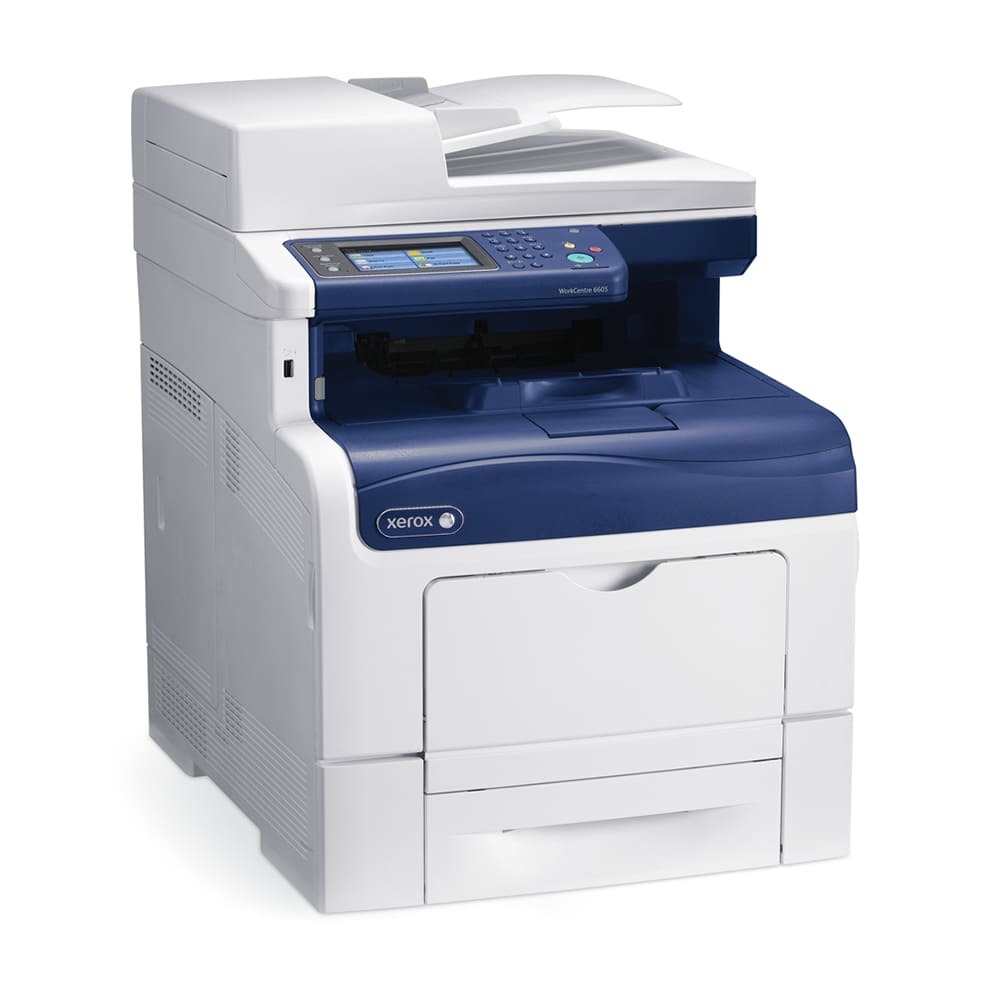
Small offices that want color without the enterprise price tag often land on the Xerox WorkCentre 6605DN, a color laser multifunction with automatic duplex printing. Its standard black is the 106R02244, joined by 106R02241 cyan, 106R02242 magenta and 106R02243 yellow in the color slots. Any position can move up to the high-yield line — 106R02228 for black, 106R02225 for cyan, 106R02226 for magenta and 106R02227 for yellow — which stretches the interval between orders considerably.
Duplex is the quiet money-saver on this model: two-sided printing halves paper use on reports, drafts and internal documents, and the shared network connection means one 6605DN typically serves a whole small team. That shared duty concentrates wear on the black cartridge, because office output still skews monochrome even on a color machine. Many owners therefore run high-yield black permanently and keep the three colors at standard size until color volume proves otherwise.
Toner Cartridges for WorkCentre 6605DN
| Cartridge | Color | Page Yield |
|---|---|---|
| 106R02244 | Black | Check the product page |
| 106R02241 | Cyan | Check the product page |
| 106R02242 | Magenta | Check the product page |
| 106R02243 | Yellow | Check the product page |
| 106R02228 | Black — high yield | Check the product page |
| 106R02225 | Cyan — high yield | Check the product page |
| 106R02226 | Magenta — high yield | Check the product page |
| 106R02227 | Yellow — high yield | Check the product page |
WorkCentre 6605DN listings and complete sets stocked for this machine:
- WorkCentre 6605DN black cartridge (106R02228)
- WorkCentre 6605DN cyan cartridge (106R02225)
- WorkCentre 6605DN magenta cartridge (106R02226)
- WorkCentre 6605DN yellow cartridge (106R02227)
- WorkCentre 6605DN 4 Color Set — the high-yield range in a single box
- WorkCentre 6605DN Laser Toner Cartridges 4 Color Set
- WorkCentre 6605DN Premium Quality 4 Color Set
- High Yield 4 Color Set covering all four slots
- Standard-yield 4 Color Set for lighter-duty restocking
Which cartridge should you buy?
Let print volume decide, slot by slot. The high-yield black earns its place in almost every 6605DN because shared office printing is mostly text; pair it with standard colors if color jobs arrive only a few times a week. Move the colors up to high-yield when presentations, proofs or customer documents become a daily habit — the bigger cartridges cut both the swap frequency and the cost of each color page. Buying a set pays when the whole machine is due together; otherwise single cartridges keep cash tied up in toner you will not touch for months. Compatible cartridges here are covered by a 1-year warranty with 1-year returns.
Chip, toner and everyday use
Replacement starts at the front cover: power the machine on, lift the spent cartridge straight out, and slide the fresh one in until the chip seats and the unit clicks home. If the display keeps showing a low warning for a moment, print a few pages — the level reading settles as the new chip reports. Store unopened cartridges flat and out of direct sun, and when output streaks, a gentle side-to-side rock of the cartridge redistributes toner settled during storage. Remember that rated yields assume light coverage, so photo-heavy pages will always finish a cartridge sooner than the estimate suggests.
Frequently Asked Questions
What toner does the WorkCentre 6605DN take?
Standard loading is 106R02244 black, 106R02241 cyan, 106R02242 magenta and 106R02243 yellow. The high-yield alternatives are 106R02228, 106R02225, 106R02226 and 106R02227, and the two ranges can be mixed in any combination.
Can I use high-yield black with standard colors?
Yes — each slot is judged independently. A common setup is the 106R02228 high-yield black for everyday documents alongside standard cyan, magenta and yellow for occasional color work.
Are compatible cartridges covered if something goes wrong?
The compatible cartridges on this page come with a 1-year warranty and 1-year returns. Fit them the same way as the originals: unpack, keep fingers off the chip contacts, and push the unit in until it clicks.
The 6605DN says a color is low but prints still look fine — swap now?
Warnings arrive with margin built in, so finish the current run if quality holds. Keep the replacement on the shelf, and change the cartridge when pages actually start to fade rather than at the first message.
More printers that use the same cartridges
Because the DN shares its appetite with the rest of the family, the same stock also fits these related machines: Phaser 6600, Phaser 6600DN, Phaser 6600N, Phaser 6600YDN, Phaser 6605, Phaser 6605dn, Phaser 6605n, WorkCentre 6605, WorkCentre 6605 MFP, WorkCentre 6605N.