




SCX-4600
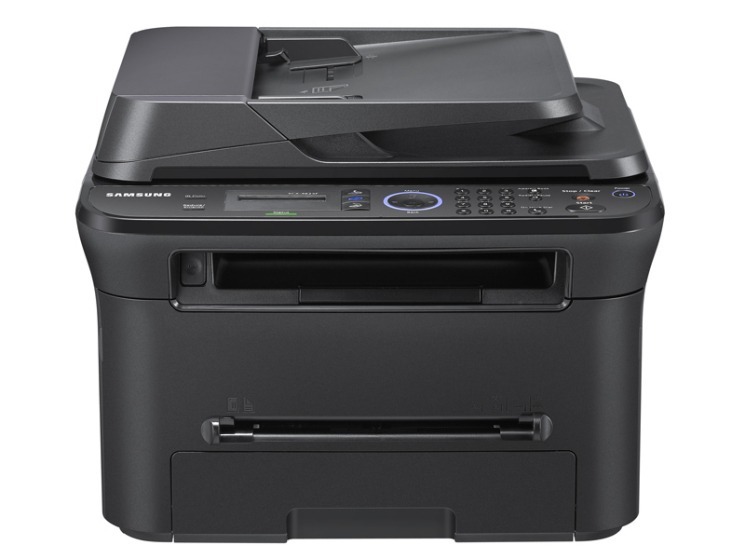
Samsung built the SCX-4600 as a workgroup-grade monochrome multifunction — print, scan and copy in a sturdier body than the home machines, and the MFP counterpart to the ML-2525 printer line. It accepts two cartridges: the standard MLT-D105S and the high-yield MLT-D105L, and the shelf below concentrates on the high-yield version most shared offices end up preferring, in compatible and genuine Samsung OEM builds.
A shared machine changes the toner equation. Nobody owns its page count, its queue mixes invoices with personal printouts, and an empty cartridge is everybody's problem at once. The SCX-4600 answers that with a high-yield option and a cartridge platform shared across a broad band of ML, SCX and SF models, so the supply chain for a busy little workgroup machine never becomes a research project.
Toner Cartridges for SCX-4600
| Cartridge | Color | Page Yield |
|---|---|---|
| MLT-D105L High Yield Toner Cartridge | Black | See product page |
| MLT-D105L High Yield Toner Cartridge 2 Pack | Black | See product page |
| MLT-D105L High Yield Toner Cartridge 3 Pack | Black | See product page |
| MLT-D105L High Yield Toner Cartridge 5 Pack | Black | See product page |
| MLT-D105L Toner Cartridge (SCX-4600 listing) | Black | See product page |
Every row is the high-yield L cartridge; the standard-yield S sibling fits the machine as well and is covered in the buying notes below.
Which cartridge should you buy?
The suffix is the decision: S marks the standard-yield cartridge, L the high-yield one, and both fit the SCX-4600 identically. For a workgroup machine the L is the natural default — fewer changeovers, fewer interruptions, and a lower cost for each page across the cartridge's life. Drop to the S only if the machine's volume has genuinely fallen away. Within the L range shelved here, singles suit a quiet month, while the two-, three- and five-packs suit offices that would rather think about toner once a quarter than once a fortnight. Compatible builds keep the running cost down for routine office paper; the OEM build is there for those who prefer the original. Compare the yield stated on each product page against your team's real monthly volume and the pack size picks itself.
Chip, toner and everyday use
On a shared machine, the most underused feature is the supplies status page: the SCX-4600 can print one from its own menu, no computer involved, and it tells you where the cartridge honestly stands. Estimated levels are approximate by design — treat the gauge as a trend, not a promise — so the working rule is to order the next cartridge when the reading slides into the low zone rather than when the queue is already waiting. Storage matters at office scale too: keep the incoming stock sealed, upright and at room temperature, and rock a long-stored cartridge gently side to side before fitting so settled toner redistributes. Handled that way, spares wait patiently and print evenly from the first page.
Frequently Asked Questions
Where does the SCX-4600 show its toner level, and how much can I trust it?
The supplies status page, printed from the machine's own menu, is the most reliable reading available. Treat any estimate as approximate: cartridges rarely empty at the exact moment a gauge predicts, which is why a spare MLT-D105L in the cupboard is worth more than a precise percentage on a screen.
Which code do I actually search for when buying toner for this machine?
The MLT-D105 family — S for standard yield, L for high yield. One careful look at that suffix before ordering saves the classic wrong-cartridge return, and searching the code rather than the printer name filters out the near-miss models that share the SCX shape but not the cartridge.
How should unopened toner be stored in an office over several months?
Sealed in its original packaging, upright, at normal room temperature, away from radiators and sunlit shelves. An unopened cartridge keeps well for a long time under those conditions; the moment it is finally fitted, a gentle side-to-side rock settles its contents back into even distribution.
Does the SCX-4600 share its cartridge with the ML-2525 printers nearby?
Yes — it is the multifunction counterpart of that line, and the same MLT-D105L drops into both. Offices running the two side by side can hold one common spare stock instead of two, which simplifies the supply shelf considerably.
More printers that use the same cartridges
This cartridge family reaches well beyond one machine:
ML-1910, ML-1915, ML-2525, ML-2525W, ML-2526, ML-2540, ML-2540R, ML-2545, ML-2580, ML-2580N, ML-2581, ML-2850N, SCX-4623, SCX-4623F, SCX-4623FN, SCX-4623FW, SF-650, SF-650P, Samsung-MLTD105