




LaserJet M603DN
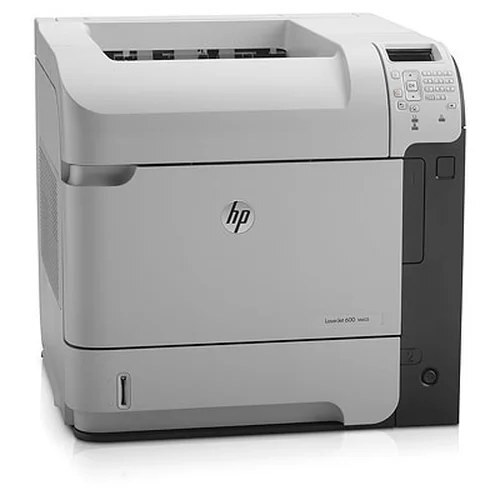
Duplex plus networking: the LaserJet M603DN is the M603 configured for the shared office — automatic two-sided printing over built-in Ethernet.
HP 90A/90X (CE390A standard, CE390X high-yield), compatible or genuine OEM, feeds the DN exactly like the base M603. Two-sided output, one toner family.
Toner Cartridges for LaserJet M603DN
This printer works with the following toner cartridges:
- HP CE390A
- HP CE390X
More HP Printers
- LaserJet 600
- LaserJet Enterprise 600
- LaserJet Enterprise 600 M601
- LaserJet Enterprise 600 M601DN
- LaserJet Enterprise 600 M601N
- LaserJet Enterprise 600 M602
- LaserJet Enterprise 600 M602DN
- LaserJet Enterprise 600 M602N
- LaserJet Enterprise 600 M602X
- LaserJet Enterprise 600 M603
- LaserJet Enterprise 600 M603DN
- LaserJet Enterprise 600 M603N
- LaserJet Enterprise 600 M603XH
- LaserJet Enterprise M4555
- LaserJet Enterprise M4555 MFP
- LaserJet Enterprise M4555F
- LaserJet Enterprise M4555F MFP
- LaserJet Enterprise M4555FSKM
- LaserJet Enterprise M4555FSKM MFP
- LaserJet Enterprise M4555H
- LaserJet Enterprise M4555H MFP
- LaserJet M4555
- LaserJet M4555 MFP
- LaserJet M4555F
- LaserJet M4555f MFP
- LaserJet M4555FSKM
- LaserJet M4555FSKM MFP
- LaserJet M4555H
- LaserJet M4555H MFP
- LaserJet M601
- LaserJet M601DN
- LaserJet M601N
- LaserJet M602
- LaserJet M602DN
- LaserJet M602N
- LaserJet M602X
- LaserJet M603
- LaserJet M603HX
- LaserJet M603N
- LaserJet M603XH
Frequently Asked Questions
How do I know I'm buying the right toner for my LaserJet M603DN?
Compare the code on the box with the LaserJet M603DN's list: CE390A, CE390X. HP makes look-alike cartridges for different printer families, so a code match is your guarantee.
How do I install a new toner cartridge in my LaserJet M603DN?
Open the cartridge door on the LaserJet M603DN and slide the old CE390A out by its handle — set it aside for recycling. Unpack the new CE390A, pull off its protective seal, and slide it straight in until it clicks. Close the door and print a test page from the LaserJet M603DN to confirm.
How do I clear a paper jam in the LaserJet M603DN?
Power off the LaserJet M603DN, open its doors, and pull the jammed paper out slowly in the direction of the paper path — never against it. Check that the tray guides sit snug against the paper stack, since loose guides cause repeat jams. Fan the paper and avoid overfilling the tray.