




LaserJet M4555F
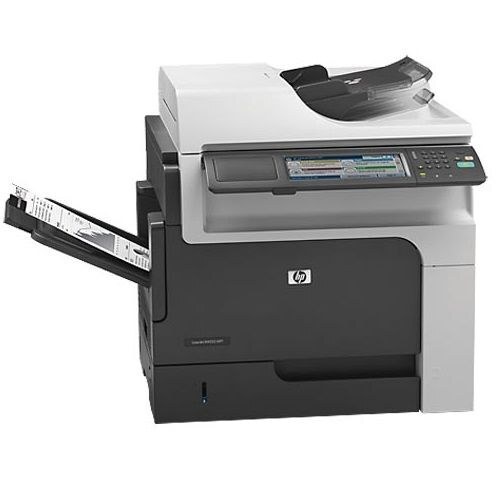
A early-2010s mono single-function printer, the LaserJet M4555F reflects an era when printers were bought for durability first and features second. Day in and day out, the LaserJet M4555F proves itself at everyday office document printing — the kind of reliability that made LaserJet a fixture in offices.
The HP 90A/90X cartridge family powers the LaserJet M4555F, with the CE390A as its standard cartridge. Busy LaserJet M4555F owners often grab the high-yield CE390X, while the standard CE390A is plenty for steady everyday office document printing.
Toner Cartridges for LaserJet M4555F
This printer works with the following toner cartridges:
- HP CE390A
- HP CE390X
More HP Printers
- LaserJet 600
- LaserJet Enterprise 600
- LaserJet Enterprise 600 M601
- LaserJet Enterprise 600 M601DN
- LaserJet Enterprise 600 M601N
- LaserJet Enterprise 600 M602
- LaserJet Enterprise 600 M602DN
- LaserJet Enterprise 600 M602N
- LaserJet Enterprise 600 M602X
- LaserJet Enterprise 600 M603
- LaserJet Enterprise 600 M603DN
- LaserJet Enterprise 600 M603N
- LaserJet Enterprise 600 M603XH
- LaserJet Enterprise M4555
- LaserJet Enterprise M4555 MFP
- LaserJet Enterprise M4555F
- LaserJet Enterprise M4555F MFP
- LaserJet Enterprise M4555FSKM
- LaserJet Enterprise M4555FSKM MFP
- LaserJet Enterprise M4555H
- LaserJet Enterprise M4555H MFP
- LaserJet M4555
- LaserJet M4555 MFP
- LaserJet M4555f MFP
- LaserJet M4555FSKM
- LaserJet M4555FSKM MFP
- LaserJet M4555H
- LaserJet M4555H MFP
- LaserJet M601
- LaserJet M601DN
- LaserJet M601N
- LaserJet M602
- LaserJet M602DN
- LaserJet M602N
- LaserJet M602X
- LaserJet M603
- LaserJet M603DN
- LaserJet M603HX
- LaserJet M603N
- LaserJet M603XH
Frequently Asked Questions
The printer says my cartridge is ‘non-HP’ — is that a problem for the LaserJet M4555F?
Not necessarily: the LaserJet M4555F flags any cartridge it didn't make with a non-HP notice, but quality-compatible CE390A/CE390X cartridges print normally once you acknowledge it. If the LaserJet M4555F refuses to print, reseat the cartridge and contact your supplier.
How do I clear a ‘Toner Low’ message on the LaserJet M4555F?
On the LaserJet M4555F, the Toner Low message means the cartridge is nearly empty — you can keep printing for a while, but order a replacement now. Installing a fresh cartridge clears the warning on the LaserJet M4555F automatically.
How do I fix smudged toner on prints from the LaserJet M4555F?
Smudges usually mean loose toner dust inside the LaserJet M4555F — printing a few blank pages flushes it through. If smudging continues, check that the cartridge is seated properly in the LaserJet M4555F and not leaking.