




COLOR LASERJET M578F
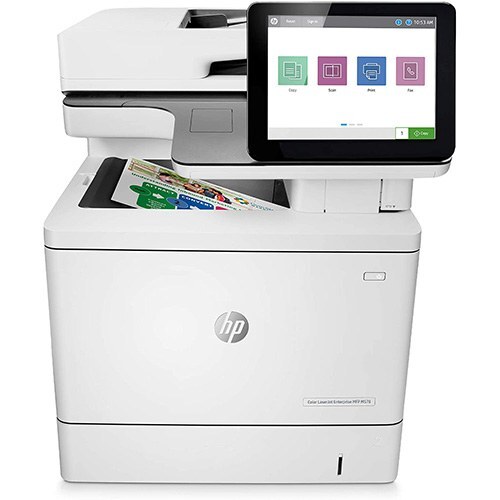
Fax-capable enterprise color: the Color LaserJet M578f is the fax configuration of the M578 workgroup line — for departments where faxed documents still land daily. Toner is the HP 212A/212X set: W2120A black, W2121A/W2122A/W2123A color, plus high-yield X versions.
Compatible and genuine OEM 212A/212X cartridges for the M578f sit side by side here. Fax and print share the same cartridges, so track the black W2120A/W2120X level closely; Clever Supplies ships replacements fast.
Toner Cartridges for COLOR LASERJET M578F
This printer works with the following toner cartridges:
- HP W2120A
- HP W2120X
- HP W2121A
- HP W2121X
- HP W2122A
- HP W2122X
- HP W2123A
- HP W2123X
More HP Printers
- COLOR LASERJET M554DN
- COLOR LASERJET M555DN
- COLOR LASERJET M555X
- COLOR LASERJET M578C
- COLOR LASERJET M578DN
- COLOR LASERJET M578Z
Frequently Asked Questions
Which toner cartridges work with the COLOR LASERJET M578F?
The COLOR LASERJET M578F uses W2120A, W2120X, W2121A, W2121X, W2122A, W2122X, W2123A and W2123X. Match the code on your current cartridge before ordering so you get the right fit.
Why are prints from my COLOR LASERJET M578F coming out faded?
Check that all four cartridges (W2120A, W2120X, W2121A, W2121X, W2122A, W2122X, W2123A and W2123X) are seated in the COLOR LASERJET M578F and that none is empty, then run the printer's cleaning cycle from the menu. If only one color looks washed out, the W2120X cartridge is the likely culprit.
Where do I download drivers for the COLOR LASERJET M578F?
Download drivers for the COLOR LASERJET M578F directly from HP's support website — search the full model name and pick the package matching your operating system. Reinstalling the driver resolves many setup problems.