







 See Compatible Printers
 Read more about our ink!
Hewlett Packard
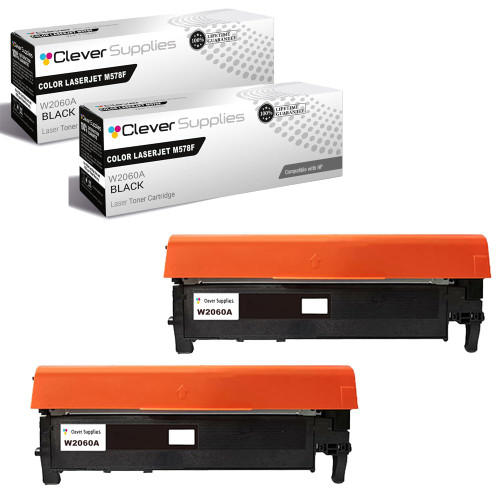
Compatible HP 212A (W2120A) Toner Cartridge 2 Black
- Page Yield:
- Black: 5500
- Availability:
- In Stock
- Shipping:
- Free Shipping

Amazon Price:

- Page Yield:
- Black: 5500
- Availability:
- In Stock
- Shipping:
- Free Shipping
- Compatible Printers
- Specifications
- SKU:
- CS-HP-212A-CLJ-M578F-2Black
- Printer Brand:
- Hewlett Packard
- OEM Number:
- W2120A
- Ink Color:
- Black
- Page Yield:
- Black: 5500
- Printer Type:
- Laser Cartridge
- Condition:
- New Compatible
- Description
- Reviews



Get vibrant, professional-quality prints with the HP 212A toner cartridge series, which includes HP 212A W2120A Black, W2121A Cyan, W2123A Magenta, and W2122A Yellow. These cartridges are designed to deliver sharp text and brilliant colors, making them ideal for high-impact business documents. Built for consistent performance, the HP 212A toner cartridge ensures every page meets high standards of clarity and detail. Whether you're printing presentations or detailed graphics, you can rely on these cartridges for outstanding color accuracy and smooth operation. Compatible with a wide range of HP printers, including COLOR LASERJET M554DN, COLOR LASERJET M555DN, COLOR LASERJET M555X, COLOR LASERJET M578C, COLOR LASERJET M578DN, COLOR LASERJET M578F, and COLOR LASERJET M578Z, the HP 212A series ensures seamless installation and optimal performance in each supported device. Rely on HP 212A toner cartridge technology to support high-volume printing needs with minimal interruptions. Designed for efficiency, these cartridges help reduce downtime and keep your office running smoothly, page after page.
Frequently Asked Questions
Why would an office buy two identical blacks at once?
Because black empties first and stops everything. This pack holds two W2120A cartridges — the black unit of the HP 212A family, twice over — so one can be working while the other guarantees that a claims run never waits on a delivery.
Our two floors run the same platform. Can the pack serve both?
That is its natural job. The cartridges are interchangeable across every printer on the platform, so the pair can start one per floor, or both can live beside the busier machine. Nothing in either unit ties it to a particular printer.
What combined life does the pack represent?
Each W2120A is rated at 5,500 pages. Policy documents, endorsements and claim forms are text-led, which sits close to the test coverage — so a two-pack's real span in an insurance office is usually honest arithmetic rather than optimism.
Does the second cartridge age while it waits?
Sealed in its bag, stored flat in a normal office cupboard, it waits without meaningful ageing. Toner does not evaporate or set; keep it from heat and damp and the second unit behaves like the first when its turn comes.
What cover does the $144.92 pack carry?
Each cartridge is protected by a 1-year warranty, and 1-year free returns apply to a faulty arrival. We dispatch from warehouses in Illinois, Pennsylvania, Georgia and California, with support staffed Monday through Friday, 9 AM to 5 PM CST. The shipping and returns page carries the delivery and returns terms.
What's the sensible reorder trigger for a two-floor office?
When the shelf spare goes into a machine. That moment — not the low warning — means stock on hand has reached zero, and the next two-pack should already be on its way.
What should we check when this two-pack arrives?
Count and codes. The box should hold two units, and both cartons should carry the same stamp: W2120A. The pack is black only — there is no color unit in it — so a delivery check takes seconds and settles the stock record on the day it lands rather than on the day a floor runs dry. Note the arrival date on the outer box while you are at it.
How do we keep the pair straight across two floors?
Mark each carton with its floor when the pack is split. Each floor then knows its own position at a glance — one cartridge fitted, one sealed W2120A in reserve — without a call upstairs to ask what the shared stock looks like. If both units stay beside the busier machine instead, the same marking habit still pays: an unmarked spare is the one nobody is sure exists when it is needed.
Both printers flag low in the same week. Who gets fitted first?
The machine whose stoppage costs more — normally the busier floor's printer, the one with the claims queue behind it. Fit the first W2120A there and let the second unit stand as the shared reserve while the other machine finishes its cartridge; identical units mean the decision is about workflow, not compatibility. Order the next pair the day the reserve goes in, and the two floors are never both exposed at once.
What happens to the two spent cartridges?
Hold both until the new pair has settled into service. Two spent W2120A units side by side are useful evidence: if one printer still prints poorly on fresh toner, its spent cartridge helps show the fault belongs to that machine, not to the supply both floors share. Once both floors have a documented, clean run behind them, the empties can leave together and the shelf goes back to sealed stock.
About This W2120A Two-Pack
Insurance paperwork does not pause for consumables. This two-pack puts a working W2120A and its own insurance policy — a sealed twin — beside printers like the Color LaserJet Enterprise M554dn, covering two floors or one floor twice. Black runs the office; this box simply makes sure it never runs out. Two floors sharing one platform and one pack between them is the simplest stock system an office can run — no spreadsheets, no guesswork, just one working cartridge and one waiting. Look along the platform and the pattern holds: COLOR LASERJET M555DN and COLOR LASERJET M555X use it, and COLOR LASERJET M578C, COLOR LASERJET M578DN, COLOR LASERJET M578F and COLOR LASERJET M578Z use it. Singles buyers are served by W2120A; the high-yield W2120X twin pack stretches the twin-pack idea, and the 212A four-color set covers every slot in a single purchase.
Related Items


Hewlett Packard
Compatible HP 212A (W2120A) Toner Cartridge 2 Black



Hewlett Packard
Compatible HP 212A (W2120A) Toner Cartridge Black


Hewlett Packard
Compatible HP 212A (W2120A) Toner Cartridge 2 Black


Hewlett Packard
Compatible HP 212A (W2120A) Toner Cartridge 2 Black