




COLOR LASERJET M555DN
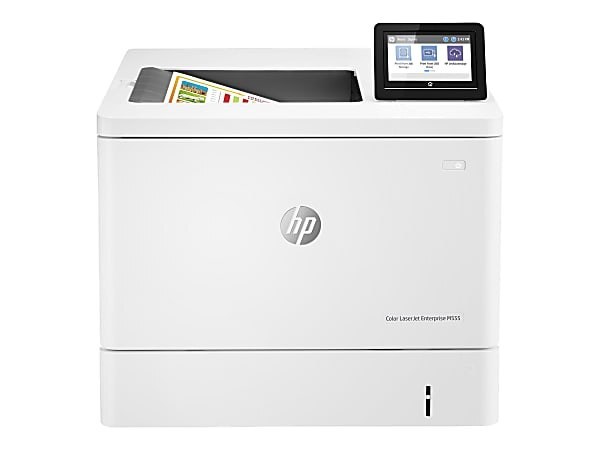
Second-hand Color LaserJet M555DN units still circulate for a simple reason: the machine was built as an enterprise workgroup printer, and its consumables never stopped being easy to get. It takes the HP 212A (W2120A) toner family — black in standard yield beside W2121A cyan, W2123A magenta and W2122A yellow — and the high-yield line for busier floors, 212X (W2120X) black with W2121X cyan, W2123X magenta and W2122X yellow. Everything listed below is a compatible cartridge, stocked under this model and its six siblings alike.
The M555DN buyer, new or used, runs a floor where color documents are everyday output rather than events: proposals with charts, reports with covers, the occasional envelope or label run through the manual feed. Toner discipline on such a machine is per-slot — black first, each color at its own pace — and the printer reports every level separately, so nobody has to guess. A shared 212 shelf across the M554, M555 and M578 machines keeps the spare cabinet simple for whoever manages it. Compatible cartridges on this page carry a 1-year warranty and 1-year returns.
Toner Cartridges for COLOR LASERJET M555DN
| Cartridge | Color | Page Yield |
|---|---|---|
| W2120A Black, 2 pack | Black | See product page |
| W2120A, W2121A, W2123A, W2122A 4 Color Set | Black, Cyan, Magenta, Yellow | See product page |
| W2120A Black | Black | See product page |
| W2121A Cyan | Cyan | See product page |
| W2123A Magenta | Magenta | See product page |
| W2122A Yellow | Yellow | See product page |
| W2120A Black, 2 pack | Black | See product page |
| W2120A, W2121A, W2123A, W2122A 4 Color Set | Black, Cyan, Magenta, Yellow | See product page |
| W2120A Black | Black | See product page |
| W2121A Cyan | Cyan | See product page |
| W2123A Magenta | Magenta | See product page |
| W2122A Yellow | Yellow | See product page |
The high-yield tier of the same shelf:
| Cartridge | Color | Page Yield |
|---|---|---|
| W2120X Black, 2 pack | Black | See product page |
| W2120X, W2121X, W2123X, W2122X 4 Color Set | Black, Cyan, Magenta, Yellow | See product page |
| W2120X Black | Black | See product page |
| W2121X Cyan | Cyan | See product page |
| W2123X Magenta | Magenta | See product page |
| W2122X Yellow | Yellow | See product page |
| W2120X Black, 2 pack | Black | See product page |
| W2120X, W2121X, W2123X, W2122X 4 Color Set | Black, Cyan, Magenta, Yellow | See product page |
| W2120X Black | Black | See product page |
| W2121X Cyan | Cyan | See product page |
| W2123X Magenta | Magenta | See product page |
| W2122X Yellow | Yellow | See product page |
The same cartridges under M554DN labels: W2120A Black, 2 pack, W2120A, W2121A, W2123A, W2122A 4 Color Set, W2120A Black, W2121A Cyan, W2123A Magenta, W2122A Yellow, W2120X Black, 2 pack, W2120X, W2121X, W2123X, W2122X 4 Color Set, W2120X Black, W2121X Cyan, W2123X Magenta, W2122X Yellow.
The same cartridges under M555X labels: W2120A Black, 2 pack, W2120A, W2121A, W2123A, W2122A 4 Color Set, W2120A Black, W2121A Cyan, W2123A Magenta, W2122A Yellow, W2120X Black, 2 pack, W2120X, W2121X, W2123X, W2122X 4 Color Set, W2120X Black, W2121X Cyan, W2123X Magenta, W2122X Yellow.
The same cartridges under M578C labels: W2120A Black, 2 pack, W2120A, W2121A, W2123A, W2122A 4 Color Set, W2120A Black, W2121A Cyan, W2123A Magenta, W2122A Yellow, W2120X Black, 2 pack, W2120X, W2121X, W2123X, W2122X 4 Color Set, W2120X Black, W2121X Cyan, W2123X Magenta, W2122X Yellow.
The same cartridges under M578DN labels: W2120A Black, 2 pack, W2120A, W2121A, W2123A, W2122A 4 Color Set, W2120A Black, W2121A Cyan, W2123A Magenta, W2122A Yellow, W2120X Black, 2 pack, W2120X, W2121X, W2123X, W2122X 4 Color Set, W2120X Black, W2121X Cyan, W2123X Magenta, W2122X Yellow.
The same cartridges under M578F labels: W2120A Black, 2 pack, W2120A, W2121A, W2123A, W2122A 4 Color Set, W2120A Black, W2121A Cyan, W2123A Magenta, W2122A Yellow, W2120X Black, 2 pack, W2120X, W2121X, W2123X, W2122X 4 Color Set, W2120X Black, W2121X Cyan, W2123X Magenta, W2122X Yellow.
The same cartridges under M578Z labels: W2120A Black, 2 pack, W2120A, W2121A, W2123A, W2122A 4 Color Set, W2120A Black, W2121A Cyan, W2123A Magenta, W2122A Yellow, W2120X Black, 2 pack, W2120X, W2121X, W2123X, W2122X 4 Color Set, W2120X Black, W2121X Cyan, W2123X Magenta, W2122X Yellow.
Which cartridge should you buy?
Let volume decide, tier by tier. A floor printing color every day should be on the high-yield line across all four slots: the X cartridges cut the cost per page and, just as valuable in a workgroup, cut the number of times the machine stops. The black earns the upgrade first if the budget is staggered, since text dominates even color-heavy offices. Standard yield remains the right answer for a lightly used color slot, and singles — replaced as each color fades — keep the shelf honest. Reserve the four-color set for commissioning a machine or the rare week when three slots run low together, and keep a black 2 pack as the standing spare; it is the cartridge whose absence is felt immediately.
Chip, toner and everyday use
Fresh cartridges register through their chips the moment the door closes on them, and the M555DN confirms each level on its display. Seat every unit fully — a color that prints missing or streaky is often a cartridge a few millimeters short of home, and reseating beats replacing. Pull each sealing strip in one clean motion before installation, and keep hands off the chip contacts. When a cartridge fades early, a gentle side-to-side rock redistributes its toner for a final stretch of even pages. For a machine that has changed owners, run the printer's cleaning and calibration routines once before blaming new toner for inherited streaks.
Frequently Asked Questions
Which toner cartridges work with the Color LaserJet M555DN?
The 212 family: W2120A, W2121A, W2122A and W2123A in standard yield, or W2120X, W2121X, W2122X and W2123X in high yield — black, cyan, yellow and magenta. Checking the label on the old cartridge is the fastest confirmation before ordering.
Can the M555DN print envelopes or labels?
Yes. Load envelopes or labels through the manual feed tray one at a time and select the matching size in your print settings so the printer feeds them correctly. Everyday paper work stays in the main tray; the manual path is for the special stock.
Where do I download drivers for the M555DN?
From HP's official support site, by searching the exact model name and choosing the package for your operating system. Installing the current driver fixes most connectivity and print-quality issues, especially on a machine newly added to a network.
How do I keep the cost per page down on a workgroup M555DN?
Use the high-yield X cartridges in the slots that drain fastest — black first — replace colors individually instead of as a set, and keep one black spare so a rush order never sets the price. Those three habits do nearly all of the work.
More printers that use the same cartridges
Every model below runs the same 212 cartridges as the M555DN.