






 See Compatible Printers
 Read more about our ink!
Hewlett Packard
Compatible HP 212A (W2121A) Toner Cartridge Cyan
- Page Yield:
- Color: 4500
- Availability:
- In Stock
- Shipping:
- Free Shipping

Amazon Price:

- Page Yield:
- Color: 4500
- Availability:
- In Stock
- Shipping:
- Free Shipping
- Compatible Printers
- Specifications
- SKU:
- CS-HP-212A-CLJ-M578F-C
- Printer Brand:
- Hewlett Packard
- OEM Number:
- W2121A
- Ink Color:
- Cyan
- Page Yield:
- Color: 4500
- Printer Type:
- Laser Cartridge
- Condition:
- New Compatible
- Description
- Reviews



Get vibrant, professional-quality prints with the HP 212A toner cartridge series, which includes HP 212A W2120A Black, W2121A Cyan, W2123A Magenta, and W2122A Yellow. These cartridges are designed to deliver sharp text and brilliant colors, making them ideal for high-impact business documents. Built for consistent performance, the HP 212A toner cartridge ensures every page meets high standards of clarity and detail. Whether you're printing presentations or detailed graphics, you can rely on these cartridges for outstanding color accuracy and smooth operation. Compatible with a wide range of HP printers, including COLOR LASERJET M554DN, COLOR LASERJET M555DN, COLOR LASERJET M555X, COLOR LASERJET M578C, COLOR LASERJET M578DN, COLOR LASERJET M578F, and COLOR LASERJET M578Z, the HP 212A series ensures seamless installation and optimal performance in each supported device. Rely on HP 212A toner cartridge technology to support high-volume printing needs with minimal interruptions. Designed for efficiency, these cartridges help reduce downtime and keep your office running smoothly, page after page.
Frequently Asked Questions
Which color does the code W2121A belong to?
Cyan — the blue channel of the HP 212A set. Each of the platform's four colors is ordered by its own code, and W2121A is cyan's. Matching this stamp to the empty unit in the cyan station removes any doubt about which color you are buying.
Seas in our brochures look gray-green instead of blue. What's failing?
Cyan is running dry. Ocean and sky tones are built mostly from cyan, so its exhaustion shows there first: water turns murky and skies flatten. If the supplies page shows cyan far below its neighbours, this single replacement revives the whole holiday palette.
What is the realistic life of this cartridge?
It is rated at 4,500 pages, measured at light standard coverage. Brochures and itinerary cards are photograph-led and thirsty, so a travel workload should bank on fewer pages and watch the gauge as a brochure deadline approaches.
Can cyan be fitted without disturbing a brochure run in progress?
Between batches, easily — the change takes a minute and the other stations are untouched. Run the calibration, print one proof sheet of your bluest image, and the run resumes with its color restored.
If the $81.71 cartridge misbehaves on arrival, what then?
A 1-year warranty applies, and 1-year free returns cover a faulty start. Dispatch is from our Illinois, Pennsylvania, Georgia and California warehouses, while support keeps hours Monday through Friday, 9 AM to 5 PM CST. The shipping and returns page walks through shipping and returns step by step.
Is it worth timing the swap before a seasonal brochure drop?
Yes. Color sells the product here, so fit the fresh cyan before the print week rather than rescuing washed-out stock mid-run. A sealed spare in the drawer makes that timing painless.
How should the spare cyan be kept between brochure runs?
Leave the W2121A sealed in its bag, in the drawer where the brochure stock lives. There is no benefit in opening it early, and no penalty for waiting: a sealed toner cartridge sits patiently while the calendar moves toward print week. Keeping it with the paper and card stock also means the person setting up the run finds cartridge and materials in one place.
What does the cyan in a single brochure cost?
At the standard measure, $81.71 over 4,500 rated pages puts the W2121A's contribution at a little under two cents a page. Brochures are photograph-led, though, and a full-bleed seascape spends cyan at several times the standard rate, so the honest per-brochure figure is higher. Price the job by the gauge's movement across a print run, not by the rating alone.
What should happen to the spent cyan cartridge?
Set it aside, upright in its carton, until the fresh cartridge has printed a proof sheet the desk is happy with. Only then let it go. If the new unit misbehaves in its first days, the spent one is still on hand to confirm the fault sits with the cartridge and not the printer — a small discipline that makes any support conversation shorter.
Why does cyan empty while the other colors still show life?
Because the travel palette is not democratic. Skies, seas and pool water are built mostly from cyan, so on brochure work this channel does the heavy lifting while magenta and yellow play supporting roles. All three colors carry the same rating; they simply do not share the workload. Cyan flagging first on this printer is the palette's signature, not a defect.
About This W2121A Cyan Cartridge
Nobody books a gray sea. This W2121A is the cyan heartbeat of brochure work on machines like the Color LaserJet Enterprise M554dn — one coded unit for the blue station, rated for thousands of pages of skies and water. When the holiday color starts to drain, the supplies page names cyan and this cartridge answers. A travel desk lives on departures and deadlines, and a brochure run should never be one of the things that misses either of them because a blue channel quietly gave out. The fit list reads like the platform catalogue — COLOR LASERJET M555DN and COLOR LASERJET M555X, together with COLOR LASERJET M578C, COLOR LASERJET M578DN, COLOR LASERJET M578F and COLOR LASERJET M578Z. Companion pages carry the black W2120A, the yellow W2122A and the magenta W2123A; the step up for this bay is the high-yield W2121X — the 212X cyan, with the 212A four-color set standing by for a complete change.
Related Items


Hewlett Packard
Compatible HP 212A (W2121A) Toner Cartridge Cyan



Hewlett Packard
Compatible HP 212A (W2121A) Toner Cartridge Cyan
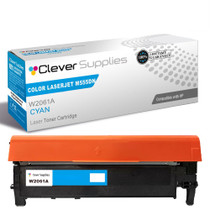

Hewlett Packard
Compatible HP 212A (W2121A) Toner Cartridge Cyan
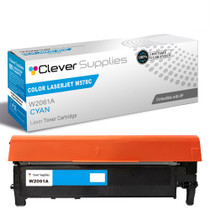

Hewlett Packard
Compatible HP 212A (W2121A) Toner Cartridge Cyan