






 See Compatible Printers
 Read more about our ink!
Hewlett Packard
Compatible HP 212X (W2121X) Toner Cartridge Cyan
- Page Yield:
- Color: 10000
- Availability:
- In Stock
- Shipping:
- Free Shipping

Amazon Price:

- Page Yield:
- Color: 10000
- Availability:
- In Stock
- Shipping:
- Free Shipping
- Compatible Printers
- Specifications
- SKU:
- CS-HP-212X-CLJ-M555X-C
- Printer Brand:
- Hewlett Packard
- OEM Number:
- W2121X
- Ink Color:
- Cyan
- Page Yield:
- Color: 10000
- Printer Type:
- Laser Cartridge
- Condition:
- New Compatible
- Description
- Reviews



Ensure peak performance and long-lasting results with the HP 212X toner cartridge series, which includes HP 212X W2120X Black, W2121X Cyan, W2123X Magenta, and W2122X Yellow. These high-yield cartridges are built to handle heavy workloads while delivering crisp, clear text and vibrant color. Designed for efficiency, the HP 212X toner cartridge offers more pages per cartridge compared to standard yield options, making it a smart choice for busy offices and high-volume printing environments. Every print showcases excellent quality and consistent results. Compatible with HP printers such as COLOR LASERJET M554DN, COLOR LASERJET M555DN, COLOR LASERJET M555X, COLOR LASERJET M578C, COLOR LASERJET M578DN, COLOR LASERJET M578F, and COLOR LASERJET M578Z, the HP 212X cartridge series ensures easy installation and smooth integration with your printing setup. Count on HP 212X toner cartridge technology to deliver reliability, professional-grade output, and reduced downtime. These cartridges are engineered to help your business maintain productivity without compromising print quality.
Frequently Asked Questions
Which cartridge keeps our brochure blues honest?
This one: W2121X, the high-yield cyan of the HP 212X family. Seascapes, pool water and summer skies are cyan constructions; when those images start printing dull and greenish, the cyan station is asking for exactly this cartridge.
Why do the sea photos fade while the text pages look fine?
Text uses almost no cyan, so the cartridge can be nearly spent while letters stay perfect. The first full-color brochure run exposes it. Check the supplies page before any print campaign — a low cyan reading plus muddy test photos is a certain diagnosis.
How many brochures fit inside the rating?
The cartridge is rated at 10,000 pages at five per cent coverage, and a photo-heavy brochure page runs several times that. Travel and leisure print work should therefore think in hundreds of rich pages per unit — still the economical way to run a season's collateral in-house.
Will replacing cyan alone fix a brochure that also looks yellow-heavy?
Often, yes. Excess yellow appearance is frequently just missing cyan — the two balance each other. Restore cyan first, reprint one signature sheet, and only chase the yellow station if the imbalance survives a known-good cyan.
What backing comes with the $97.76 price?
A 1-year warranty covers the cartridge, and 1-year free returns stand behind it if it lands damaged or gives up early. Orders ship from our warehouses in Illinois, Pennsylvania, Georgia and California, with support staffed Monday through Friday, 9 AM to 5 PM CST. The full text sits on the shipping and returns page.
When should the seasonal order go in?
Before the campaign proofs, not after them. Fresh cyan at the proof stage means the color you approve is the color the whole run prints; discovering a tired cartridge mid-run costs a reprint, not just a cartridge. Seasoned print buyers check the gauge the day the artwork lands, not the day the run starts.
What does cyan cost across a brochure season?
The W2121X is $97.76 for 10,000 rated pages — just under a cent per standard page, call it roughly a dollar per hundred rated pages. Brochure pages spend several times the standard coverage, so the honest season budget counts rich pages in hundreds per cartridge; even so, that arithmetic is what makes in-house collateral cheaper than sending the run out.
Where should a spare cyan wait out the off-season?
Sealed and flat in a cool, dry cupboard, in its carton with the W2121X code facing out. Toner does not dry out in storage, so a cartridge bought before the season holds its full rating through months of waiting; what it cannot survive is confusion — a labeled carton in a known place means the spare is found in seconds when the proofs expose a fading channel.
While cyan is being fitted, what else is worth checking?
The other three channels' gauges, on the same supplies page visit. A season rarely spends cyan alone — magenta follows it in most photographic work — and seeing all four levels together tells you whether the next order is one cartridge or two. Thirty seconds of reading while the printer is open saves a second emergency order landing in the middle of the print run.
How should the spent cyan leave the print room?
Back into its carton, marked spent with the date, and out with the run's other empties once the replacement has proved itself on a signature sheet. A loose spent W2121X on a shelf of sealed stock is an accident waiting for a deadline; the marked carton keeps the count honest and guarantees the cartridge fitted in a hurry is one that still has its 10,000 pages ahead of it.
About This W2121X Cyan Cartridge
Cyan for people who sell blue: water, sky and the promise of both. It clicks into the cyan station of the Color LaserJet Enterprise M554dn platform and returns brochure photography to the colors the shoot intended. Ten thousand rated pages of the channel your images can least afford to lose.
The roster of machines on this platform reads longer than most — Color LaserJet Enterprise M554dn, Color LaserJet Enterprise M555dn, Color LaserJet Enterprise M555x, Color LaserJet Enterprise M578c, Color LaserJet Enterprise M578dn, Color LaserJet Enterprise M578f and Color LaserJet Enterprise M578z — and every one of them takes this cartridge.
The neighbouring bays are covered by the black W2120X, the yellow W2122X and the magenta W2123X; for lighter-duty months there is the standard-yield W2121A, and the 212X four-color set renews every channel in a single box.
Related Items
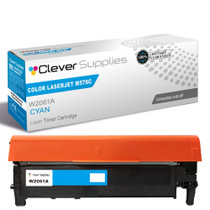

Hewlett Packard
Compatible HP 212X (W2121X) Toner Cartridge Cyan



Hewlett Packard
Compatible HP 212X (W2121X) Toner Cartridge Cyan


Hewlett Packard
Compatible HP 212X (W2121X) Toner Cartridge Cyan
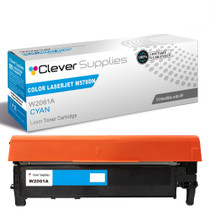

Hewlett Packard
Compatible HP 212X (W2121X) Toner Cartridge Cyan