







 See Compatible Printers
 Read more about our ink!
Hewlett Packard
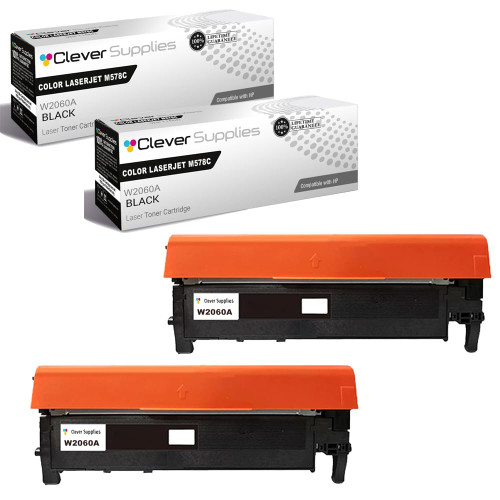
Compatible HP 212X (W2120X) Toner Cartridge 2 Black
- Page Yield:
- Black: 13000
- Availability:
- In Stock
- Shipping:
- Free Shipping

Amazon Price:

- Page Yield:
- Black: 13000
- Availability:
- In Stock
- Shipping:
- Free Shipping
- Compatible Printers
- Specifications
- SKU:
- CS-HP-212X-CLJ-M578C-2Black
- Printer Brand:
- Hewlett Packard
- OEM Number:
- W2120X
- Ink Color:
- Black
- Page Yield:
- Black: 13000
- Printer Type:
- Laser Cartridge
- Condition:
- New Compatible
- Description
- Reviews



Ensure peak performance and long-lasting results with the HP 212X toner cartridge series, which includes HP 212X W2120X Black, W2121X Cyan, W2123X Magenta, and W2122X Yellow. These high-yield cartridges are built to handle heavy workloads while delivering crisp, clear text and vibrant color. Designed for efficiency, the HP 212X toner cartridge offers more pages per cartridge compared to standard yield options, making it a smart choice for busy offices and high-volume printing environments. Every print showcases excellent quality and consistent results. Compatible with HP printers such as COLOR LASERJET M554DN, COLOR LASERJET M555DN, COLOR LASERJET M555X, COLOR LASERJET M578C, COLOR LASERJET M578DN, COLOR LASERJET M578F, and COLOR LASERJET M578Z, the HP 212X cartridge series ensures easy installation and smooth integration with your printing setup. Count on HP 212X toner cartridge technology to deliver reliability, professional-grade output, and reduced downtime. These cartridges are engineered to help your business maintain productivity without compromising print quality.
Frequently Asked Questions
What is the case for stocking two blacks before our busy season?
Peak volume arrives on a schedule, and toner should too. This listing delivers two W2120X high-yield cartridges from the HP 212X family — 13,000 rated pages apiece — so the season opens with the working cartridge and its successor already in the building.
How much peak output does the pair actually cover?
Twenty-six thousand rated pages across the two units, at the standard five per cent coverage. Seasonal work like catalogues, statements or enrollment mailings runs denser than that and will draw the real number down, but the pair still absorbs the surge that empties a single cartridge mid-campaign.
Should both cartridges go in at once if we run two machines in season?
Yes — that is the other natural split. Seasonal pairs often staff a second printer that only wakes up for the rush; one cartridge per machine, and both stations start the season at full density instead of one starting on leftovers.
What happens to an unopened cartridge after the season ends?
Nothing. It goes back to being next season's — or next quarter's — first replacement. Sealed toner keeps indefinitely in a cool, flat spot, so overbuying a pair carries no waste risk the way perishable supplies would.
What protection does the $177.03 seasonal order carry?
A 1-year warranty on each cartridge and 1-year free returns if one arrives damaged or fails early. Stock ships from our Illinois, Pennsylvania, Georgia and California warehouses, and support is staffed Monday through Friday, 9 AM to 5 PM CST. The complete terms are posted on the shipping and returns page.
When is the right moment to place this order?
When the supplies page shows the installed cartridge under a quarter, or a month before the season starts — whichever comes first. The pair then lands while the old unit still prints, and the changeover happens on your schedule.
How does the pair's price break down per page?
The $177.03 order covers two W2120X cartridges rated at 13,000 pages each — 26,000 rated pages in total, which works out at well under a cent a page, and about $88.52 a cartridge. That is the arithmetic that makes the pair a planning purchase rather than a reaction: the season's black toner is costed, bought and shelved in a single decision.
What should happen to the first cartridge when it empties mid-season?
It comes out and waits, briefly. Set the spent W2120X aside until its successor has printed cleanly through a real batch — a mailing run, say — and then it can go. Mid-season is the worst moment to discover a problem with a fresh cartridge, and the spent unit is the comparison that settles any question about where the fault sits.
How should the mid-season changeover be handled inside a campaign?
Between batches, not inside one. Finish the mailing or catalog run in progress, swap the cartridge, then print one dense page — a statement sheet serves well — and check it for even, dark text before the next batch starts. That single proof page is the whole ceremony, and it keeps a half-finished campaign from carrying a fading cartridge through its final thousand pieces.
How does the pair turn next season's order into a routine?
By giving it a trigger. When the second W2120X is fitted, the pair is spent — and that moment, not the next empty gauge, is when the following season's pair goes on order. The habit keeps one full cycle of stock in the building at all times, and seasonal ordering stops depending on anyone remembering a date on a calendar.
About This W2120X 2-Pack of Black Cartridges
Season insurance for the Color LaserJet Enterprise M554dn platform: two 13,000-page blacks, bought before the rush, priced as one decision. Whether they feed one machine in sequence or two machines side by side, the busiest weeks of your year stop hinging on a delivery van.
It is not married to a single machine. Color LaserJet Enterprise M554dn, Color LaserJet Enterprise M555dn, Color LaserJet Enterprise M555x, Color LaserJet Enterprise M578c, Color LaserJet Enterprise M578dn, Color LaserJet Enterprise M578f and Color LaserJet Enterprise M578z share the identical slot, so one shelf spare covers the whole fleet.
For a one-off change there is the single W2120X; The standard-yield W2120A twin pack covers the same pairing for lighter months; and the 212X four-color set looks after color days.
Related Items

Hewlett Packard
Compatible HP 212X (W2120X) Toner Cartridge 2 Black



Hewlett Packard
Compatible HP 212X (W2120X) Toner Cartridge 2 Black


Hewlett Packard
Compatible HP 212X (W2120X) Toner Cartridge 2 Black


Hewlett Packard
Compatible HP 212X (W2120X) Toner Cartridge Black