




COLOR LASERJET M578DN
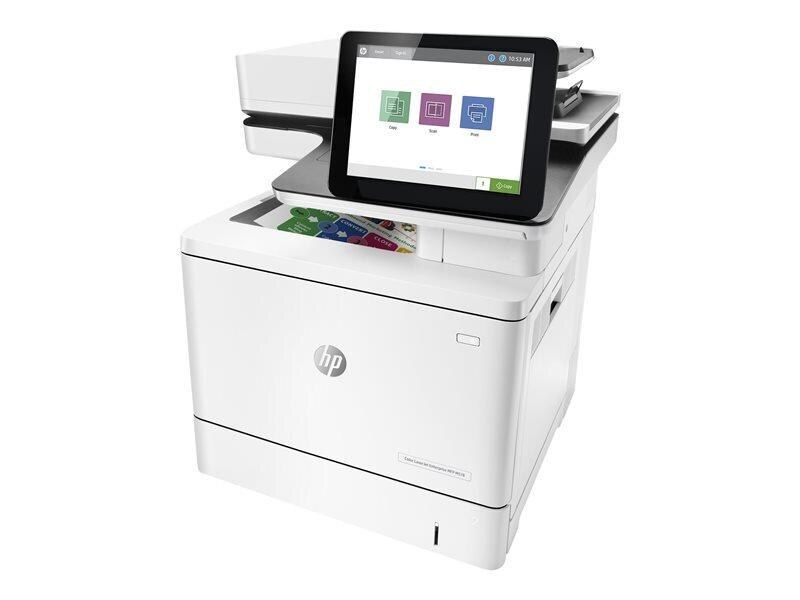
The Color LaserJet M578DN is the duplex-plus-Ethernet configuration of HP's enterprise color line, specified for workgroups that share serious color volume over the office network. It runs on one cartridge family in two yield tiers: HP 212A (W2120A) black with W2121A cyan, W2122A yellow and W2123A magenta at standard yield, each shadowed by a high-yield X version - HP 212X (W2120X) black, W2121X cyan, W2122X yellow and W2123X magenta. This page stocks the full family as compatible cartridges; the code printed on your current cartridge tells you exactly which listing to take.
Two-sided printing and a wired network connection mark this as the office's shared color engine rather than a personal desk machine. Shared engines consume toner steadily and predictably, and they punish empty slots publicly - a stalled M578DN is a queue of colleagues, not a private inconvenience. That is why the supply routine for this model matters: watch the levels, keep the black slot ahead of demand, and let the high-yield tier do the long stretches between orders.
Toner Cartridges for Color LaserJet M578DN
| Cartridge | Color | Page Yield |
|---|---|---|
| HP 212A (W2120A) Black | Black | See product page |
| HP 212A (W2121A) Cyan | Cyan | See product page |
| HP 212A (W2123A) Magenta | Magenta | See product page |
| HP 212A (W2122A) Yellow | Yellow | See product page |
| HP 212A Black - 2 Pack (standard yield) | Black | See product page |
| HP 212A 4-Color Set (standard yield) | Black / Cyan / Magenta / Yellow | See product page |
| HP 212X (W2120X) Black | Black | See product page |
| HP 212X (W2121X) Cyan | Cyan | See product page |
| HP 212X (W2123X) Magenta | Magenta | See product page |
| HP 212X (W2122X) Yellow | Yellow | See product page |
| HP 212X Black - 2 Pack (high yield) | Black | See product page |
| HP 212X 4-Color Set (high yield) | Black / Cyan / Magenta / Yellow | See product page |
Also stocked under the M555X label: 212A 2 Black, 212A Complete Set of 4, 212A Black Single, 212A Cyan Single, 212A Magenta Single, 212A Yellow Single, 212X 2 Black, 212X Complete Set of 4, 212X Black Single, 212X Cyan Single, 212X Magenta Single, 212X Yellow Single.
Also stocked under the M578C label: 212A 2 Black, 212A Complete Set of 4, 212A Black Single, 212A Cyan Single, 212A Magenta Single, 212A Yellow Single, 212X 2 Black, 212X Complete Set of 4, 212X Black Single, 212X Cyan Single, 212X Magenta Single, 212X Yellow Single.
Also stocked under the M578DN label: 212A 2 Black, 212A Complete Set of 4, 212A Black Single, 212A Cyan Single, 212A Magenta Single, 212A Yellow Single, 212X 2 Black, 212X Complete Set of 4, 212X Black Single, 212X Cyan Single, 212X Magenta Single, 212X Yellow Single.
Also stocked under the M578F label: 212A 2 Black, 212A Complete Set of 4, 212A Black Single, 212A Cyan Single, 212A Magenta Single, 212A Yellow Single, 212X 2 Black, 212X Complete Set of 4, 212X Black Single, 212X Cyan Single, 212X Magenta Single, 212X Yellow Single.
Also stocked under the M578Z label: 212A 2 Black, 212A Complete Set of 4, 212A Black Single, 212A Cyan Single, 212A Magenta Single, 212A Yellow Single, 212X 2 Black, 212X Complete Set of 4, 212X Black Single, 212X Cyan Single, 212X Magenta Single, 212X Yellow Single.
Also stocked under the M554DN label: 212A 2 Black, 212A Complete Set of 4, 212A Black Single, 212A Cyan Single, 212A Magenta Single, 212A Yellow Single, 212X 2 Black, 212X Complete Set of 4, 212X Black Single, 212X Cyan Single, 212X Magenta Single, 212X Yellow Single.
Also stocked under the M555DN label: 212A 2 Black, 212A Complete Set of 4, 212A Black Single, 212A Cyan Single, 212A Magenta Single, 212A Yellow Single, 212X 2 Black, 212X Complete Set of 4, 212X Black Single, 212X Cyan Single, 212X Magenta Single, 212X Yellow Single.
Which cartridge should you buy?
For a networked machine with real daily volume, treat the 212X high-yield set as the economical default and the 212A set as the light-duty alternative. The X cartridges cost more up front and less per page, and on a printer everyone shares, the reduced swap count is worth as much as the savings. When the black cartridge is the only one falling, the 212X black 2-pack restocks it with a spare built in. The 212X four-color set suits a planned full-row refresh, while individual colors remain the right buy when a single slot fades ahead of the others.
Chip, toner and everyday use
Level information travels from each cartridge's chip to the printer, so a correctly seated cartridge reports itself without any manual reset. Print a supplies-status page from the control panel, or read the levels in the printer software, and plan the replacement when a cartridge runs low rather than empty. When a new cartridge is not recognized, reseat it firmly, confirm every strip of packing material and the protective seal were removed, and restart the printer; a mismatched code or a damaged chip is the usual remaining cause. Yield ratings assume about 5% coverage. Compatible cartridges here are backed by a 1-year warranty and 1-year returns.
Frequently Asked Questions
Which toner cartridges work in the Color LaserJet M578DN?
Use W2120A, W2121A, W2122A and W2123A for standard yield, or W2120X, W2121X, W2122X and W2123X for high yield. Those eight codes are the listed cartridges for this model, so any cartridge carrying one of them, matched to its color slot, is the right type.
How do I check how much toner is left?
Print a supplies-status page from the control panel, or view the levels in the printer software on your computer. Plan a replacement when a cartridge - most often the W2120A or W2120X black - runs low or prints begin to fade, rather than waiting for a shared machine to stop mid-job.
Why does the printer not recognize my new cartridge?
Reseat the cartridge firmly, make sure every strip of packing material and the protective seal were removed, then restart the printer. If recognition still fails, compare the code on the cartridge against the eight codes for this model - a near-miss code from another family will not register.
Is the high-yield set worth it on a shared machine?
On this configuration, usually yes. Shared color volume burns toner steadily, and the X tier's longer runs mean fewer interruptions and a lower cost per page. The standard tier remains the sensible pick only where the machine's color work is occasional.
More printers that use the same cartridges
These sibling machines share this page's cartridges end to end: COLOR LASERJET M555X, COLOR LASERJET M578C, COLOR LASERJET M578F, COLOR LASERJET M578Z, COLOR LASERJET M554DN, COLOR LASERJET M555DN.