




SCX-4729FW
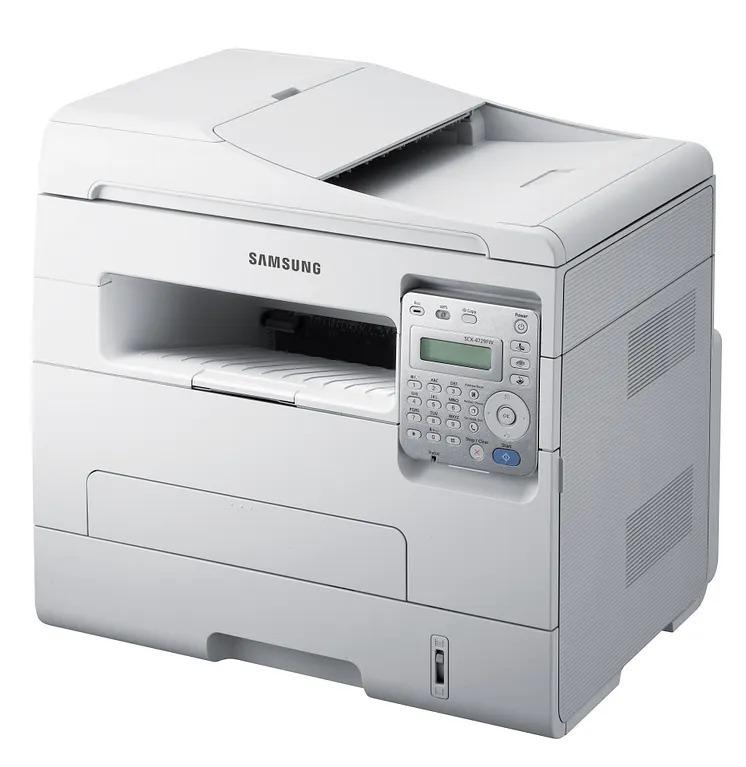
The Samsung SCX-4729FW is the configuration in this line that tries to leave nothing out: monochrome laser printing, scanning, copying and faxing, all tied together with wireless networking so the machine can work from wherever it fits in the room. Every one of those jobs runs on a single toner family. The printer accepts the standard-yield MLT-D103S or the high-yield MLT-D103L, and the shelf below is built around the high-yield cartridge, stocked as a single, in multi-packs, and in a model-named listing for buyers who search by printer name.
A wireless multifunction changes how a small office moves paper. Intake forms get scanned at the machine, signed copies go out by fax, and print jobs arrive from any desk without a cable run dictating where the printer lives. Because one unit absorbs so many daily tasks, its toner cartridge works harder than the cartridge in a print-only box ever would, which is exactly why the yield question matters more here than the sticker on any single box.
Toner Cartridges for SCX-4729FW
| Cartridge | Color | Page Yield |
|---|---|---|
| MLT-D103L high-yield toner cartridge, single | Black | See product page |
| MLT-D103L high-yield toner cartridges, 3 pack | Black | See product page |
| MLT-D103L Premium high-yield toner cartridges, 5 pack | Black | See product page |
| SCX-4729FW high-yield toner cartridge, single (listed under the printer name) | Black | See product page |
| SCX-4729FW high-yield toner cartridges, 5 pack (listed under the printer name) | Black | See product page |
Which cartridge should you buy?
Start with the yield decision. The standard MLT-D103S suits a machine that prints in short bursts and sits idle between them. The high-yield MLT-D103L carries more toner in the same slot, so a shared office machine spends less of its life waiting on deliveries and less of your week goes to swapping cartridges. If several people print through this one unit, the multi-packs earn their shelf space quickly: the 3 pack covers a busy quarter for most small offices, and the 5 pack versions suit a buy-it-and-forget-it approach. Every compatible cartridge on this page is covered by a 1-year warranty with 1-year returns, so stocking ahead is a low-risk habit.
Chip, toner and everyday use
When a fresh cartridge goes in, peel the protective seal away completely and remove any orange shipping tab before you close the cover; leftover packaging is the most common reason a new cartridge prints nothing at all. Expect the first handful of pages to look a touch pale while toner settles into an even layer inside the cartridge, then judge density again after ten pages or so. If output is still light at that point, lift the cartridge out and reseat it firmly. Keep one sealed spare beside the machine, stored flat and out of direct sunlight, so a mid-job empty never becomes an office emergency.
Frequently Asked Questions
My SCX-4729FW keeps losing its wireless connection. Is the cartridge involved?
No. Dropouts on this model are a network matter, not a toner matter, so leave the MLT-D103L in place while you troubleshoot. Rejoin the printer to your network from its control panel or with the router's WPS button, then print a network configuration page to confirm it received an IP address. Recurring drops usually trace back to a weak signal, and moving the machine within better range of the router fixes most cases.
Why do spots repeat at even intervals down my pages?
On the SCX-4729FW the toner cartridge supplies the powder while a separate imaging unit transfers it to the page, and the two wear on different schedules. Evenly spaced marks or fading that persists with a cartridge that still feels full point toward the imaging unit nearing the end of its life. Print the supplies status page, which tracks each part separately, before you blame the toner; swapping in a fresh MLT-D103L will not cure a worn imaging unit.
What is the orange tab on a new cartridge for?
It is a shipping protector that keeps toner and moving parts secure in transit. Pull it out fully, along with any sealing tape, before installation. A tab left in place can block the cartridge from seating correctly and is a frequent cause of blank pages or error messages right after a swap.
Does this printer take a separate drum as well?
Yes, the design splits the jobs: the MLT-D103S and MLT-D103L cartridges carry the toner, and a separate imaging unit handles image transfer. Each is replaced on its own cycle, so check the supplies status page to see which one is actually due instead of replacing both on a guess.
More printers that use the same cartridges
One cartridge family covers a wide stretch of Samsung's small-office range, so the same box that feeds this multifunction also serves the printers below. ML-2950, ML-2950ND, ML-2950NDR, ML-2951, ML-2951NDR, ML-2955, ML-2955DW, ML-2955DW/XAA, ML-2955ND, SCX-4701, SCX-4701ND, SCX-4705, SCX-4705ND, SCX-4726, SCX-4726FD, SCX-4726FN, SCX-4727, SCX-4727FD, SCX-4728, SCX-4728FD, SCX-4729, SCX-4729FD, Samsung-MLTD103.