




ML-2955ND
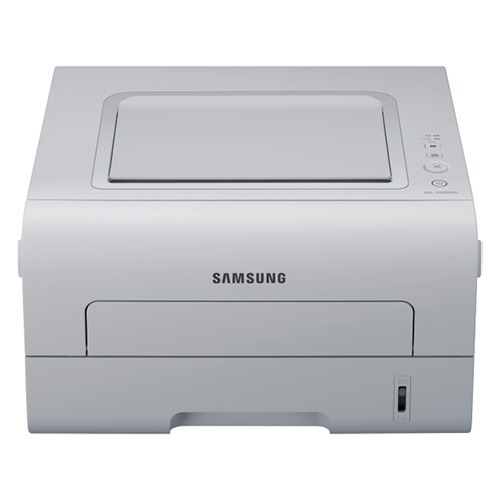
The ML-2955ND is Samsung's wired-network, auto-duplex answer for small offices that want a shared mono printer without wireless complexity. Plug it into the network, enable two-sided printing, and it quietly serves the whole team.
Supply it with the MLT-D103S standard cartridge or step up to the MLT-D103L high-yield for busier stretches. Both come in compatible and genuine Samsung OEM versions, shipping fast from Clever Supplies.
Toner Cartridges for ML-2955ND
This printer works with the following toner cartridges:
- Samsung MLT-D103S
- Samsung MLT-D103L
More Samsung Printers
- ML-2950ND
- ML-2950NDR
- ML-2955DW
- SCX-4701ND
- SCX-4705ND
- SCX-4726FD
- SCX-4727FD
- SCX-4728FD
- SCX-4729FD
- SCX-4729FW
- ML-2955
- ML-2955DW/XAA
- SCX-4729
- SCX-4726
- SCX-4727
- ML-2950
- ML-2951
- ML-2951NDR
- SCX-4701
- SCX-4705
- SCX-4726FN
- SCX-4728
Frequently Asked Questions
Should I expect a break-in period for a new MLT-D103S in the ML-2955ND?
The usual reason a new MLT-D103S prints blank in the ML-2955ND is a sealing tape left partially in place — remove it completely. The tape end normally carries a pull tab. Give the cartridge a gentle rock after removal, then install it.
Can you walk me through connecting the ML-2955ND to a wired office network?
If the ML-2955ND quits printing over the network every few days, the likely culprit is the router reassigning its IP. Reserve a fixed address for it in the router's DHCP configuration to stabilize the driver port. The MLT-D103S toner level is unrelated — this is purely network behavior.
Should I suspect a recent firmware update if my ML-2955ND started showing cartridge warnings?
On the ML-2955ND, a non-genuine message indicates the cartridge chip does not match the printer's expectation — it can stem from a compatible cartridge or poor chip contact. Reseat the MLT-D103S firmly to ensure the contacts meet. Should the message remain, suspect a faulty chip and ask the seller for a replacement.