




ML-2950
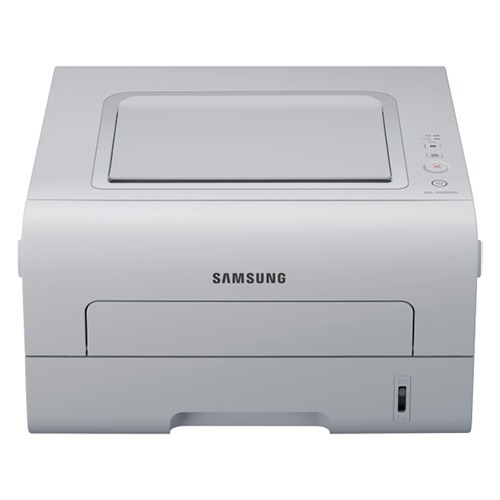
The Samsung ML-2950 is the foundation of the 2950 workgroup mono series: a compact single-function laser with the series' reputation for dependable duplex output. Offices that bought the ND variants got networking; the base 2950 keeps it simple.
It takes the MLT-D103S standard cartridge or the MLT-D103L high-yield. Our compatible cartridges are the value play; genuine OEM cartridges are the factory play. Fast shipping from Clever Supplies.
Toner Cartridges for ML-2950
This printer works with the following toner cartridges:
- Samsung MLT-D103S
- Samsung MLT-D103L
More Samsung Printers
- ML-2950ND
- ML-2950NDR
- ML-2955DW
- ML-2955ND
- SCX-4701ND
- SCX-4705ND
- SCX-4726FD
- SCX-4727FD
- SCX-4728FD
- SCX-4729FD
- SCX-4729FW
- ML-2955
- ML-2955DW/XAA
- SCX-4729
- SCX-4726
- SCX-4727
- ML-2951
- ML-2951NDR
- SCX-4701
- SCX-4705
- SCX-4726FN
- SCX-4728
Frequently Asked Questions
Is gently rocking the cartridge a real fix for my ML-2950 — what is the right way to redistribute the toner without making a mess?
Yes — removing the MLT-D103S and rocking it gently side to side redistributes the remaining toner and often buys extra pages. Hold the cartridge level and rock it side to side — never up and down or vigorously — then reinstall it in the ML-2950 and print a test page. It is a handy emergency move while the replacement ships.
Does the drum in the ML-2950 outlast the toner cartridges — what happens if I ignore it?
Yes, the drum in the ML-2950 is designed to outlast several toner cartridges, so most of your purchases will just be the MLT-D103S or MLT-D103L. Ignoring a spent drum does not damage the printer, it just guarantees progressively worse output until you replace it. Time the ML-2950's drum replacement to the symptoms, not the calendar, and you will never replace it early.
I always spill toner when changing the cartridge in my ML-2950 — any tricks to keep the powder contained so nothing gets stained?
Lay newspaper under the ML-2950 first, then remove the old MLT-D103S slowly and keep it level — most spills happen from tilting a used cartridge. If toner escapes, vacuum it with a toner-rated filter or wipe with a dry cloth; never use a damp cloth or regular vacuum on a big spill. Done this way, a cartridge change leaves no trace behind.