




ML-2950NDR
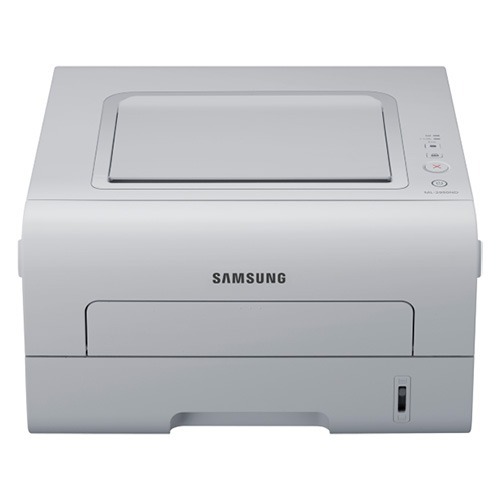
Samsung's ML-2950NDR is the regional twin of the ML-2950ND, carrying the same networked, duplexing mono laser engine under a different suffix. For a small office, it is the same capable machine: wired networking plus automatic two-sided printing.
Cartridge options mirror the original: MLT-D103S for standard needs, MLT-D103L for heavier months. Compatible and genuine OEM cartridges are both in stock here, with fast shipping from Clever Supplies.
Toner Cartridges for ML-2950NDR
This printer works with the following toner cartridges:
- Samsung MLT-D103S
- Samsung MLT-D103L
More Samsung Printers
- ML-2950ND
- ML-2955DW
- ML-2955ND
- SCX-4701ND
- SCX-4705ND
- SCX-4726FD
- SCX-4727FD
- SCX-4728FD
- SCX-4729FD
- SCX-4729FW
- ML-2955
- ML-2955DW/XAA
- SCX-4729
- SCX-4726
- SCX-4727
- ML-2950
- ML-2951
- ML-2951NDR
- SCX-4701
- SCX-4705
- SCX-4726FN
- SCX-4728
Frequently Asked Questions
Which connection type should I choose during driver setup for the ML-2950NDR?
A generic class driver is what Windows installs when it cannot reach the manufacturer's installer — and generic drivers lack features such as toner-level reporting for the ML-2950NDR. Put the official Samsung driver on and you regain full control of quality and supply status. After the swap, restart the printer to clear out the queue, then verify the MLT-D103S shows a correct supply level.
What should I do when the ML-2950NDR reports low toner but pages still look fine?
The ML-2950NDR flagging a toner error after a new MLT-D103S installation usually signals a seating issue or an unremoved protective seal. Shut the printer down, extract the cartridge, verify no tape or seal remains, and seat it again. On restart, the printer should recognize the cartridge.
How can I stop the ML-2950NDR from spitting out an extra blank page with each job?
A corrupted or wrong driver can push the ML-2950NDR to print blanks even though the MLT-D103S is full. Reinstall the model-specific driver and use the printer's own panel to print a test page, cutting the computer out of the loop. If that panel page prints normally, the problem is on the computer side.