




SCX-4701ND
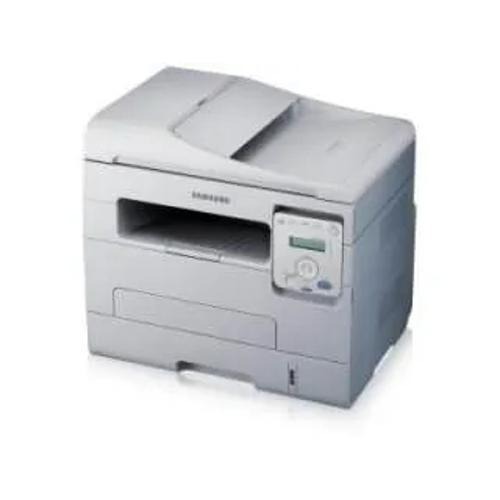
Samsung's SCX-4701ND is a networked, duplexing monochrome multifunction: print, scan, and copy for a small workgroup, with two-sided output to halve paper use. It is the kind of shared machine that earns its keep in a busy back office.
The MLT-D103S and MLT-D103L cartridges fit the SCX-4701ND. Compatible cartridges are the economical route; genuine OEM cartridges are the original-equipment route. Clever Supplies ships both quickly.
Toner Cartridges for SCX-4701ND
This printer works with the following toner cartridges:
- Samsung MLT-D103S
- Samsung MLT-D103L
More Samsung Printers
- ML-2950ND
- ML-2950NDR
- ML-2955DW
- ML-2955ND
- SCX-4705ND
- SCX-4726FD
- SCX-4727FD
- SCX-4728FD
- SCX-4729FD
- SCX-4729FW
- ML-2955
- ML-2955DW/XAA
- SCX-4729
- SCX-4726
- SCX-4727
- ML-2950
- ML-2951
- ML-2951NDR
- SCX-4701
- SCX-4705
- SCX-4726FN
- SCX-4728
Frequently Asked Questions
What keeps knocking the SCX-4701ND offline every few days, and how do I keep it connected?
No sharing setup is needed beyond installing the network driver on each computer, since the SCX-4701ND has its own network port and IP address. Every PC prints directly to it without routing through another machine. Toner planning is the main shared concern, because the MLT-D103S cartridge serves the whole workgroup.
Why did the SCX-4701ND start jamming right after I replaced the toner?
In the SCX-4701ND, jams most often occur at the pickup rollers where paper enters, and occasionally at the fuser where it exits. Clean both areas gently and check for torn scraps left from earlier jams. A worn pickup roller that no longer grips is the classic repeat-jam culprit.
Does Eco mode on the SCX-4701ND make prints look noticeably worse?
Draft or eco mode on the SCX-4701ND noticeably stretches the MLT-D103S cartridge by lightening text and skipping some toner on solid fills. The savings add up on long internal documents but are modest on pages that are mostly white space. Reserve it for everyday printing and use normal mode for anything important.