




ML-2955DW/XAA
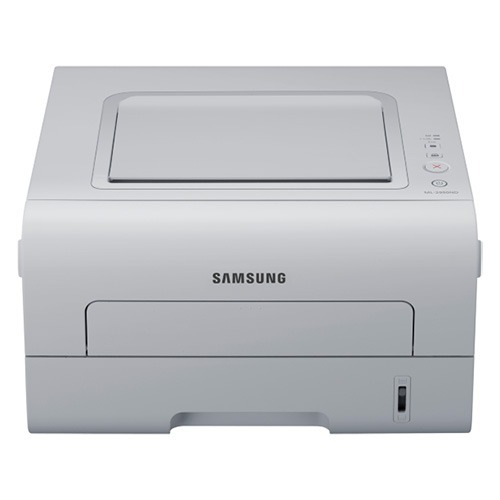
The ML-2955DW/XAA is the US retail configuration of Samsung's wireless, duplexing ML-2955DW workgroup printer. Same machine, same strengths: Wi-Fi networking and automatic two-sided printing for a small team sharing one mono laser.
Cartridge choices are the MLT-D103S standard and MLT-D103L high-yield. We offer compatible and genuine OEM versions of each, with fast shipping from Clever Supplies.
Toner Cartridges for ML-2955DW/XAA
This printer works with the following toner cartridges:
- Samsung MLT-D103S
- Samsung MLT-D103L
More Samsung Printers
- ML-2950ND
- ML-2950NDR
- ML-2955DW
- ML-2955ND
- SCX-4701ND
- SCX-4705ND
- SCX-4726FD
- SCX-4727FD
- SCX-4728FD
- SCX-4729FD
- SCX-4729FW
- ML-2955
- SCX-4729
- SCX-4726
- SCX-4727
- ML-2950
- ML-2951
- ML-2951NDR
- SCX-4701
- SCX-4705
- SCX-4726FN
- SCX-4728
Frequently Asked Questions
How should I handle the MLT-D103S cartridge for the ML-2955DW/XAA to avoid damage?
Pull the sealing tape completely out of the new MLT-D103S - a partially removed seal is the top reason a fresh cartridge prints blank in the ML-2955DW/XAA. The tape usually has a pull tab on one end. After removal, give the cartridge a gentle rock before installing.
Why does the ML-2955DW/XAA show as offline on my computer even though the Wi-Fi light is on?
Yes, the ML-2955DW/XAA can print from phones and tablets over the same Wi-Fi network using the manufacturer's mobile print app or your operating system's built-in mobile printing. Both devices must be on the same network, so check that the phone is not on a guest network. For toner-level checks and full settings, the desktop driver remains the most reliable tool.
What should I do when the ML-2955DW/XAA reports low toner but pages still look fine?
A non-genuine message on the ML-2955DW/XAA means the cartridge chip does not match what the printer expects - it can appear with compatible cartridges or a poorly seated chip. Remove the MLT-D103S and reinstall it firmly so the contacts meet. If the message persists, the chip itself may be faulty and the seller can usually replace the cartridge.