




SCX-4701
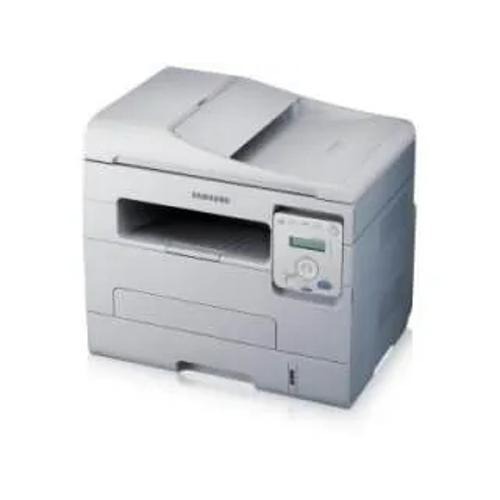
Samsung's SCX-4701 is the starting point of its 4701 multifunction line: print, scan and copy gathered into one compact mono unit for small offices. It deliberately leaves the networking and duplexing to its SCX-4701ND sibling and keeps the desktop setup simple. Toner comes from one black cartridge family — the MLT-D103S in standard form, or the MLT-D103L high-yield version stocked on this page for offices that print every day.
Think of this model as the corner-office utility player. One machine near the team handles the daily paperwork loop — printing a contract, scanning it back signed, copying a form — without a server, a print queue or a second device eating desk space. That simplicity is the point: fewer features than the networked variants, and correspondingly little to configure or maintain beyond the cartridge itself.
Toner Cartridges for SCX-4701
| Cartridge | Color | Page Yield |
|---|---|---|
| MLT-D103L High Yield Toner Cartridge Black | Black | See product page |
| MLT-D103L High Yield Toner Cartridge Black (3 Pack) | Black | See product page |
| MLT-D103L Premium Quality High Yield Toner Cartridge Black (5 Pack) | Black | See product page |
| SCX-4701 High Yield Toner Cartridge Black | Black | See product page |
| SCX-4701 High Yield Toner Cartridge Black (5 Pack) | Black | See product page |
Which cartridge should you buy?
The choice on this page is about cadence, not quality. The standard MLT-D103S suits a desk that prints in short bursts, while the high-yield MLT-D103L stretches the interval between orders — the sensible default once the SCX-4701 becomes the office's everyday machine. Singles keep cash outlay low; the three- and five-packs cut the per-cartridge cost of staying stocked and end the scramble when a cartridge dies mid-week. The SCX-4701-named listings and the MLT-D103L-named listings are interchangeable here — same family, same fit — so buy whichever pack size matches how fast your office actually prints. All of the compatible options above carry a 1-year warranty with 1-year returns.
Chip, toner and everyday use
After any cartridge change, print a supplies status page from the panel: it confirms the machine has registered the new unit and shows the level the chip is reporting. Most recognition complaints trace back to basics — the cartridge not fully seated, a piece of seal material left behind, or dust on the chip contacts — so reseat and recheck before assuming a faulty cartridge. Store the next cartridge sealed and upright at room temperature, and give it a gentle side-to-side rock before installation so the toner inside starts out evenly spread.
Frequently Asked Questions
Why has my SCX-4701 started printing weak, low-contrast pages on everything?
Work through it in order. Fading most often means the cartridge is simply running low, so try a fresh MLT-D103L first. If density does not recover, the imaging drum becomes the suspect: look for a worn, shiny finish or fine scoring on its surface. Diagnosing in that sequence keeps you from replacing a healthy part while the real culprit stays in the machine.
The printer will not print after a toner change. How do I check the cartridge contacts?
Power the unit down, slide the cartridge out and look at the small chip and its contact points for toner dust or debris; wipe them gently with a dry, lint-free cloth. Confirm every seal and tab came off the new cartridge, reseat it until it sits firmly, then power up and print a supplies status page to verify the SCX-4701 now sees it correctly.
Is there a color cartridge I should buy for the SCX-4701?
No. This is a monochrome printer, and its entire cartridge family — standard and high-yield alike — is black only. Scanning and copying work in the machine's own imaging path and need no additional consumable; the single black cartridge is the whole supply list for this model.
Standard or high-yield for a two-person office?
For two people printing daily, the high-yield MLT-D103L is the practical pick: fewer interruptions, fewer orders, and a lower cost rhythm over the year. The standard MLT-D103S makes sense only when the machine sits idle most days, where a smaller cartridge is less likely to age on the shelf than to run empty.
More printers that use the same cartridges
These Samsung models run on the same MLT-D103 cartridges: Samsung-MLTD103, SCX-4729FW, SCX-4729FD, SCX-4729, SCX-4728FD, SCX-4728, SCX-4727FD, SCX-4727, SCX-4726FN, SCX-4726FD, SCX-4726, SCX-4705ND, SCX-4705, SCX-4701ND, ML-2955ND, ML-2955DW/XAA, ML-2955DW, ML-2955, ML-2951NDR, ML-2951, ML-2950NDR, ML-2950ND, ML-2950.