




ML-2951
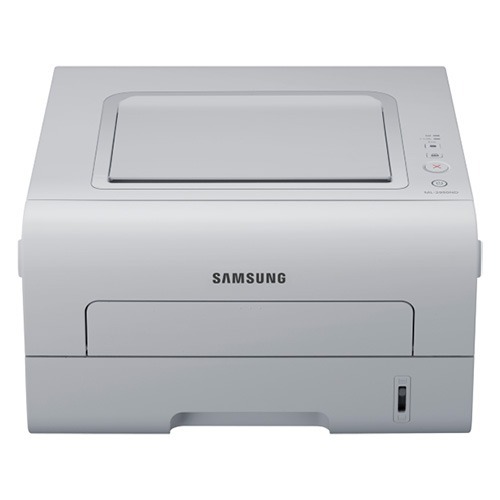
Samsung's ML-2951 is a regional variant of the ML-2950 workgroup mono laser — different badge, same compact engine and the same duplex printing capability, delivering steady black-and-white output for small offices. Cartridge support matches the family exactly: the MLT-D103S standard or the MLT-D103L high yield. That shared support is the useful thing about a regional variant: everything written about the family's supplies, including every listing below, applies to this printer without translation.
The practical lesson of the badge is to shop by code, not by nameplate. An owner searching only for "ML-2951 toner" sees a thin shelf; an owner searching by the cartridge code sees the whole family's range — singles, multi-packs and the model-named listings like the ML-2951 cartridge — all of it correct for this machine. The code is printed on the cartridge you already own, which makes it the most reliable search term in the building.
Toner Cartridges for ML-2951
- MLT-D103L High Yield Laser Toner Cartridge Black — Black — See product page
- MLT-D103L High Yield Laser Toner Cartridge Black 3 Pack — Black — See product page
- MLT-D103L Premium Quality High Yield Laser Toner Cartridge Black 5 Pack — Black — See product page
- ML-2951 High Yield Laser Toner Cartridge Black — Black — See product page
- ML-2951 High Yield Laser Toner Cartridge Black 5 Pack — Black — See product page
Which cartridge should you buy?
The MLT-D103L high yield is the sensible standing order for this printer: the standard MLT-D103S fits too, but a workgroup machine empties standard cartridges at a rhythm that makes the L's lower cost per page and longer intervals the obvious economy. Choose the single while you are learning the printer's appetite, the three-pack for a proven weekly rhythm, and a five-pack — the Premium line or the ML-2951 five-pack — once the machine's monthly appetite is a known number. Because the variant shares its engine with the wider 2950 family, none of these choices locks you in: every D103L listing above fits, whichever label it wears.
Chip, toner and everyday use
Fold a quick clean into every cartridge change and the paper path never becomes a problem: wipe the accessible rollers and guides with a dry, lint-free cloth while the machine is open. Keep liquids away from the path, and never touch the drum's surface or the fuser rollers — fingerprints and scratches there print forever. When output thins, test before you spend: fit the new cartridge, and if the paleness survives it, the drum is the remaining suspect rather than the toner. Yields are quoted at five percent coverage, so treat them as comparisons between cartridges, not promises about your documents. Spares store best sealed, flat and away from sunlight.
Frequently Asked Questions
Is the ML-2951 really the same machine as the ML-2950?
Under the badge, yes — a regional variant sharing the compact engine, the duplex capability and the cartridge family. The MLT-D103L that feeds an ML-2950 feeds this printer identically, which is why this page's shelf is the family's shelf.
My ML-2951 still prints light with a new cartridge fitted — what is left to check?
The new-cartridge test is the clearest one in printing: if fresh toner does not restore density, the drum is the remaining suspect. A worn drum often looks shiny or unevenly coated under good light compared with a fresh one. Inspect it before ordering anything else, and let the symptoms — not the calendar — set the drum's replacement date.
What causes thin vertical lines on pages from the ML-2951?
Vertical lines and repeating marks almost always trace to the drum or a dirty roller, not to low toner. Measure the spacing between repeated marks and compare it with the drum circumference given in the manual; a match names the drum. A two-minute inspection now prevents buying the wrong replacement.
Should I clean inside the ML-2951 on a schedule?
Clean on the cartridge-change rhythm rather than a calendar one. Each swap already has the machine open, so wiping rollers and guides with a dry microfiber cloth then costs nothing extra and keeps the path honest. Skip liquids entirely, and keep hands off the drum surface and fuser rollers.
More printers that use the same cartridges
These Samsung models share the ML-2951's cartridge family:
Samsung-MLTD103, SCX-4729FW, SCX-4729FD, SCX-4729, SCX-4728FD, SCX-4728, SCX-4727FD, SCX-4727, SCX-4726FN, SCX-4726FD, SCX-4726, SCX-4705ND, SCX-4705, SCX-4701ND, SCX-4701, ML-2955ND, ML-2955DW/XAA, ML-2955DW, ML-2955, ML-2951NDR, ML-2950NDR, ML-2950ND, ML-2950