




SCX-4705
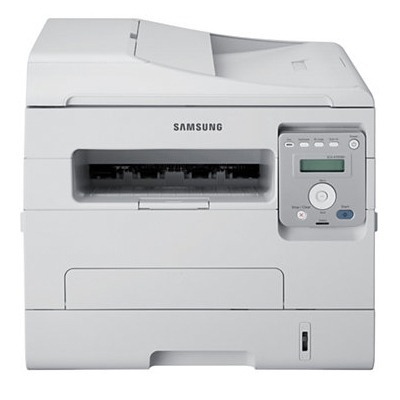
The SCX-4705 is Samsung's straightforward mono multifunction for small teams: printing, scanning, and copying from one desktop unit. It is the un-networked sibling of the 4705ND, built for a single desk rather than a shared queue.
It uses the MLT-D103S cartridge, or the MLT-D103L when print volume rises. Our compatible and genuine OEM options both ship fast from Clever Supplies.
Toner Cartridges for SCX-4705
This printer works with the following toner cartridges:
- Samsung MLT-D103S
- Samsung MLT-D103L
More Samsung Printers
- ML-2950ND
- ML-2950NDR
- ML-2955DW
- ML-2955ND
- SCX-4701ND
- SCX-4705ND
- SCX-4726FD
- SCX-4727FD
- SCX-4728FD
- SCX-4729FD
- SCX-4729FW
- ML-2955
- ML-2955DW/XAA
- SCX-4729
- SCX-4726
- SCX-4727
- ML-2950
- ML-2951
- ML-2951NDR
- SCX-4701
- SCX-4726FN
- SCX-4728
Frequently Asked Questions
Can I keep an extra cartridge on the shelf for my SCX-4705 — should it stay sealed until use for best results?
A closet shelf at room temperature is ideal storage for a backup MLT-D103S or MLT-D103L — no special equipment needed. When you finally install the stored cartridge in the SCX-4705, rock it gently side to side first to redistribute any settled toner. Sealed, upright, room temperature — that is the whole storage recipe.
How do I keep the paper path of my SCX-4705 clean for better print quality — which parts are safe to wipe as routine upkeep?
The SCX-4705 benefits from a light interior cleaning every few MLT-D103S changes — nothing aggressive, just dust removal. Focus on the feed rollers and the transfer area; those are the spots where debris actually touches the page. That little routine pays off in consistently clean pages.
Why does my SCX-4705 say the cartridge is incompatible — is it a seating problem or a chip issue?
The SCX-4705 reads a small chip on the MLT-D103S, so anything blocking that contact — toner dust, a missed pull-tab — triggers an error. After reinstalling, print a supplies status page to confirm the SCX-4705 now sees the cartridge correctly. Check the simple things first and the error usually clears.