




ML-2955DW
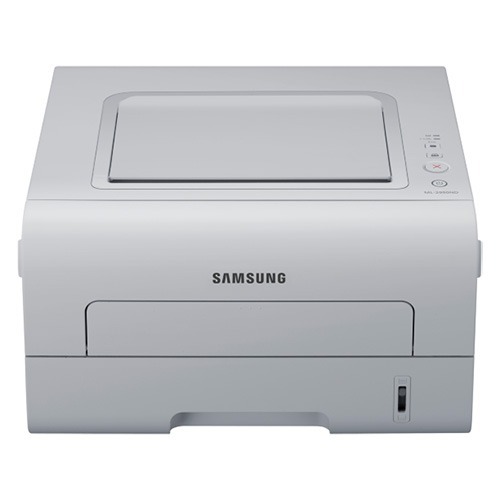
Cut the Ethernet cable and add Wi-Fi plus duplexing, and you have the Samsung ML-2955DW: a compact workgroup mono laser that prints on both sides and answers to every laptop in the office wirelessly. It is a strong fit for teams that outgrew a USB-only printer.
The ML-2955DW runs on MLT-D103S or the long-running MLT-D103L. Our compatible cartridges keep the per-page cost friendly; genuine OEM cartridges keep it factory-original. Either ships fast from Clever Supplies.
Toner Cartridges for ML-2955DW
This printer works with the following toner cartridges:
- Samsung MLT-D103S
- Samsung MLT-D103L
More Samsung Printers
- ML-2950ND
- ML-2950NDR
- ML-2955ND
- SCX-4701ND
- SCX-4705ND
- SCX-4726FD
- SCX-4727FD
- SCX-4728FD
- SCX-4729FD
- SCX-4729FW
- ML-2955
- ML-2955DW/XAA
- SCX-4729
- SCX-4726
- SCX-4727
- ML-2950
- ML-2951
- ML-2951NDR
- SCX-4701
- SCX-4705
- SCX-4726FN
- SCX-4728
Frequently Asked Questions
The ML-2955DW's front cover will not shut after cartridge installation - what could be wrong?
To swap cartridges in the ML-2955DW, open the front cover and pull the empty MLT-D103S out by its handle. Peel off any orange seals or tape from the replacement, slide it in along the rails until it clicks, then close the cover. Finish with a test page to confirm even toner coverage.
My ML-2955DW moves paper through but leaves it blank. Where should I begin troubleshooting?
When the ML-2955DW prints blank pages only sometimes, think loose cartridge or driver hiccup rather than empty toner: toner running out fades slowly, not in sudden blanks. Push the MLT-D103S in firmly and restart your computer's print spooler. Note whether it happens in a pattern, like only the first page after waking from sleep.
What should I check first when the ML-2955DW disappears from the network?
After changing routers, the simplest fix is to rerun wireless setup on the ML-2955DW from its panel or with WPS, then reinstall or update the driver on each computer. The printer cannot carry its old network profile to a new router. Once it has an IP on the new network, printing should resume without touching the MLT-D103S cartridge.