




ML-2950ND
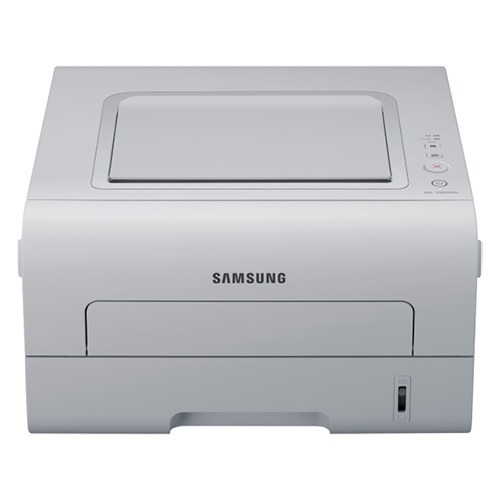
The Samsung ML-2950ND is a duplexing monochrome laser printer with networking built in, aimed squarely at small workgroups that print double-sided by default. The ND suffix tells the story: network-ready and two-sided printing without manual page-flipping.
It takes the MLT-D103S standard cartridge or the higher-capacity MLT-D103L when the print queue gets serious. We carry both in compatible and genuine Samsung OEM versions, shipping fast from Clever Supplies.
Toner Cartridges for ML-2950ND
This printer works with the following toner cartridges:
- Samsung MLT-D103S
- Samsung MLT-D103L
More Samsung Printers
- ML-2950NDR
- ML-2955DW
- ML-2955ND
- SCX-4701ND
- SCX-4705ND
- SCX-4726FD
- SCX-4727FD
- SCX-4728FD
- SCX-4729FD
- SCX-4729FW
- ML-2955
- ML-2955DW/XAA
- SCX-4729
- SCX-4726
- SCX-4727
- ML-2950
- ML-2951
- ML-2951NDR
- SCX-4701
- SCX-4705
- SCX-4726FN
- SCX-4728
Frequently Asked Questions
What should I do first when installing a new MLT-D103S in the ML-2950ND?
Give the new MLT-D103S in the ML-2950ND a few pages to settle in — slightly light first pages are normal while the toner distributes. Output should reach full density shortly. Should pages stay light after about ten, reseat the cartridge and check that no seal remains. Persistent lightness with a fresh cartridge is unusual enough to warrant a supplier call.
Does the ML-2950ND work when plugged into a router as well as a network switch?
Connect the ML-2950ND, which takes the MLT-D103S cartridge, to your router or switch with a standard Ethernet cable and wait until the network light holds steady. Most networks hand out an address automatically through DHCP — print a network configuration page to confirm what it received. Then add the printer on each computer using that IP address and the Samsung driver.
Should I keep printing after the ML-2950ND says toner is empty?
Even with a low-toner message, the ML-2950ND usually has pages left in it; the warning is approximate. Take out the MLT-D103S, shake it gently to redistribute toner, and you will likely get more prints. Start shopping for the replacement right away, ordering by the MLT-D103S code so it matches.