




SCX-4727FD
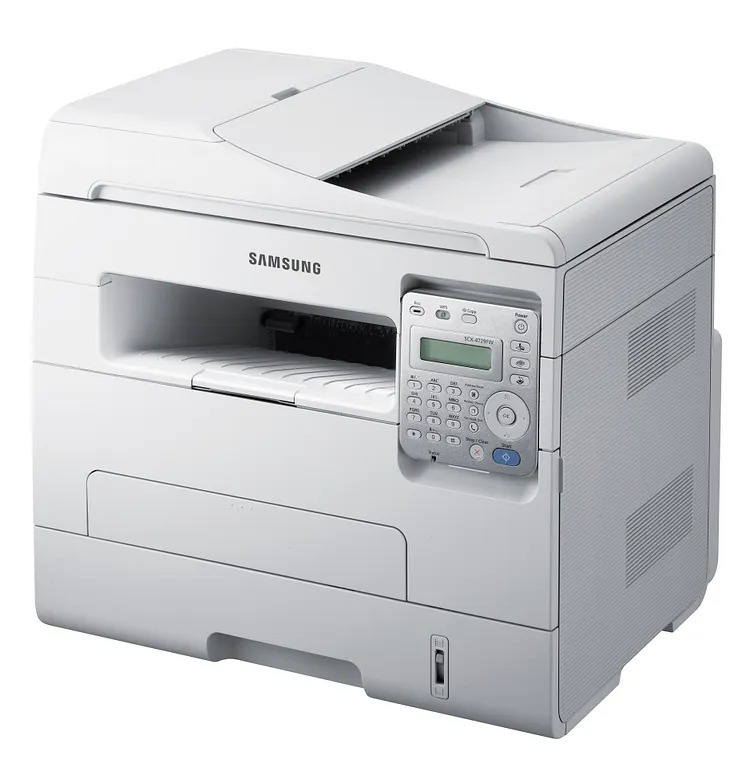
Professional offices juggle paper in every direction, and the Samsung SCX-4727FD was specified for that juggling: a fax-capable monochrome multifunction that prints, scans and copies while its automatic duplexing keeps two-sided output effortless. One black cartridge keeps the whole operation fed — the standard MLT-D103S or the high-yield MLT-D103L — with compatibles saving money and genuine OEM versions staying factory-spec, both stocked at Clever Supplies.
Aimed a notch above the home office, this is the sort of machine that anchors a small professional practice: client letters out, signed documents back by fax, files scanned into the record. What that workload values is predictability. The SCX-4727FD prints the same dense, even pages on day one and day ninety so long as its single cartridge is managed — which is why the buying discipline below matters more for this model than raw price ever will.
Toner Cartridges for SCX-4727FD
- MLT-D103L — high-yield single, the everyday reorder
- SCX-4727FD High Yield Laser Toner Cartridge Black 5 Pack — bulk under this model's own name
- MLT-D103L — high-yield 3 pack
- SCX-4727FD High Yield Laser Toner Cartridge Black — single carrying the model name
- MLT-D103L — premium-quality high-yield 5 pack
Which cartridge should you buy?
Buy the code, then buy the yield. This machine takes a single black cartridge, MLT-D103 family — confirm that code on the cartridge you are removing before ordering anything, because Samsung sold several near-identically named multifunctions that take entirely different cartridges. With the code settled, most professional offices land on the high-yield version: client work does not pause gracefully for a cartridge change, and the L stretches intervals while trimming per-page cost. The standard cartridge remains a fair choice for a lightly used second machine. Compatible cartridges are the money-saving route and carry a 1-year warranty plus 1-year returns; genuine OEM stays available for offices whose procurement rules demand it.
Chip, toner and everyday use
Treat the on-screen toner estimate as an informed guess, because that is what it is: the machine counts pages and estimates coverage rather than measuring what is physically left. Text-light offices sail far past the first warning; graphics-heavy ones should take it seriously sooner. Resolution settings tug the same lever — higher resolution lays down more toner per page, so reserve the sharpest setting for finished work and let everyday text run at normal quality, where output stays clean and the cartridge stretches noticeably further. When a cartridge does run low mid-week, enabling toner-save in the driver lightens output acceptably for internal documents and buys time until the replacement lands.
Frequently Asked Questions
How do I know I am buying the right cartridge for the SCX-4727FD?
By the code on the old cartridge. This model uses one black cartridge from the MLT-D103 family, in standard S or high-yield L form, and there is no color set to manage. Similarly named Samsung models take different codes, so a thirty-second check of the label on the cartridge you are replacing beats any amount of guessing from the printer's name.
Where do I adjust print darkness for bolder output?
In the print driver on your computer, not on the machine. Look for the density or darkness control in the quality settings, raise it a step, and make sure toner-save is off. Those two settings govern how much toner lands on each dot, and most "weak cartridge" complaints turn out to be settings left over from draft work.
Can I trust the remaining-toner readout?
As a planning signal, yes; as a measurement, no. The gauge is an estimate built from page counts and assumed coverage, so your real remaining pages depend on what you print. Read a low warning as the cue to confirm a spare is on the shelf, not as proof the cartridge is empty that day.
Does cranking up the resolution really use more toner?
It does — finer output is built from more deposited toner per page, so the cartridge empties sooner at the highest settings. The sensible split is normal resolution for the everyday run of letters and forms, and the top setting reserved for final, client-facing pieces where the difference is visible.
More printers that use the same cartridges
One cartridge platform serves this entire generation of Samsung machines, which makes standardizing supplies across an office unusually easy: ML-2950, ML-2950NDR, ML-2951NDR, ML-2955DW, ML-2955ND, SCX-4701ND, SCX-4705ND, SCX-4726FD, SCX-4727, SCX-4728FD, SCX-4729FD, Samsung-MLTD103, ML-2950ND, ML-2951, ML-2955, ML-2955DW/XAA, SCX-4701, SCX-4705, SCX-4726, SCX-4726FN, SCX-4728, SCX-4729, SCX-4729FW.